
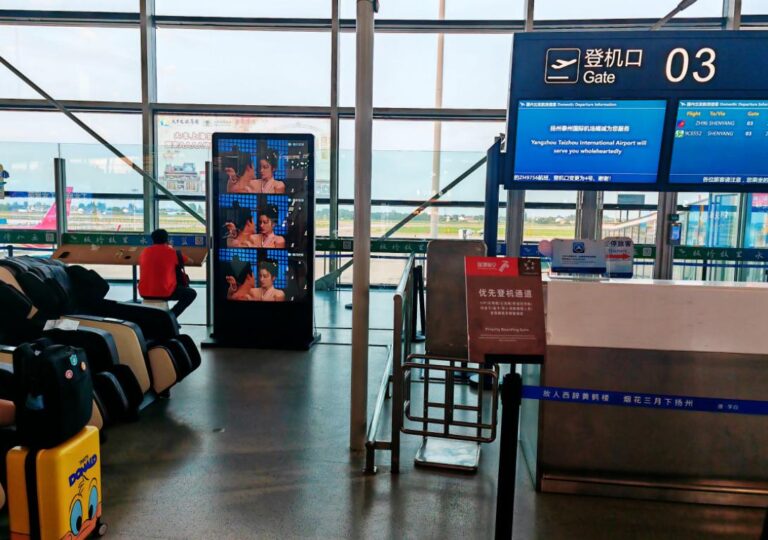
Airports and transportation hubs are some of the busiest, most fast-moving environments in the world—where thousands of passengers depend on clear, real-time information every minute. In recent years, digital signage has quietly become the “silent engine” behind smoother travel experiences, powering everything from gate changes and baggage alerts to interactive wayfinding and safety notifications. Unlike retail or corporate signage, transportation digital signage must meet higher demands: extreme brightness, 24/7 uptime, aviation-level reliability, and instant data synchronization. This guide takes you inside how transportation and airport digital signage really works—what to buy, how to deploy it, and which mistakes to avoid—so operators can build systems that are faster, clearer, and ready for the future of global mobility.
What Problems Does Transportation & Airport Digital Signage Solve?
Digital signage in transportation hubs is designed to solve a very specific set of operational challenges. It applies to airports, metro stations, bus terminals, ferry ports, and high-speed rail stations, where passenger volume is high and information changes rapidly. It does not cover outdoor LED billboards, standalone ticketing kiosks, or non-real-time advertising networks, which operate under different technical requirements. The core problem transportation signage addresses is delivering accurate, real-time information in environments where delays, gate changes, congestion, and safety events happen every day.
From an operational perspective, several fact-based insights highlight the necessity of digital signage.
Fact 1: According to ACI, over 30% of airport passenger complaints come from unclear or outdated information. Digital signage directly reduces this issue by providing real-time updates.
Fact 2: Studies show that dynamic gate and platform information reduces misboarding incidents by up to 25–40%.
Fact 3: Real-time crowd-flow screens help redistribute passengers and reduce bottlenecks in peak hours, especially in metro systems.
Fact 4: Emergency alert displays shorten reaction time during incidents, improving safety outcomes.
Fact 5: Multilingual content on digital screens helps international passengers navigate terminals more effectively than static signage.
Fact 6: Airport operators report up to 20% reduction in staff workload at information counters once digital signage takes over routine announcements.
In short, transportation and airport digital signage solves the problem of speed, clarity, and safety in environments where every minute—and every update—matters.
Configuration Guide for Airport & Transport Digital Signage
Choosing the right digital signage for airports and transportation hubs requires matching technical specifications with real-world conditions such as lighting, line-of-sight, and passenger density. The first priority is brightness. Displays near windows or skylights must reach 2500–4000 nits to remain visible under direct sunlight and reflective flooring. Indoor concourses, baggage halls, and ticketing areas typically require 700–1500 nits, depending on ceiling height and ambient lighting. Screen size follows location-based logic: 43″ works for narrow corridors or gate counters, 49″–55″ suits concourses and waiting zones, while 86″ displays are ideal for large halls and flight information areas.
Operating systems play a major role in stability and maintenance. Android offers lower cost and fast deployment, ideal for advertising and static loops. Windows supports heavier integrations, such as flight information display systems (FIDS) or real-time transit dashboards. SoC (System-on-Chip) displays combine screen + player into one device, reducing failure points and simplifying installation—useful for large networks.
A simple decision model helps operators choose correctly:
- High sunlight + glass walls → 3000+ nits + SoC/Windows
- High passenger density → 55″+ with wide viewing angles
- Data-driven screens (FIDS/platform info) → Windows or high-end Android
- Advertising-only zones → Android or SoC
In airports and transit hubs, the most widely used formats are floor-standing digital signage, digital A-boards for temporary re-routing or promotional usage, and wall-mounted digital signage for permanent information zones. Matching these options to each environment ensures clarity, stability, and long-term operational efficiency.
How to Plan & Install Digital Signage in Airports
Planning and installing digital signage in an airport environment requires a careful mix of technical design, safety compliance, and real-world operational testing. The process typically begins with a full assessment of the terminal layout—understanding where passengers slow down, where they make decisions, and where visibility is most critical. Areas like check-in halls, security lanes, boarding gates, transfer corridors, and baggage claim zones each demand different brightness levels, viewing distances, and content strategies. Once the map is clear, teams select the appropriate screens: higher-brightness displays (2500–4000 nits) for areas flooded with sunlight, and 700–1500-nit screens for interior halls. Screen sizes also follow use cases, ranging from 43″ for narrow corridors to 86″ for major information hubs.
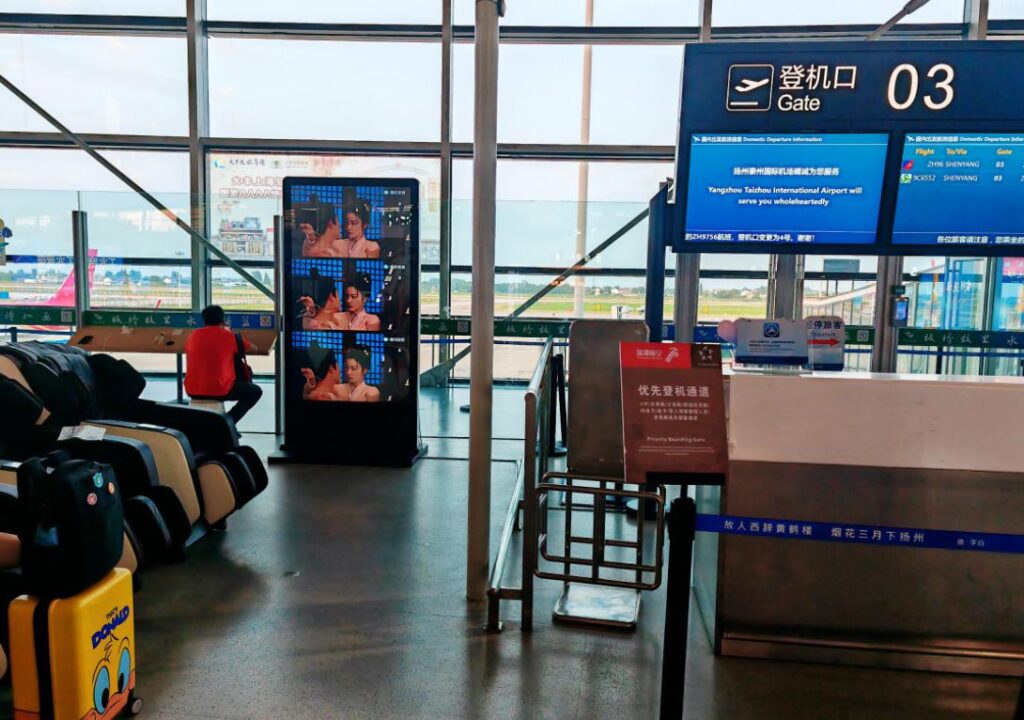
Networking is a core part of airport deployment. Unlike retail stores, airports must guarantee real-time accuracy, which means signage needs LAN for stable data, secure Wi-Fi for content updates, and even 4G/5G redundancy to prevent downtime during network maintenance or outages. After hardware and connectivity are defined, integration begins—connecting the signage CMS to flight information systems, emergency alerts, or passenger service platforms. A structured testing period follows, checking brightness, timing synchronization, network failover, and content playback reliability across multiple days and passenger loads.
Finally, installation must meet strict aviation and fire-safety standards. Enclosures must be fire-rated, cable routing must remain hidden and secure, and mounting systems must withstand constant foot traffic and vibration. When executed properly, this structured approach ensures digital signage remains safe, visible, and dependable—exactly what an airport environment demands.
Practical Use Cases in Airports & Transportation Systems
Digital signage plays a decisive role in keeping airports and transport hubs efficient, especially as passenger volumes continue to rise. One of the most essential applications is gate information screens. The problem is that gate changes and boarding updates can happen within minutes, often causing confusion. Digital signage solves this by pushing real-time flight data directly to screens at each gate, resulting in fewer misboardings and smoother boarding flow. Another critical use case is wayfinding. Large terminals often create congestion near escalators and intersections. Dynamic wayfinding displays guide passengers to alternative routes, reducing bottlenecks and improving overall movement through the terminal.
En baggage claim areas, passengers frequently crowd around a single belt while their luggage arrives elsewhere. Digital signage displaying real-time carousel assignments helps distribute people across belts, shortening waiting times and reducing crowd stress. Emergency alert systems are equally important. When an incident occurs—security alerts, weather disruptions, or temporary closures—airport staff need a channel that reaches thousands instantly. Digital signage broadcasts urgent messages across all screens, ensuring rapid passenger awareness and faster response times.
Advertising also remains a major use case. Airports host high-value audiences—travelers with long dwell times—which makes advertising and passenger engagement screens especially effective. For example, one of Ikinor’s South Africa clients deployed floor-standing digital signage across multiple terminals. Their problem was a lack of unified messaging for promotions and service updates. With Ikinor’s networked signage system, the airport could instantly synchronize campaigns and passenger notices across all units, resulting in stronger engagement and improved passenger communication.
Common Misconceptions & Wrong Deployment Examples
Many airports and transportation operators step into digital signage projects with good intentions but fall into predictable traps. A common misconception is believing that standard indoor brightness is sufficient near glass walls or skylights. In reality, terminals often have powerful natural light, reflective floors, and large windows. Screens with only 700–1000 nits will look completely washed out. These areas require 3000–4000-nit high-brightness displays to maintain legibility during the day. Another misunderstanding is assuming any CMS can push real-time data. Flight and transit information is time-critical and requires reliable API or SoC-level integration. Without proper system-level connectivity, updates may lag, freeze, or fail—leading to misinformation and passenger frustration.
Wrong deployment examples are equally common. One issue is poor cable routing, where screens look modern but cables hang visibly or cross public pathways, creating safety and visual problems. Another typical mistake is installing screens too high, making text unreadable for elderly passengers or people rushing through gates. Similarly, displays positioned at narrow viewing angles lose clarity when passengers approach from the side—an issue especially problematic in wide concourses where people move from multiple directions.
These errors highlight a simple truth: airport digital signage is not just a screen on a wall. It must be engineered for visibility, safety, and real-time accuracy. When done wrong, it becomes invisible; when done right, it becomes an essential part of smooth passenger flow.
Final Thoughts
Digital signage has become a critical communication tool for airports and transportation hubs, improving real-time information flow, passenger navigation, safety alerts, and overall operational efficiency. When properly planned—matching brightness, placement, network stability, and CMS integration—these systems deliver clarity and reliability in environments where every second matters. As airports continue to modernize and passenger volumes rise, the importance of dependable digital signage will only grow. For large-scale deployments involving dozens or hundreds of screens, it’s essential to work with a reliable digital signage manufacturer capable of providing high-brightness displays, stable software integration, and long-term technical support. A strong partner ensures consistency, smoother rollout, and future-proof performance across the entire terminal.