
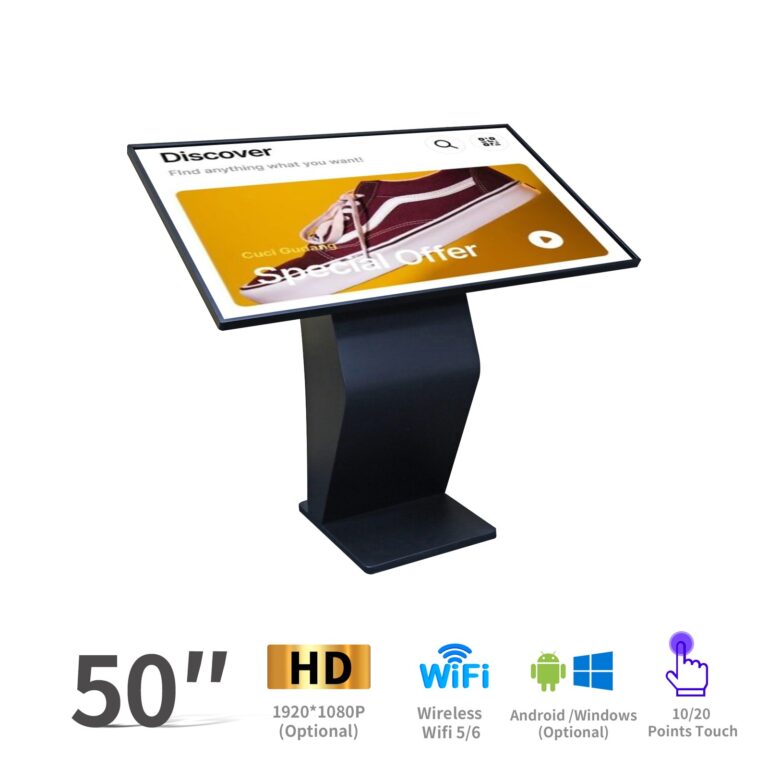
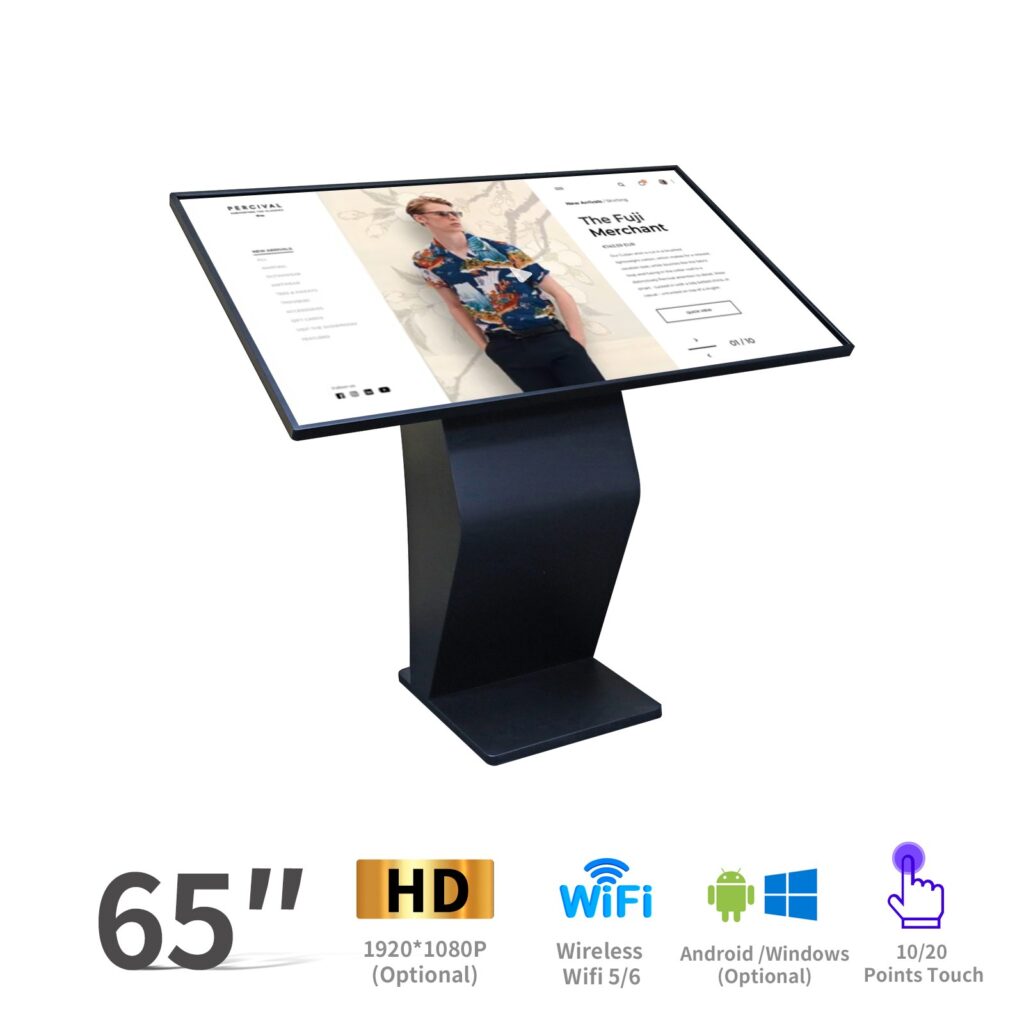
¿Qué es un quiosco con pantalla táctil?
A quiosco con pantalla táctil es un terminal interactivo de autoservicio que permite a los usuarios acceder a información, completar transacciones, consultar direcciones, explorar productos, enviar formularios o interactuar con contenido digital a través de una pantalla táctil. A diferencia de la señalización digital tradicional, que principalmente muestra imágenes, videos o mensajes promocionales, un quiosco con pantalla táctil combina señalización digital con un sistema de quiosco interactivo. Esto significa que no solo muestra contenido, sino que también permite a los usuarios realizar acciones.
El valor fundamental de un quiosco con pantalla táctil reside en su función de autoservicio. Gracias a una interfaz clara e intuitiva, los visitantes pueden usar el quiosco sin necesidad de ayuda del personal. Por ejemplo, una interfaz bien diseñada puede guiar a los usuarios paso a paso para buscar tiendas, realizar pedidos, imprimir boletos, escanear códigos QR o registrarse. Esto reduce el tiempo de espera, mejora la eficiencia del servicio y ofrece una experiencia de usuario más cómoda.
Los quioscos con pantalla táctil se utilizan ampliamente en ambos entornos interiores y exteriores. Los quioscos de interior se encuentran habitualmente en centros comerciales, hoteles, escuelas, restaurantes, hospitales, oficinas y salas de exposiciones. Los quioscos táctiles de exterior se utilizan a menudo para información pública, orientación, transporte, publicidad y aplicaciones de autoservicio gubernamentales. Los modelos de exterior suelen requerir carcasas más resistentes, mayor brillo, protección impermeable y mejor control de la temperatura.
Dependiendo de la aplicación, los quioscos con pantalla táctil pueden presentarse en diferentes formas, incluyendo: quioscos de pie, quioscos montados en la pared, quioscos de escritorio, y puestos de quiosco basados en tabletas. Cada modelo se adapta a diferentes necesidades de espacio, presupuesto e interacción, lo que convierte a los quioscos con pantalla táctil en una solución flexible para el autoservicio moderno y la comunicación digital.
Aplicaciones comunes de los quioscos con pantalla táctil
Lo creas o no, probablemente veas un quiosco con pantalla táctil Casi a diario, a menos que vivas en medio de un bosque sin centros comerciales, restaurantes, escuelas, aeropuertos ni edificios públicos cerca. Desde pedir comida hasta buscar direcciones, los quioscos con pantalla táctil se han convertido discretamente en parte de la vida cotidiana moderna.
En tiendas minoristas, Un quiosco con pantalla táctil puede ayudar a los clientes a explorar productos, consultar el inventario, comparar opciones o realizar pedidos de autoservicio sin esperar a un vendedor. Esto lo hace especialmente útil para tiendas, salas de exposición y supermercados concurridos. centros comerciales, Los quioscos con pantalla táctil se utilizan a menudo como directorios de orientación, pantallas publicitarias y pantallas de promoción, lo que ayuda a los visitantes a encontrar rápidamente tiendas, restaurantes, baños o zonas para eventos.
Los restaurantes también utilizan quioscos de autoservicio con pantalla táctil para menús digitales, pedidos, pagos y gestión de colas. En lugar de hacer cola, los clientes pueden elegir comidas, personalizar pedidos y completar el pago directamente en la pantalla. escuelas y campus, Un quiosco con pantalla táctil puede mostrar anuncios, facilitar el registro de visitantes, guiar a los estudiantes por el campus o incluso funcionar como herramienta de interacción en el aula.
Para exposiciones y eventos, un quiosco interactivo con pantalla táctil puede recopilar clientes potenciales, mostrar demostraciones de productos, atraer visitantes y reducir la carga de trabajo del personal. hospitales y clínicas, Los quioscos se utilizan habitualmente para el registro de pacientes, la búsqueda de información, la emisión de tickets de espera y la orientación. Los edificios gubernamentales y los espacios públicos también utilizan quioscos con pantalla táctil para formularios de autoservicio, venta de entradas, avisos públicos y orientación a los ciudadanos.
Por eso, los quioscos con pantalla táctil no son solo dispositivos de visualización. Son sistemas prácticos de autoservicio que se utilizan en entornos de comercio minorista, educación, sanidad, hostelería, exposiciones y servicios públicos.
Principales tipos de quioscos con pantalla táctil
Antes de comparar proveedores o precios, es útil comprender los principales tipos de quioscos con pantalla táctil Primero, vamos a analizarlos uno por uno para que puedas saber rápidamente qué modelo se adapta mejor a tu proyecto.
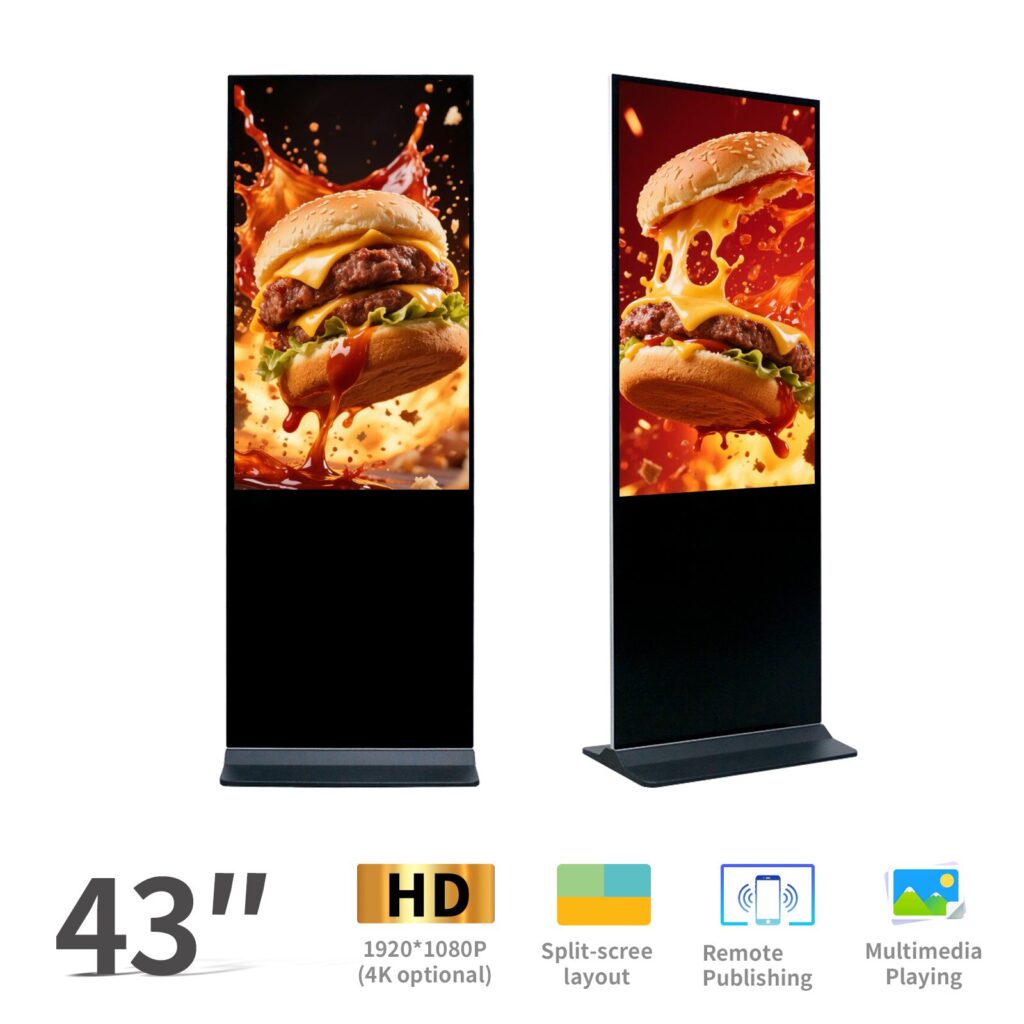
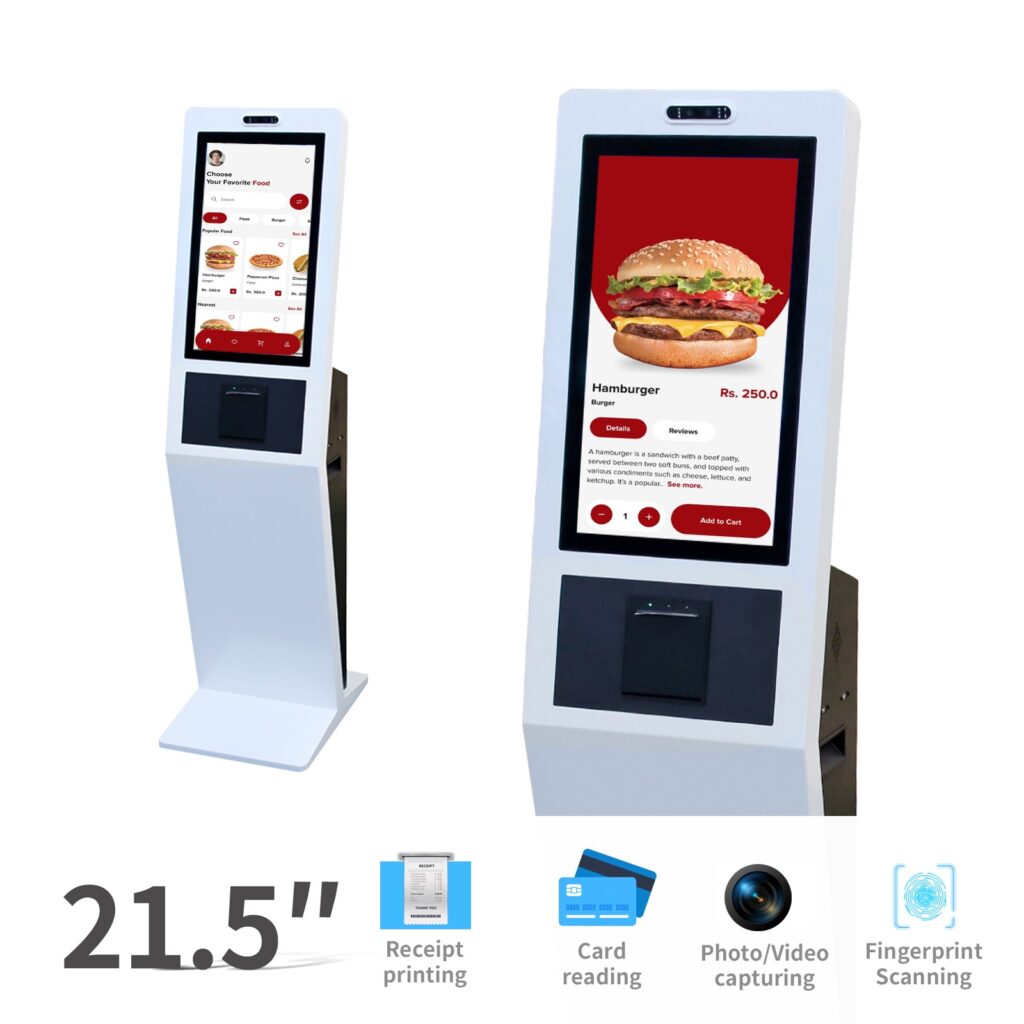
A Quiosco con pantalla táctil de pie Es una de las opciones más comunes. Se trata de una pantalla digital de pie con funcionalidad táctil y una interfaz de usuario bien diseñada. En lugar de mostrar solo vídeos, imágenes o mensajes promocionales, permite a los usuarios buscar información, realizar pedidos, consultar direcciones o completar trámites directamente en la pantalla. Este tipo de pantalla se utiliza ampliamente en centros comerciales, salas de exposiciones, hoteles, aeropuertos y oficinas gubernamentales.
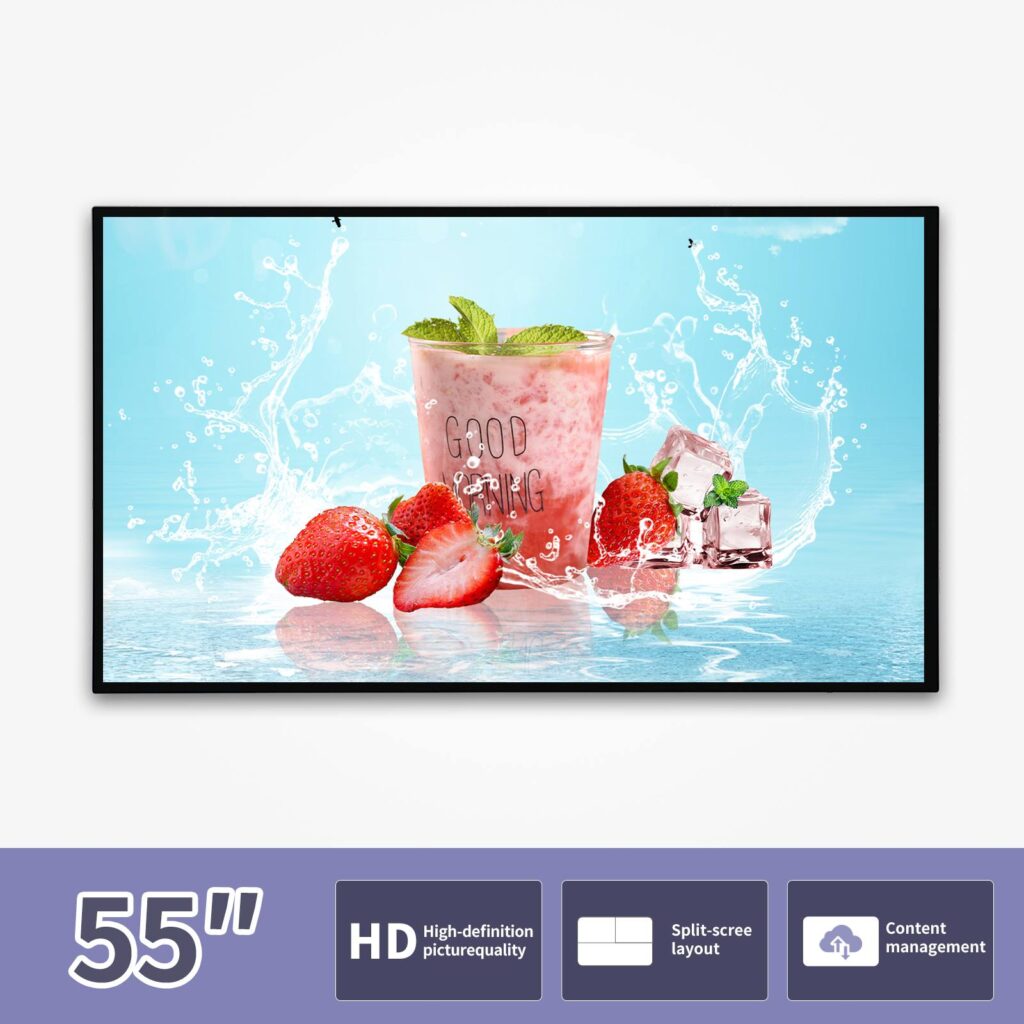
A Quiosco con pantalla táctil montado en la pared Es más adecuado cuando el espacio es limitado. Se puede instalar en las paredes de pasillos de hospitales, entradas de escuelas, vestíbulos de oficinas o edificios públicos. Se utiliza con frecuencia para la orientación, el registro de visitantes, la búsqueda de información y la guía de servicios.
A Quiosco con pantalla táctil de escritorio o mostrador Es más pequeño y suele colocarse sobre un mostrador. Los restaurantes pueden usarlo para que los clientes hagan sus pedidos, mientras que los hoteles, las clínicas y las tiendas minoristas pueden usarlo para el registro, el procesamiento de pagos o la atención al cliente.
A soporte para quiosco de tabletas Es una opción rentable para usos temporales o ligeros, como el registro de asistentes a eventos, la orientación en exposiciones, las encuestas o la interacción con pequeños comercios.
Un quiosco con pantalla táctil para exteriores Está diseñado para entornos más exigentes. Generalmente requiere alta luminosidad, protección contra el agua y el polvo, estructura antivandálica y control de temperatura, lo que lo hace adecuado para publicidad exterior, estaciones de transporte y áreas de servicio público.
Principales proveedores de quioscos con pantalla táctil a tener en cuenta
| Proveedor | País | Enfoque principal del producto | Lo mejor para | Perspectiva del comprador |
|---|---|---|---|---|
| Displays2Go | Estados Unidos | Quioscos con pantalla táctil, pantallas interactivas digitales, expositores para comercios, expositores para ferias comerciales. | Tiendas minoristas, señalización, exhibición comercial, exposiciones | Una buena opción para los compradores que buscan quioscos con pantalla táctil prefabricados, especialmente para exhibición en tiendas, interacción en el establecimiento y presentaciones de eventos. |
| Touch Screens Inc. / TouchWindow | Estados Unidos | Quioscos con pantalla táctil, soportes para quioscos con iPad, ordenadores para quioscos, hardware para puntos de venta, monitores táctiles, piezas de repuesto | Sistemas de quioscos personalizados, proyectos de punto de venta, necesidades de reparación y reemplazo. | Ideal para compradores que necesitan no solo sistemas de quiosco, sino también componentes táctiles relacionados, equipos de punto de venta, impresoras, escáneres y hardware de repuesto. |
| LamasaTech | Reino Unido | Quioscos interactivos con pantalla táctil, pantallas de señalización digital, quioscos para interiores y exteriores, videowalls. | Comercio minorista, hostelería, universidades, sector público, aplicaciones empresariales | Una excelente opción para compradores que necesitan soluciones profesionales de quioscos interactivos con experiencia en implementación tanto de hardware como de aplicaciones. |
| ViewSonic | Estados Unidos | Soluciones de visualización, pantallas interactivas, pantallas educativas, pantallas tipo quiosco para escuelas y campus. | Educación, comunicación en el campus, interacción en el aula, exhibición de información escolar | Más adecuado para compradores del sector educativo o proyectos universitarios que necesiten hardware de visualización fiable, pantallas interactivas y soluciones de comunicación visual. |
| Pantalla profesional | Reino Unido | Quioscos táctiles interactivos, pantallas publicitarias, pantallas táctiles comerciales, tótems interactivos independientes. | Publicidad comercial, participación pública, entornos con gran afluencia de público. | Una opción práctica para compradores que buscan quioscos táctiles de calidad comercial para publicidad, visualización de información e interacción con el público. |
| Eyefactive | Alemania | Software para quioscos multitáctiles, software de señalización interactiva, mesas multitáctiles, terminales de quiosco, interacción con videowalls. | Software interactivo, experiencias multitáctiles, exposiciones, participación de marca. | Ideal para proyectos donde la experiencia interactiva y la interfaz de software son más importantes que el hardware estándar del quiosco por sí solo. |
| Tecnologías Allsee | Reino Unido | Quioscos con pantalla táctil PCAP, pantallas de señalización digital, pantallas de quiosco todo en uno para Android y Windows. | Señalización digital, pedidos de autoservicio, orientación, pantalla táctil comercial | Ideal para compradores que necesitan pantallas táctiles comerciales todo en uno para quioscos, con opciones de pantalla táctil PCAP, Android o Windows, y soporte técnico a largo plazo. |
| TouchWo | Porcelana | Quioscos con pantalla táctil, pantallas táctiles industriales, pantallas táctiles capacitivas, soluciones táctiles personalizadas | Uso comercial, proyectos con toque industrial, restaurantes y autoservicio para comercios. | Una opción útil para los compradores que buscan fabricación en China, productos táctiles estándar y soluciones personalizadas de quioscos con pantalla táctil. |
| Ikinor | Porcelana | Quioscos táctiles OEM/ODM, señalización digital de pie, quioscos interactivos, pantallas comerciales inteligentes. | Compradores B2B que necesitan hardware, logotipo, sistema operativo, interfaz de software, diseño de carcasa y módulos periféricos personalizados. | Una opción idónea para distribuidores, contratistas de proyectos y proveedores de soluciones que necesitan una personalización OEM/ODM flexible en lugar de solo productos de quiosco estándar. |
Rango de precios de los quioscos con pantalla táctil: ¿Cuánto cuestan?
| Tipo de quiosco con pantalla táctil | Rango de precios estimado | Adecuado para |
|---|---|---|
| Soporte para quiosco de tabletas | $200–$800 | Eventos, registro, pequeñas tiendas, encuestas, inscripción a la exposición. |
| Quiosco con pantalla táctil de mostrador | $800–$2000 | Restaurantes, recepciones, mostradores de venta al por menor, áreas de recepción de hoteles |
| Quiosco táctil de pie | $1.500–$5.000 | Centros comerciales, hoteles, escuelas, aeropuertos, espacios comerciales |
| Quiosco con pantalla táctil de gran formato | $3.000–$8.000+ | Exposiciones, salas de exposición, áreas públicas, centros de experiencia de marca |
| Quiosco táctil para exteriores | $5.000–$15.000+ | Publicidad exterior, servicio público, estaciones de transporte, proyectos de ciudades inteligentes |
| Quiosco de autoservicio personalizado | $3.000–$20.000+ | Pago, emisión de billetes, escaneo, verificación de identidad, gestión de colas |
¿Qué factores influyen en el precio de los quioscos con pantalla táctil?
Ahora bien, quizás te preguntes: si dos quioscos con pantalla táctil se ven similares por fuera, ¿por qué sus precios pueden ser tan diferentes? Analicemos los factores clave que suelen influir en el presupuesto final.
Primero, tamaño de pantalla tiene un impacto directo en el costo. Los tamaños comunes incluyen 21,5 pulgadas, 32 pulgadas, 43 pulgadas y 55 pulgadas. Una pantalla más grande generalmente implica un mayor costo del panel, una estructura más robusta, un mayor peso de envío y, a veces, una instalación más compleja. La tecnología táctil también es importante. Táctil capacitivo, tacto infrarrojo, y PCAP táctil pueden crear diferentes experiencias de usuario, niveles de precisión y precios.
El Sistema operativo Otro factor importante es que los quioscos Android suelen ser adecuados para señalización digital, menús y aplicaciones básicas de autoservicio, mientras que los quioscos Windows se utilizan habitualmente para software más complejo, sistemas de punto de venta o integración empresarial. Algunos proyectos también pueden requerir Linux para necesidades industriales o de seguridad específicas.
El brillo y la resolución también influyen en el precio. Los quioscos para interiores pueden usar un brillo estándar, mientras que los de exteriores requieren paneles de alto brillo, carcasas impermeables y a prueba de polvo, protección antivandálica y sistemas de ventilación, calefacción o refrigeración. Por eso, un quiosco táctil para exteriores suele ser mucho más caro que uno para interiores.
Para obtener más información: Lea 《¿Cuánto cuesta un quiosco con pantalla táctil?》 y 《Costo de un quiosco al aire libre》
La configuración interna también importa, incluyendo CPU, RAM y almacenamiento. Este segmento puede fluctuar más de lo que esperan los compradores. En 2026, los precios de la memoria y las unidades SSD se vieron presionados por la escasez de suministro y la creciente demanda relacionada con la IA, lo que puede afectar los costos de la lista de materiales (BOM) de los dispositivos que utilizan DRAM y componentes de almacenamiento. Gartner estimó que los precios combinados de DRAM y SSD podrían aumentar drásticamente para finales de 2026, mientras que IDC también señaló la escasez de suministro y el aumento de los costos de DRAM/NAND en todos los mercados de dispositivos.
Módulos opcionales como cámara, escáner QR, impresora de recibos, lector de tarjetas, módulo NFC y dispositivos de verificación de identidad Esto también aumentará el costo. Además del hardware, los compradores deben considerar la integración de software o CMS, la personalización de la marca, la instalación, la garantía, el soporte posventa, la cantidad mínima de pedido (MOQ), el embalaje y el costo de envío.
Para los compradores B2B, el quiosco con pantalla táctil más barato no siempre es la mejor opción. El costo real depende de la estabilidad del hardware, la compatibilidad del software, las necesidades de personalización y el mantenimiento a largo plazo. Antes de confirmar un pedido, es mejor consultar con un Fabricante profesional de quioscos con pantalla táctil y adapte la configuración al escenario real de su proyecto.
Cómo elegir el proveedor adecuado de quioscos con pantalla táctil
Elegir el adecuado proveedor de quioscos con pantalla táctil No se trata solo de encontrar el precio más bajo. Para los compradores B2B, el objetivo principal es encontrar un socio que pueda respaldar su proyecto desde el diseño del producto hasta la entrega a gran escala, la integración de software, la instalación y el mantenimiento a largo plazo. Analicemos los puntos clave que debe considerar antes de tomar una decisión.
Primero, revise el proveedor capacidad de personalización del producto. Un fabricante de quioscos fiable debería poder personalizar el tamaño de la pantalla, el color, el logotipo, la animación de inicio, la interfaz del sistema, la estructura de la carcasa y las funciones del software. Si su proyecto requiere una identidad de marca o un escenario de aplicación específicos, los modelos estándar podrían no ser suficientes.
Segundo, compruebe el configuración del hardware Analice cuidadosamente los detalles. Entre los aspectos importantes se incluyen el tamaño de la pantalla, la resolución, el brillo, la tecnología táctil, la placa base, la CPU, la RAM, el almacenamiento, la disipación de calor y el material de la carcasa. Para entornos exteriores o de alto tránsito, la durabilidad y el funcionamiento estable son más importantes que la apariencia.
En tercer lugar, confirme si el proveedor puede brindar soporte. Integración de software y sistemas. Muchos proyectos de quioscos con pantalla táctil requieren conexión con CMS, API, ERP, POS, CRM, pasarelas de pago, sistemas de gestión de visitantes o plataformas de gestión de colas. Si el hardware no funciona correctamente con su sistema actual, el proyecto puede resultar costoso y difícil de mantener.
Cuarto, evaluar certificación y control de calidad. Dependiendo de su mercado objetivo, es posible que necesite certificaciones como CE, FCC, RoHS y EMC. Un buen proveedor también debe contar con procesos de prueba claros antes del envío.
Finalmente, compare plazo de entrega y servicio posventa. Los compradores B2B no deben fijarse únicamente en el precio unitario. El plazo de entrega, la política de garantía, el suministro de repuestos, el soporte técnico remoto y la eficiencia en la comunicación influyen en el coste real del proyecto. Un proveedor profesional de quioscos con pantalla táctil debe ayudarle a reducir riesgos, no solo venderle una máquina.
Lista de verificación de configuración de hardware para quioscos con pantalla táctil
Para hacer tu quiosco con pantalla táctil Para simplificar el proceso de compra, aquí tienes una práctica lista de verificación de configuración de hardware que puedes usar antes de contactar a los proveedores. Considérala una guía rápida: te ayudará a comparar diferentes presupuestos, evitar pasar por alto detalles clave y determinar si el quiosco se ajusta a tus necesidades específicas.
| Componente | Opción recomendada |
|---|---|
| Tamaño de pantalla | 21,5 / 32 / 43 / 55 pulgadas |
| Resolución | 1920×1080 FHD o 4K |
| Tipografía táctil | Pantalla táctil capacitiva de 10 puntos / pantalla táctil PCAP |
| Sistema operativo | Android / Windows |
| Brillo | 350 nits en interiores, más de 1000 nits en exteriores. |
| Red | WiFi / Ethernet / 4G opcional |
| Audio | Altavoces integrados |
| Módulos opcionales | Cámara, escáner QR, impresora, NFC, lector de tarjetas |
| Instalación | De pie, montado en la pared, de sobremesa |
| Software | CMS, modo quiosco, gestión remota de contenido |
Al comparar presupuestos, no se fije solo en el tamaño de la pantalla y el precio. Una configuración completa de un quiosco táctil debe incluir la pantalla, el panel táctil, el sistema operativo, el hardware interno, la compatibilidad con la red, el método de instalación, la compatibilidad del software y los módulos periféricos opcionales. Esta lista de verificación le ayudará a comunicarse con mayor claridad con los proveedores y a reducir el riesgo de adquirir un quiosco que, aunque tenga buen aspecto, no se ajuste a las necesidades reales de su proyecto.
¿Cuándo conviene elegir un quiosco táctil personalizado?
Un quiosco con pantalla táctil estándar suele ser suficiente para mostrar información sencilla, orientar a los usuarios o para publicidad digital. Pero cuando su proyecto requiere más que una pantalla y una interfaz básica, un quiosco con pantalla táctil personalizado Puede que sea la mejor opción. En pocas palabras: si el quiosco debe adaptarse a tu flujo de trabajo, tu marca o tu sistema actual, la personalización se vuelve importante.
Por ejemplo, los restaurantes pueden necesitar escáneres QR, impresoras térmicas de recibos, terminales de pago y una interfaz de autoservicio. Los hospitales y clínicas pueden requerir verificación de identidad, transmisión segura de datos, funciones de registro de pacientes e integración con sistemas de citas. Las tiendas minoristas pueden necesitar una interfaz de usuario personalizada, conexión con el sistema de inventario, soporte para programas de fidelización y módulos de pago. En edificios gubernamentales, estaciones de transporte o grandes espacios comerciales, los quioscos también pueden necesitar sistemas de venta de entradas, gestión de colas, control de acceso o interfaces multilingües.
La personalización no se trata solo de la apariencia. Puede incluir Tamaño de la pantalla, diseño de la carcasa, ubicación del logotipo, animación de arranque, sistema operativo, interfaz de software, hardware interno y módulos periféricos.. Esto resulta especialmente útil para distribuidores, contratistas de proyectos y proveedores de soluciones que necesitan un quiosco que se adapte a un escenario de implementación específico.
Para los compradores B2B, trabajar con un Fabricante de quioscos con pantalla táctil OEM/ODM como Ikinor Ikinor puede ayudar a convertir una idea general de quiosco en una solución lista para su implementación. Según sus requisitos, Ikinor puede brindar soporte para el diseño de hardware personalizado, apariencia de marca, opciones de sistema Android o Windows, adaptación de la interfaz de software y módulos opcionales como cámaras, impresoras, escáneres QR, lectores NFC y dispositivos de pago con tarjeta.
Preguntas frecuentes
A quiosco con pantalla táctil Es un terminal interactivo de autoservicio que permite a los usuarios acceder a información, completar tareas o interactuar con contenido digital mediante una pantalla táctil. A diferencia de la señalización digital tradicional, está diseñado para la interacción bidireccional, no solo para la visualización de contenido.
El precio de un quiosco con pantalla táctil depende del tamaño de la pantalla, la tecnología táctil, la configuración del hardware, los requisitos de software y los módulos opcionales. Un quiosco básico de pie con pantalla táctil puede costar alrededor de $1,500, mientras que los quioscos de autoservicio personalizados con pago, escaneo, impresión, verificación de identidad o protección exterior pueden costar varios miles de dólares o más.
Los quioscos con pantalla táctil se utilizan ampliamente para servicios de orientación, autoservicio, venta de entradas, consulta de productos, registro de visitantes, publicidad, educación, atención médica e información pública. Puedes encontrarlos en centros comerciales, restaurantes, escuelas, hospitales, hoteles, aeropuertos, exposiciones y centros de servicios gubernamentales.
Los tamaños comunes de quioscos con pantalla táctil incluyen: 21,5 pulgadas, 32 pulgadas, 43 pulgadas y 55 pulgadas. Los tamaños más pequeños son mejores para mostradores, recepciones y espacios compactos, mientras que las pantallas más grandes son más adecuadas para centros comerciales, exposiciones, salas de exhibición, áreas públicas y pantallas publicitarias.
Sí. Muchos fabricantes de quioscos con pantalla táctil B2B admiten personalización, incluyendo: logotipo, color, tamaño de pantalla, diseño de la carcasa, sistema operativo, interfaz de software, animación de arranque y módulos periféricos. Para los compradores que trabajan por proyectos, la personalización suele ser necesaria cuando el quiosco debe admitir pagos, escaneo de códigos QR, impresión de entradas, gestión de visitantes o integración con los sistemas empresariales existentes.




