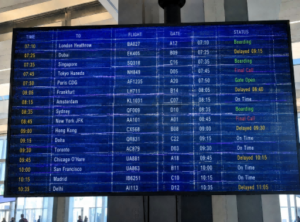
In modern retail, transit, and corporate settings, digital signage has evolved into critical IoT infrastructure. Far from being passive screens, these connected endpoints act as the face of your brand. However, leaving them unhardened creates dangerous security blind spots. A compromised network is a prime target for “brandjacking,” where malicious actors hijack screens to display offensive content, causing immediate reputational collapse. Furthermore, unsecured signage serves as a gateway for hackers to pivot into your core corporate databases. Security is no longer an optional IT task—it is a mandatory requirement for operational continuity. This guide provides a strategic framework to harden your displays through physical barriers, rigorous network segmentation, and proactive content governance to turn your signage into a secure, high-performance asset.
The Hidden Risks of Connected Signage Networks
Defining the Threat: What Are the Hidden Risks?
In modern network architecture, digital signage networks are essentially clusters of IoT (Internet of Things) endpoints. Each display terminal is equipped with an operating system, network modules, and interfaces that facilitate constant data exchange with cloud servers.
Technical Definition: The “risks” here refer to the attack surface created by endpoint exposure. Put simply, once a device is connected to a network, it is no longer just a content delivery medium; it becomes a computing node that can be remotely accessed, altered, or exploited.
Real-World Analogy: Is Your Display an Unlocked Back Door?
To understand these risks, think of your signage network as the “front reception desk” of your office:
- The Traditional View: Previously, a reception desk was purely for information. It wasn’t connected to the company’s internal database. Even if someone occupied the reception area, they couldn’t access the accounting office because there was a solid wall (physical/network isolation) between them.
- The Modern Reality: Today, that reception desk is a smart, connected terminal integrated directly into your internal network to streamline operations. However, if that terminal isn’t properly secured, a compromised reception desk means an attacker now has a seat at your internal office desk, gaining a direct line to your sensitive corporate data.
This is the core risk of unhardened signage networks: they become an unintentional “back door” for lateral movement—the technique attackers use to pivot from a low-security device to your high-security servers.
Common Security Vulnerabilities in Deployment
When display networks are managed as basic hardware rather than critical infrastructure, three common vulnerabilities emerge:
- Brandjacking: This is the most visible form of compromise. If CMS (Content Management System) credentials are weak, unauthorized parties can bypass security controls to hijack your screens. Broadcasting offensive or misleading content causes immediate reputational damage that can be difficult to recover from.
- Lateral Movement: If signage terminals are not logically separated from your office network, a breach at the display level provides hackers with a “beachhead.” They can use this foothold to perform internal network reconnaissance and seek out the most valuable data assets.
- Exposed Attack Surfaces: Displays often operate in high-traffic, public environments. If they are configured on shared Wi-Fi or unsegmented network segments without firewall oversight, they become easy targets for malicious network scanning, DDoS attacks, or integration into external botnets.
Treating signage as mere “output screens” while ignoring their connectivity is a significant oversight. As you scale, you aren’t just managing content; you are maintaining a distributed network infrastructure. Identifying these risks is the first step in establishing a professional security posture.
By treating the physical device as a high-security endpoint, you remove the ‘easy wins’ that attackers rely on. For deployments where hardware security is the top priority, we recommend utilizing high-security interactive kiosks designed with industrial-grade locking mechanisms and tamper-resistant housing, which provide a significantly higher barrier to entry than standard screen mounts.
Network Segmentation: Isolating Your Display Assets
Technical Definition: What is Network Segmentation?
Technical Definition: Network segmentation is the practice of partitioning a larger network into distinct, controlled logical subnets. In the context of digital signage architecture, this means isolating the environment where your media players operate from your core corporate infrastructure—such as financial, human resources, or sensitive data networks.
Real-World Analogy: The “Apartment Building” Firewalls
Think of your corporate network as a large apartment building, and VLANs (Virtual Local Area Networks) as the internal firewalls between units.
- Without Segmentation: It is equivalent to a building where all units share a single, open hallway. If a thief enters your home (the digital signage network) because the door is left unlocked, they can walk down the hall and freely enter your neighbor’s home (the core database).
- With Network Segmentation: It is as if each unit has its own reinforced door and dedicated, secure access elevator. Even if the digital signage unit is breached, the attacker is contained within that specific area, with no logical pathway to navigate the hallway to reach your core internal systems.
Why Must Signage Networks Be Isolated?
In enterprise IT governance, digital signage networks must be classified as “high-exposure assets.” Because these displays are often deployed in public-facing or high-traffic areas, they are susceptible to varying levels of physical and network access. If a display terminal is integrated into the same flat local area network (LAN) as your critical business servers, a single vulnerability in the media player’s firmware could provide an attacker with a direct line to your most sensitive corporate data.
Core Strategies for Network Isolation
To ensure your signage terminals do not become internal network vulnerabilities, IT departments should implement these logical controls:
- VLAN Deployment: This is the primary logical defense. By configuring VLANs on your network switches, you assign all media players to an isolated subnet. This ensures that the signage network is invisible to your internal management systems, preventing unauthorized reconnaissance.
- Encrypted Transport Protocols (TLS/HTTPS): Every bit of data transmitted between your media players and the CMS (Content Management System) server must be encrypted. This protects your content streams from “sniffing,” ensuring that even if network traffic is intercepted, configuration parameters and sensitive API credentials remain unreadable.
- Strict Egress Filtering (Outbound Firewall Rules): Security is not just about blocking incoming traffic. Configure firewalls to allow the signage players to communicate only with the specific IP addresses of your trusted CMS servers. By blocking all other outbound requests, you prevent compromised players from “calling home” to external botnets or exfiltrating data to unknown addresses.
By treating the signage network as a quarantined zone, you significantly limit the “blast radius” of any potential breach, ensuring that your core operations remain protected even if an individual display terminal is compromised.
Securing Content & CMS Access: The Principle of Least Privilege
Access control is only as strong as the platform it governs. A robust content management system (CMS) is the backbone of your display security, serving not just as a content scheduler, but as the primary control interface for your entire network. If your CMS is insecure, your permission settings are moot.
Technical Definition: What is RBAC and Least Privilege?
Technical Definition: Role-Based Access Control (RBAC) is an administrative security method that assigns system access rights based on the user’s specific role within an organization. “Least Privilege” is the governing principle of RBAC, which dictates that any user, system, or process must be able to access only the information and resources that are necessary for its legitimate purpose.
Real-World Analogy: The “Restaurant Kitchen” Workflow
Think of your CMS as a high-volume professional restaurant kitchen:
- The Vulnerability: If every staff member—from the dishwasher to the delivery driver—has a master key to the pantry, the walk-in freezer, and the safe where the day’s revenue is kept, it is only a matter of time before an accident or a theft occurs.
- The Solution (Least Privilege): You assign specific keys. The chef has access to the pantry, the cashier has access to the register, and the dishwasher has access to the cleaning supplies. No one has access to anything they do not need to perform their specific job.
In your content management ecosystem, if every employee has “Administrator” access, a single compromised account or an accidental misclick by a non-technical staff member can lead to the unauthorized distribution of content.
Implementation Strategies for Content Governance
To secure your content stream and eliminate human error, your organization must enforce the following controls:
- RBAC Deployment: Map your CMS users to clearly defined roles. A content designer should have access to the creative library but no permissions to publish to “live” screens. A regional manager should only have control over the specific displays in their designated territory.
- Multi-Factor Authentication (MFA): Because credentials are the most common entry point for attackers, MFA is non-negotiable. Even if an employee’s password is stolen via phishing, a secondary authentication factor (such as an app-based TOTP or hardware security key) provides an essential second layer of verification.
- Formalized Approval Workflows: Never allow direct-to-screen publishing for high-stakes content. Implement a “two-person rule” where any content scheduled for live displays must be reviewed and digitally signed off by an authorized supervisor. This prevents malicious or incorrect files from reaching your public-facing network.
- Audit Logs and User Audits: Maintain immutable access logs that record every change made to your CMS—who logged in, when they logged in, what content they uploaded, and which screens they modified. Furthermore, conduct monthly audits to revoke access immediately for employees who have changed roles or left the organization.
By moving from a “shared admin” model to a structured permission architecture, you isolate the potential impact of any single account compromise, ensuring that your signage displays only the content you intend to show.
Ongoing Monitoring: The IT Manager’s Security Checklist
Technical Definition: What is Continuous Security Monitoring?
Technical Definition: Continuous Security Monitoring refers to the process of ensuring that digital signage systems remain within their established security baseline throughout their entire lifecycle. This is achieved through ongoing log auditing, vulnerability scanning, and periodic configuration verification. Security is not a one-time deployment; it is a continuous maintenance loop.
Real-World Analogy: Why Security Needs “Quarterly Inspections”
Think of maintaining your digital signage network like a commercial building’s fire safety system:
- If You Only Inspect Once: This is equivalent to an initial building inspection upon completion. Over time, fire extinguishers may expire, and emergency exits may become obstructed by clutter.
- Continuous Monitoring (Checklist-based): This is like the quarterly safety walkthrough mandated for professional property management—testing alarms, checking electrical wiring, and clearing emergency pathways. Even if no fire occurs, these detailed inspections ensure that when a crisis does strike, the system is fully operational and ready to protect the facility.
The IT Security Hardening Checklist
To ensure your digital signage network is not left vulnerable, IT teams should establish the following quarterly operational cycle:
- Patching Cycle:
- Task: Verify OS and CMS firmware versions across all media players every quarter.
- Objective: Patch publicly disclosed CVEs (Common Vulnerabilities and Exposures). Unpatched systems are the primary targets for automated exploit scanners.
- Anomaly Detection (Network Traffic Review):
- Task: Review firewall logs.
- Objective: Observe signage endpoints for abnormal “outbound” traffic. If a display terminal sends large volumes of data to unknown external IPs at 3:00 AM, it is a hallmark sign of botnet communication.
- Access Audit:
- Task: Purge accounts of former employees or third-party contractors.
- Objective: Prevent “privilege creep” due to organizational changes and ensure all CMS accounts adhere to the principle of least privilege.
- Physical Security Audit:
- Task: Inspect physical hardware for loose port covers or damaged locking mechanisms.
- Objective: Ensure that in high-traffic public areas, no unauthorized USB flash drives have been inserted into the hardware.
- Emergency Response Protocol (IRP) Drill:
- Task: Define a response procedure for “black screen” events or content hijacking.
- Objective: If content is tampered with, the IT team should be able to instantly sever network connectivity or force terminals to a pre-set “safe loop” (e.g., the company logo) rather than allowing illegal information to propagate.
By integrating these tasks into your daily IT operations, you are not just securing displays; you are building a robust foundation for your enterprise’s entire digital security governance.
التعليمات
Digital signage systems are often online 24/7 and frequently overlooked by IT departments regarding patch management. Hackers aren’t necessarily targeting your brand specifically; they use automated scanners to find vulnerabilities and turn these controlled devices into parts of a larger botnet for massive-scale attacks.
You can manage this by configuring restricted VPN tunnels or a dedicated gateway server for cross-subnet remote management. While this increases architectural complexity, it is a necessary compliance cost for isolating “high-exposure” endpoints.
Beyond visual inspections, we recommend enabling “real-time screenshot upload” features in your CMS, or using network monitoring tools to trigger an automated admin alert the moment the CMS detects that the playlist has been modified without authorization.
Absolutely. In public-facing areas, physical access can bypass almost all software encryption. An industrial, lockable enclosure can thwart 90% of low-level physical tampering attempts.
نعم. إيكينور offers custom industrial enclosures with integrated physical port locks. Furthermore, we support software integration with enterprise-grade cloud management platforms to ensure your deployment maintains a secure baseline from the point of manufacture.