
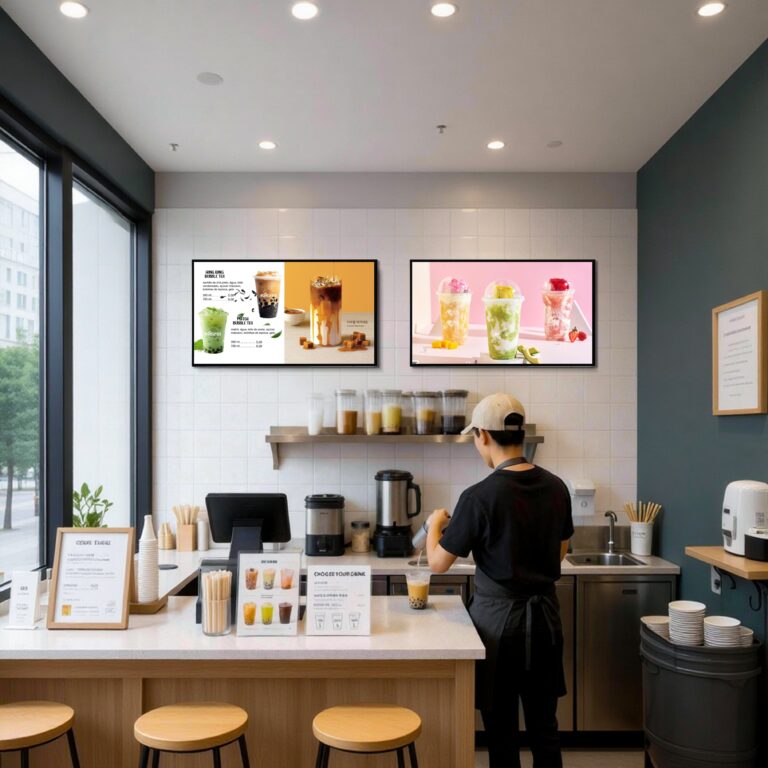
As digital transformation accelerates across the food and beverage industry, many well-known restaurant chains have widely adopted smart ordering systems and digital menus to improve efficiency and customer experience. From self-service kiosks and mobile ordering to in-store digital menu boards, menu presentation is no longer static—it is dynamic, data-driven, and closely tied to operations. Against this backdrop, choosing the right restaurant digital menu boards has become a strategic decision rather than a purely visual one. Screen type, size, brightness, update speed, system stability, and integration capabilities all directly influence ordering flow and daily operations. This guide outlines the key questions restaurant owners and operators should consider when selecting a digital menu board solution that fits their space, workflow, and long-term growth.
What Screen Type and Size Are Best for Your Restaurant Space?
Choosing the right screen type and size for restaurant digital menu boards depends heavily on your dining format, available space, and customer flow. Different restaurant scenarios place very different demands on visibility and layout.
For quick-service restaurants (QSRs) such as fast food chains, larger screens—typically 43–55 inches or multi-screen menu boards—are common. These environments have high traffic, short decision times, and customers viewing menus from a distance. Larger displays allow combo meals, pricing, and promotions to be shown clearly without slowing down ordering.
In contrast, cafés, bakeries, and small takeaway shops often benefit from 32–43 inch screens, where space is limited and menus are simpler. Smaller screens reduce visual clutter and fit naturally behind compact counters.
For full-service or casual dining restaurants, screen size varies by placement. Bar areas or waiting zones may use larger displays, while menu boards near ordering points can remain moderate in size.
Brightness is another critical factor. Indoor digital menu boards generally perform well at 350–500 nits, providing clear visibility without eye strain under standard lighting. Window-facing or storefront displays often require 700–1,000 nits to overcome sunlight glare, while outdoor menu boards—such as drive-thru systems—typically need 2,000 nits or higher for consistent readability in direct sunlight.
Orientation also affects ordering efficiency. Landscape displays are ideal for wide menu layouts and multi-column pricing. However, portrait (vertical) screens are increasingly popular. Field studies show that vertical screens save horizontal space and align better with natural eye movement. In countries with average adult heights, portrait displays often improve ergonomics, allowing customers to scan menus faster without excessive head movement—especially in narrow or crowded ordering areas.

CMS In Restaurant Digital Menu Boards: Is It Easy to Update Menu Content in Real Time?
The ability to update menu content quickly and remotely is one of the most practical advantages of restaurant digital menu boards. In fast-moving food service environments, menus are no longer static. Prices, promotions, limited-time offers, and combo meals often change weekly—or even daily—making update efficiency a key operational factor.
Cloud-based content management systems (CMS) allow restaurant owners to modify menus in real time from a centralized dashboard. Price changes, new items, or promotional banners can be pushed instantly to one or multiple screens without on-site intervention. In contrast, local update methods—such as USB drives or manual uploads—require staff time, physical access to each screen, and higher risk of inconsistent displays. While local updates may reduce software costs, they often increase labor costs and operational friction.
This difference becomes especially important when prices or promotions change frequently. For example, a quick-service restaurant running time-based promotions (breakfast vs. lunch menus) needs automatic scheduling to avoid order errors and customer confusion. Without real-time updates, outdated prices can lead to disputes at the counter and reduced trust. Seasonal campaigns or limited-time combo offers also benefit from centralized control, ensuring consistent messaging across all locations.
For single-location restaurants, ease of use and low learning curves may be the priority. However, for chain restaurants or franchises, unified menu management is critical. A cloud CMS enables headquarters to maintain brand consistency, roll out promotions simultaneously, and reduce human error across dozens or hundreds of locations. In this context, real-time update capability is not just a convenience—it is a foundation for scalable, efficient restaurant operations.
What Hardware Performance Do Digital Menu Boards Really Need?
When selecting restaurant digital menu boards, hardware performance is often underestimated. Many buyers focus on screen size and appearance, but real-world reliability depends on what powers the display behind the screen.
One key decision is built-in media players versus external players. Digital menu boards with built-in Android or embedded players offer a cleaner and more space-efficient setup. With no extra boxes or cables, installation is simpler and more reliable—especially in tight counter areas. Fewer external components also mean fewer points of failure. External players can offer flexibility, but they require additional mounting space, power outlets, and maintenance.
CPU and memory capacity directly affect playback smoothness. Static images place minimal load on the system, but modern menus increasingly rely on videos, animated transitions, and dynamic pricing. Insufficient processing power or RAM can result in lag, screen freezing, or delayed content loading. In high-traffic restaurants, even short playback delays can disrupt ordering flow and frustrate customers. A commercial-grade processor and adequate memory ensure that menus remain responsive throughout peak hours.
Stability under long operating hours and harsh environments is equally critical. Most restaurant menu boards run 16–24 hours per day, often near heat sources such as kitchen equipment. Oil fumes, elevated temperatures, and poor ventilation can quickly expose weak hardware. A common negative example is the use of consumer-grade TV boards, which may overheat, reboot unexpectedly, or fail after a few months of continuous use. In contrast, commercial digital menu boards are designed with thermal management, industrial components, and higher tolerance for sustained workloads—making them far more reliable for restaurant operations.
How Should Digital Menu Boards Be Installed and Arranged?
Proper installation and layout play a critical role in how effectively digital menu boards support restaurant operations. Even high-quality screens can underperform if placement and viewing angles are poorly planned.
Single-screen setups are well suited for cafés, bakeries, and small takeaway shops with limited menus. They are simple to install and easy for customers to scan quickly. Multi-screen menu boards are more common in quick-service restaurants, where multiple categories—such as meals, sides, drinks, and promotions—must be displayed simultaneously. Video wall or stitched menu boards are typically used in high-traffic environments like fast-food chains or food courts, where customers view menus from a distance and need clear visual separation of items.
In terms of mounting methods, wall-mounted installations are the most widely used. They are stable, cost-effective, and integrate cleanly into most restaurant interiors. Ceiling-mounted (hanging) installations are often chosen when wall space is limited or when menus need to remain visible above crowds during peak hours. Frame-based menu systems, which combine multiple screens into a unified structure, are common in standardized chain stores where visual consistency and rapid deployment are priorities.
Viewing height and customer flow are equally important. Menu boards should align with natural eye level to minimize neck movement and reading fatigue. In quick-service environments, menus are typically positioned slightly higher to remain visible over queues. In cafés and casual dining spaces, lower placement often feels more comfortable. Understanding customer habits—such as average standing height, queue behavior, and ordering time—helps ensure that menu boards support fast decision-making and a smooth ordering experience rather than becoming a visual obstacle.
Can the Digital Menu Board System Integrate with POS or Ordering Systems?
Integration with POS and ordering systems is a key factor that separates basic digital displays from true smart restaurant solutions. When digital menu boards are connected to backend systems, they become operational tools rather than standalone screens.
Automatic price synchronization is one of the most valuable capabilities. When menu boards pull pricing data directly from the POS system, price updates can be reflected instantly across all displays. This reduces manual errors and prevents mismatches between displayed prices and checkout totals. For restaurants with frequent price adjustments—such as inflation-driven updates or time-based pricing—this automation helps avoid customer disputes and operational confusion.
Digital menu boards can also work alongside self-service kiosks and QR-code ordering systems. In many modern restaurants, customers view menus on overhead screens, scan a QR code to order, or place orders directly at kiosks. When these systems are connected, menu availability, sold-out items, and promotions remain consistent across every touchpoint. This unified experience improves order accuracy and reduces pressure on staff during peak hours.
Another critical but often overlooked feature is remote monitoring and device management. Integrated systems allow operators to check screen status, content playback, and network connectivity from a central dashboard. If a screen goes offline or freezes, alerts can be triggered before customers even notice.
For example, Ikinor has previously supported a chain restaurant in Poland by deploying an integrated digital menu solution. The system enabled centralized price updates, synchronized menus across in-store displays and QR ordering, and provided remote device monitoring—helping the operator maintain consistency across multiple locations while reducing on-site maintenance and manual updates.
What Is the Real Cost of Restaurant Digital Menu Boards Over Time?
When evaluating restaurant digital menu boards, the real cost goes far beyond the initial purchase price. Long-term expenses are shaped by a combination of hardware investment, software policies, maintenance needs, and supplier support.
The first consideration is one-time hardware cost versus ongoing software subscription fees. Many restaurants assume that digital menu boards always require monthly CMS fees, but this is not always the case. Some China-based digital signage manufacturers, such as Ikinor, provide free or license-included CMS software with their hardware. This model significantly lowers long-term operating costs compared with solutions that charge per screen, per month. Over several years and multiple locations, subscription fees can easily exceed the original hardware cost.
Maintenance, upgrades, and expansion are the next cost layer. Commercial-grade menu boards are designed for long operating hours, reducing failure rates and replacement frequency. When a restaurant expands to new locations, scalable systems allow additional screens to be added without rebuilding the entire setup. In contrast, low-cost consumer displays may require frequent replacement, higher downtime, and repeated installation expenses.
Supplier after-sales service, warranty, and long-term support often determine the true total cost of ownership. For example, a chain restaurant operating 20 locations may save on upfront costs by choosing consumer TVs, but if screens fail every 12–18 months, replacement labor, lost sales during downtime, and inconsistent branding quickly add up. By comparison, a commercial digital menu board with a multi-year warranty, stable CMS support, and remote troubleshooting can operate reliably for 5–7 years.
In practice, restaurants that prioritize long-term reliability and supplier support often achieve a lower overall cost—even if the initial hardware investment appears higher.



