Home / Interactive Kiosk Manufacturer
OEM / ODM Interactive Kiosk Factory

Interactive Kiosk Manufacturer for Custom Wayfinding and Digital Directory Solutions

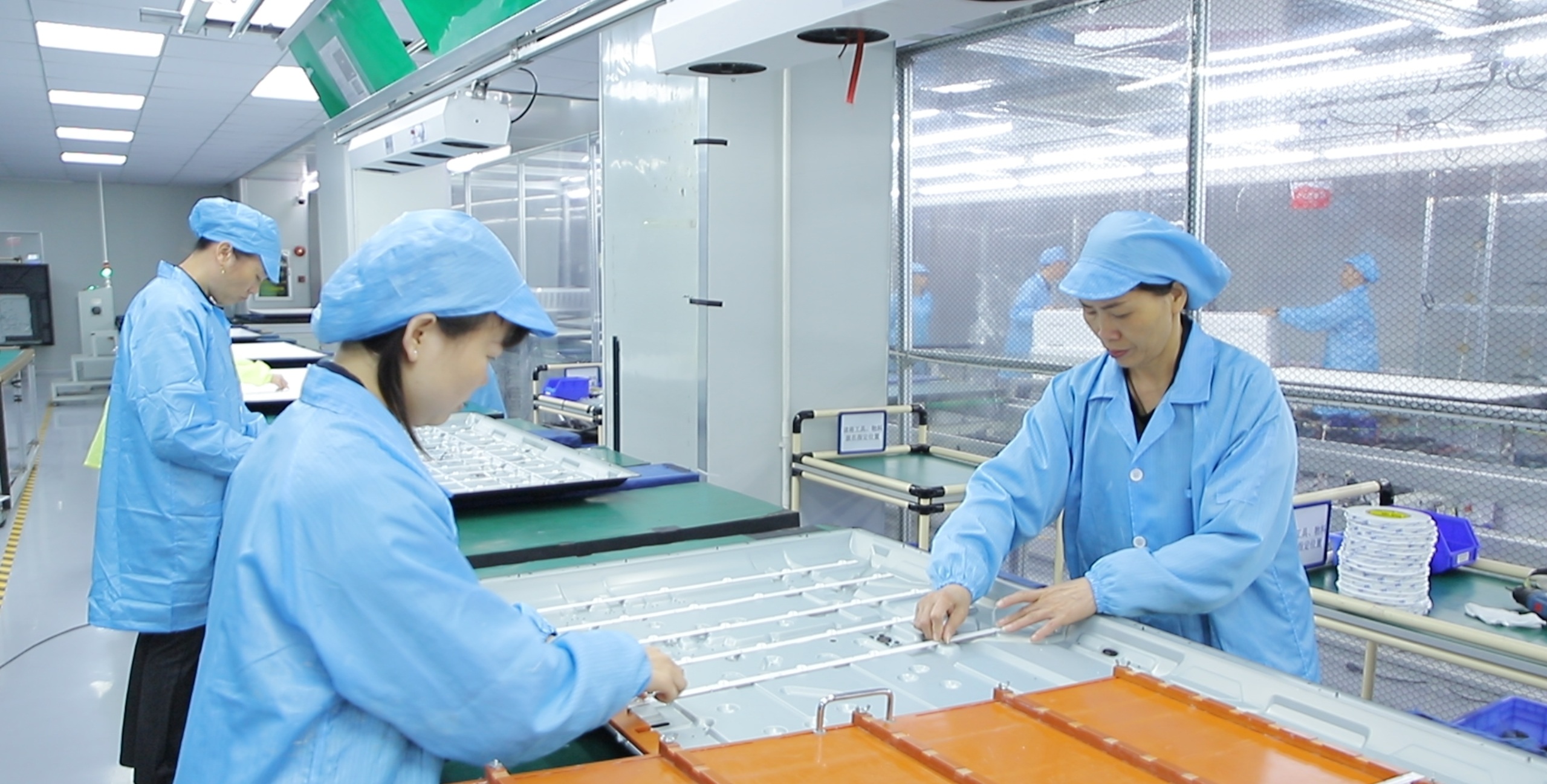
Ikinor is an Interactive Kiosk Manufacturer supporting OEM/ODM kiosk hardware projects for wayfinding kiosks, digital directories, mall directory kiosks, navigation kiosks, and interactive information kiosk applications. We help B2B buyers discuss kiosk form, screen size, touchscreen experience, enclosure design, system requirements, branding, packaging, and project-based configuration before production.
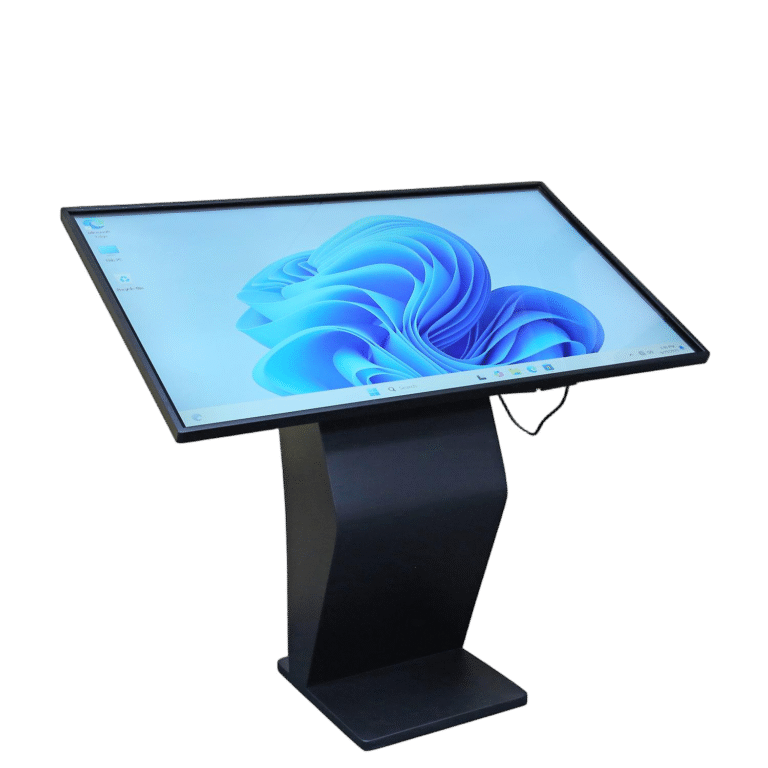
OEM/ODM Interactive Kiosk Hardware Custom screen size, kiosk structure, enclosure, logo, packaging, system, and project configuration can be discussed.
Wayfinding and Digital Directory Applications Suitable for building navigation, mall directory, floor guide, office directory, public information, and visitor guidance projects.
Custom Form and Branding Support Pedestal kiosk, floor-standing kiosk, digital directory kiosk, and interactive information kiosk directions can be reviewed.
Interactive kiosk manufacturer for custom wayfinding and digital directory solutions
Custom Interactive Kiosk For wayfinding, digital directory, navigation, and public information projects
Wayfinding & Information Service

Interactive Kiosks Built for Wayfinding and Information Service Projects

An interactive kiosk is more than a touchscreen display. For commercial buildings, shopping malls, campuses, hotels, hospitals, and public service areas, it can work as a self-service guidance point where visitors search for locations, browse directory information, view maps, or access public information without waiting for staff assistance.
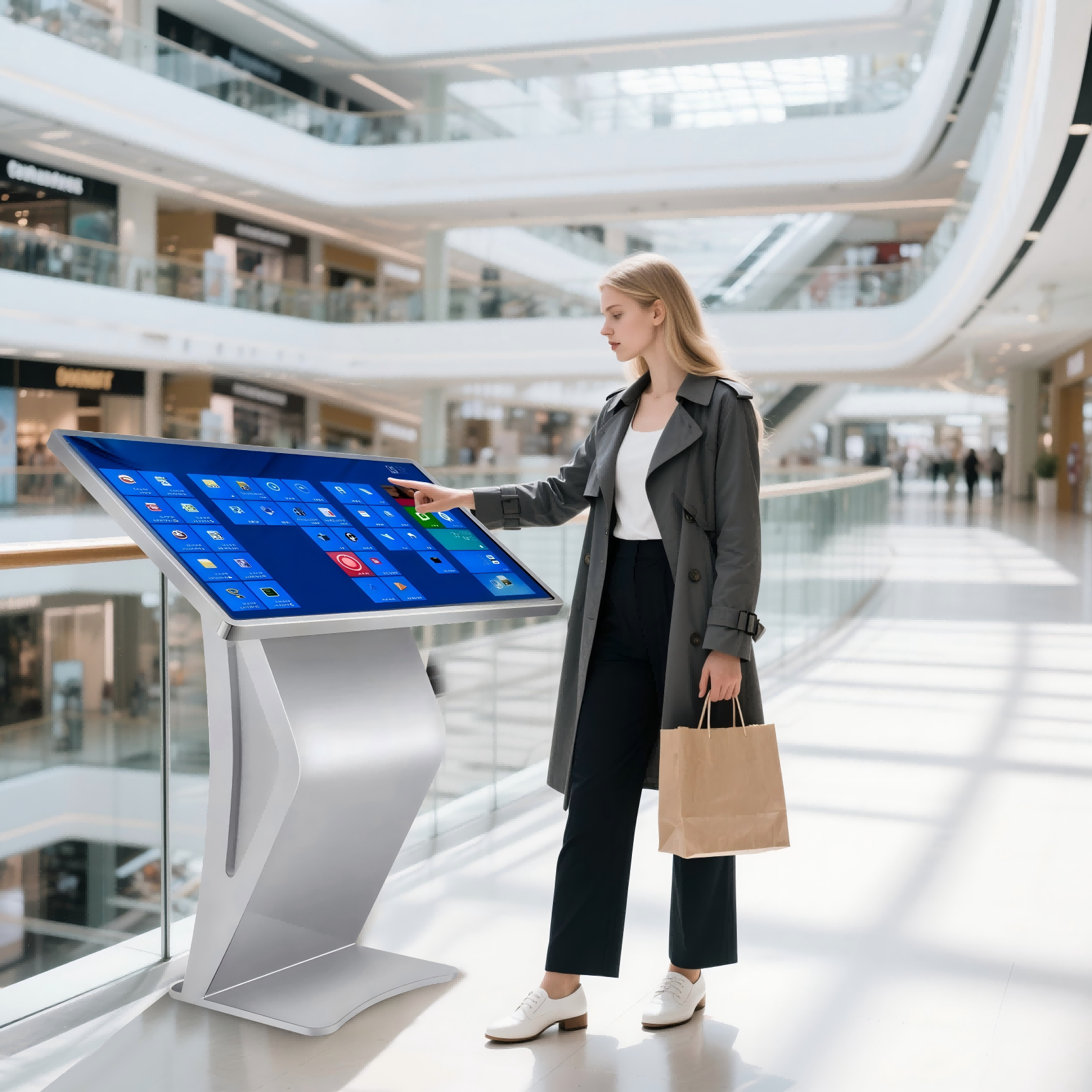
Interactive kiosk for hotel wayfinding digital directory and visitor information service
Interactive Information Point For wayfinding, digital directory, visitor guidance, and self-service lookup projects

A wayfinding kiosk, digital directory, navigation kiosk, or interactive information kiosk usually combines touchscreen hardware, kiosk enclosure, system configuration, and project-based software content. For B2B projects, the key is not only the screen size, but also how users interact with the kiosk.

Buyers should consider the user flow, directory data, map content, installation location, kiosk form, branding, and whether software or content management needs to be discussed separately.

Help Visitors Find Locations

A wayfinding kiosk can help visitors search stores, offices, rooms, departments, or public facilities in malls, campuses, hospitals, hotels, and service centers.

Present Directory Information

A digital directory can show floor information, tenant lists, room numbers, public notices, event updates, or service guidance in one fixed interactive display point.

Support Self-Service Lookup

Visitors can search information by category, keyword, floor, department, or service type if the project software supports these functions.

Fit Commercial and Public Spaces

Interactive kiosks can be configured as floor-standing, pedestal, wall-mounted, or custom enclosure forms based on the final environment.

Need an interactive kiosk for a specific location?

Tell Ikinor your location type, visitor guidance workflow, and required directory functions.

Discuss Kiosk Project
Application Scenarios

Interactive Kiosk Application Scenarios

Interactive kiosks are commonly used in buildings and public spaces where visitors need to search, navigate, browse directory information, or access self-service guidance. For B2B projects, the right kiosk form depends on the environment, user flow, screen size, touchscreen interaction, directory data, software requirements, and installation location.
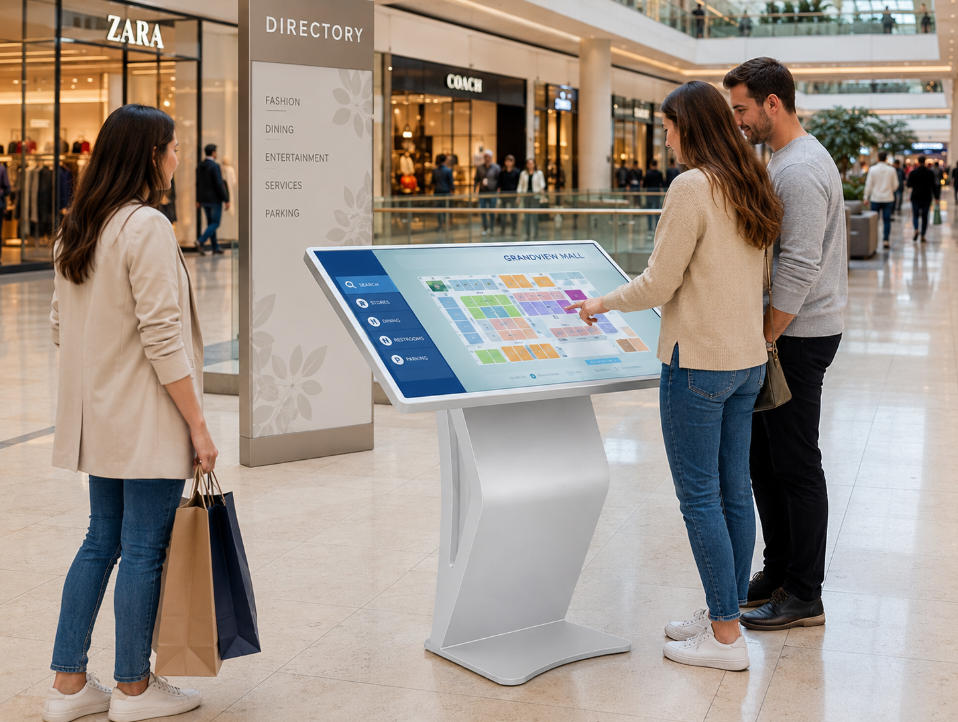
Mall directory kiosk for shopping center wayfinding and store search
Shopping Centers

Mall Directory Kiosk

A mall directory kiosk helps shoppers search for stores, restaurants, restrooms, elevators, exits, parking access, or service counters. It can also show promotions, event information, brand ads, or recommended routes based on project needs.
Store Search Floor Guide Promotion Display
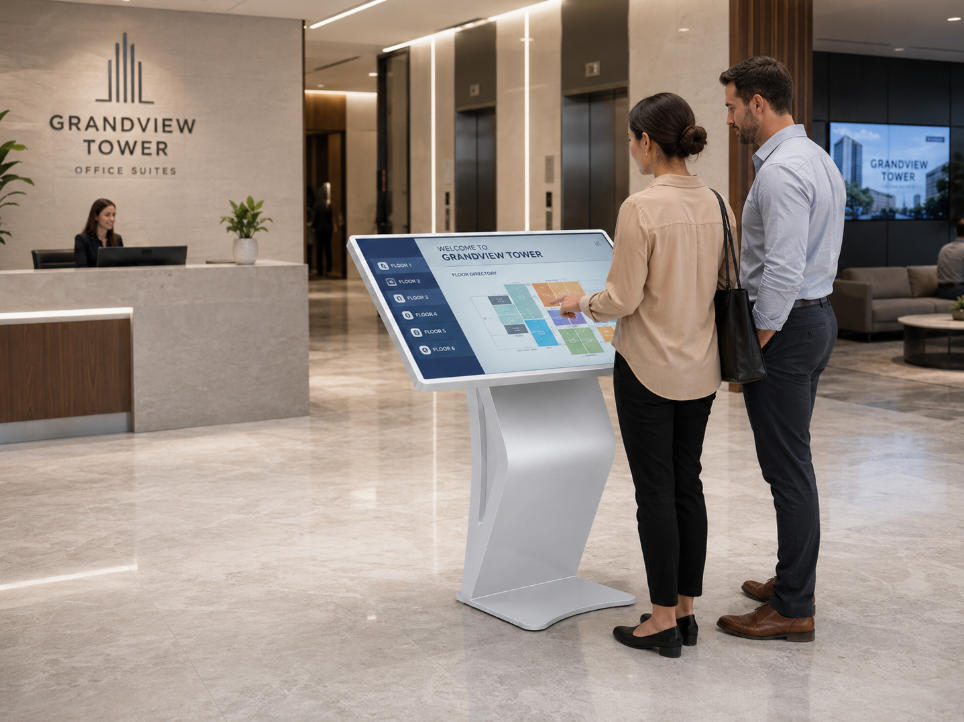
Office lobby digital directory kiosk for building information and tenant search
Office Buildings

Digital Directory for Offices and Commercial Complexes

A digital directory can display tenant names, company indexes, floor information, room numbers, public notices, and building service information. It is often placed in lobbies, reception areas, elevator halls, or main entrances.
Tenant List Floor Directory Visitor Guidance
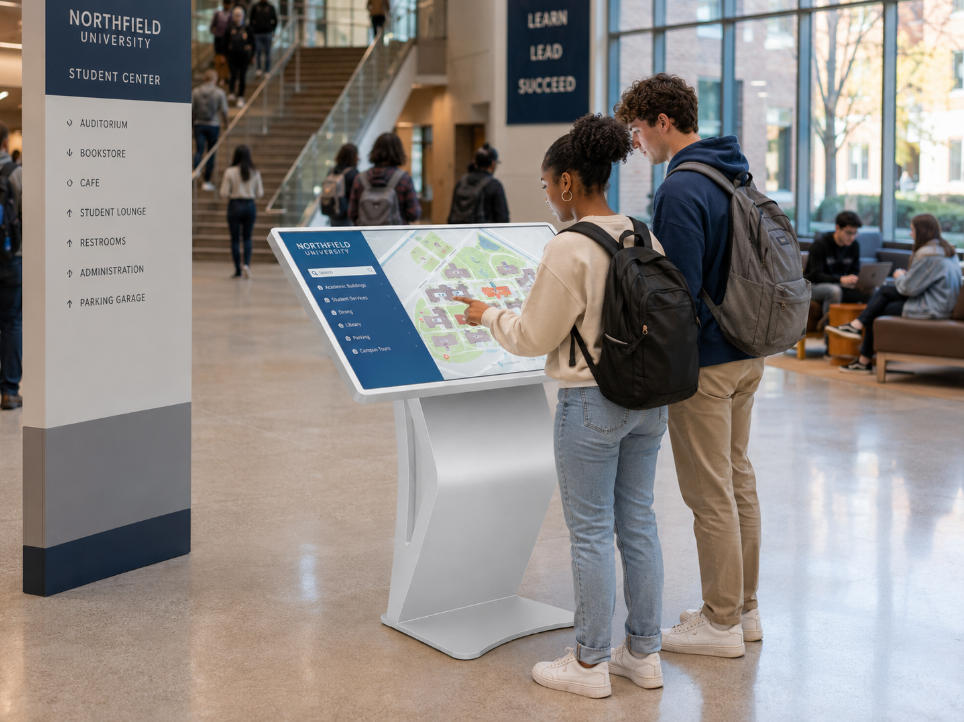
Campus wayfinding kiosk for student center navigation and building search
Campus & Education

Wayfinding Kiosk for Buildings and Campuses

A wayfinding kiosk can help visitors search for offices, classrooms, departments, meeting rooms, facilities, or service points. Buyers should prepare floor plans, location lists, route logic, and user search requirements before configuration.
Campus Map Room Search Route Guidance
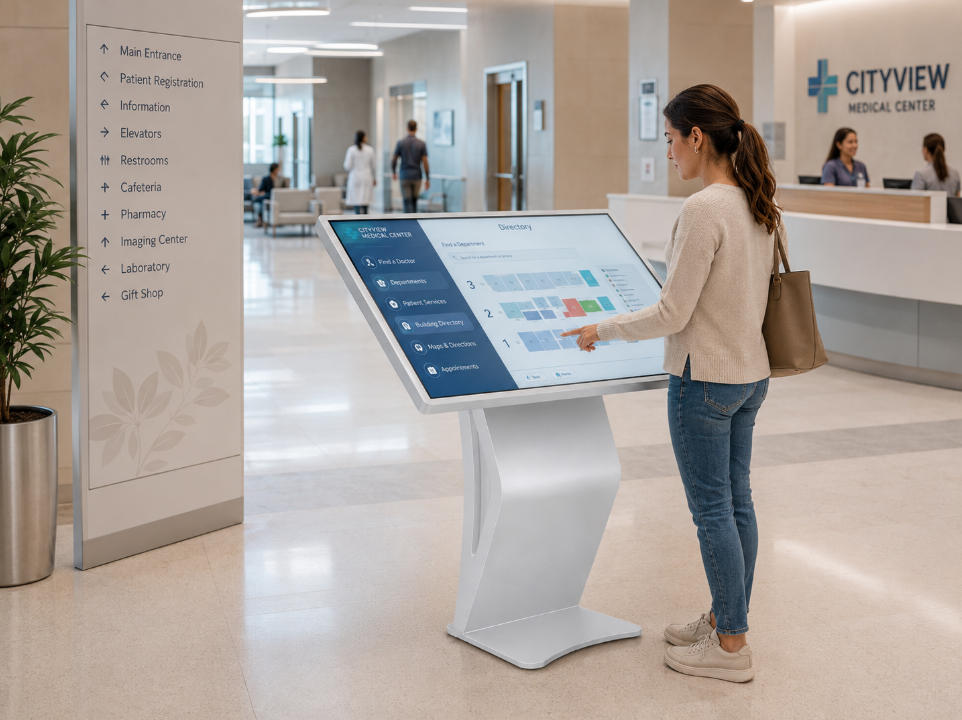
Hospital information kiosk for department search and patient guidance
Healthcare Spaces

Interactive Information Kiosk for Hospitals

Hospital information kiosks can help visitors find departments, elevators, registration areas, pharmacies, laboratories, cafeterias, or service counters. Readability, operation height, interface clarity, and installation stability should be reviewed carefully.
Department Guide Patient Direction Public Information
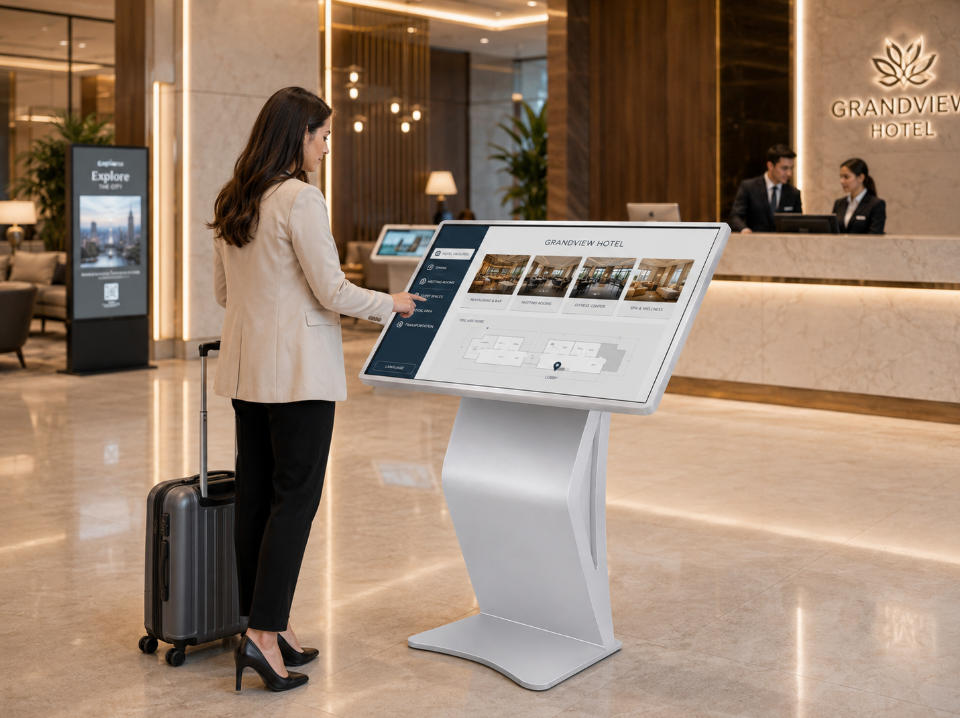
Hotel lobby navigation kiosk for guest information and service guidance
Hotels & Public Service Areas

Navigation Kiosk for Hotels and Service Spaces

Navigation kiosks can be used in hotels, exhibition centers, museums, transport hubs, government halls, and public service buildings. Users can browse service details, schedules, notices, visitor instructions, local information, or route guidance. If multilingual content, QR code handoff, or backend updates are required, these functions should be discussed separately.

Guest Service Navigation Kiosk Interactive Lookup

Pedestal Kiosk and Custom Form Options

For projects with limited space or a more refined visual style, a pedestal kiosk can be considered. For high-traffic areas, a floor-standing interactive kiosk may be more visible. Ikinor can help review enclosure, color, logo, screen direction, and hardware configuration options based on the final application.

Need an interactive kiosk for your building or public space?

Share your building type, user flow, directory data, and required interactive functions with Ikinor for configuration suggestions.

Discuss Kiosk Application
Product Options

Interactive Kiosk Product Options

Ikinor supports different interactive kiosk product directions for wayfinding, digital directory, navigation, public information, and self-service lookup projects. Buyers can choose the kiosk form based on installation location, user flow, screen size, touchscreen experience, enclosure design, and OEM/ODM customization needs.

Wayfinding Kiosk

Helps visitors search destinations, view maps, and find routes in malls, campuses, hospitals, hotels, offices, and public buildings.

Best for: building navigation and route guidance

Digital Directory Kiosk

Displays tenant lists, floor information, room numbers, departments, service points, notices, and building guidance.

Best for: office buildings and commercial complexes

Mall Directory Kiosk

Supports store search, floor maps, restaurant lookup, restroom guidance, parking information, and promotion display.

Best for: shopping malls and retail centers

Navigation Kiosk

Supports location search and public guidance in transport hubs, museums, exhibition centers, hospitals, and service areas.

Best for: large public spaces

Pedestal Kiosk

A compact and modern kiosk form for lobbies, showrooms, hotels, offices, and space-sensitive display environments.

Best for: refined indoor projects

Wall-Mounted Interactive Kiosk

Can be considered for corridors, elevator halls, service counters, entrances, and areas with limited floor space.

Best for: compact wall-based interaction points

Floor-Standing Interactive Kiosk

Suitable for high-traffic public areas where visibility, independent placement, and user access are important.

Best for: malls, campuses, hotels, and public buildings

Custom Enclosure Discussion

For OEM/ODM projects, kiosk structure, color, logo, screen direction, system, packaging, and hardware configuration can be reviewed.

Best for: distributors, integrators, and project buyers
Need help choosing the right kiosk form?

Send your target screen size, installation location, kiosk form, and user flow for model suggestions.

Request Model Suggestions
Hardware & Software Review

Key Hardware and Software Considerations for Interactive Kiosks

For B2B projects, an interactive kiosk should be evaluated as a combination of hardware structure, touchscreen experience, system compatibility, directory content, and user workflow. A wayfinding kiosk in a mall, a digital directory kiosk in an office lobby, and a navigation kiosk in a public building may use similar hardware, but their software logic, screen layout, enclosure design, and installation requirements can be very different.

Ikinor helps buyers review interactive kiosk hardware and project configuration before quotation, including touchscreen size, pedestal or floor-standing structure, enclosure design, Android or Windows system options if available, network connection, branding, and directory or navigation software requirements.

Touchscreen and Display Experience

Confirm screen size, viewing angle, touch response, interface layout, and whether the kiosk will show maps, directory lists, or service pages.

Kiosk Enclosure and Installation Form

Pedestal, floor-standing, wall-mounted, or custom enclosure forms can be reviewed based on location, traffic flow, and visual style.

System and Software Compatibility

Android, Windows, embedded system, or project-specific software requirements can be discussed if available for your project.

Directory, Map, and Navigation Content

Prepare floor plans, tenant lists, department names, room numbers, category structure, route logic, and update requirements.

Network, QR Code, and Mobile Handoff

WiFi, Ethernet, QR code display, or mobile handoff can be reviewed based on software workflow and network environment.

Accessibility-Oriented Design

Consider operation height, screen angle, readable interface, button size, clear paths, and user comfort for public-facing projects.

Item Buyer Value What to Confirm
Touchscreen Supports direct search, map browsing, and user interaction. Screen size, touch method, UI layout, and operation height.
Display Quality Helps users read maps, directories, and guidance content clearly. Viewing distance, brightness direction, resolution, and interface design.
Kiosk Enclosure Protects internal hardware and shapes the product appearance. Pedestal, floor-standing, wall-mounted, color, and material direction.
System Option Helps match the kiosk with project software needs. Android, Windows, embedded player, or project-specific system if available.
Map / Navigation Software Supports wayfinding, route guidance, and location search if available. Map files, route logic, floor plans, and software responsibility.
Directory Content Update Keeps tenant, room, department, or service information current. Update method, admin access, data format, and content owner.
Network Connection Supports online updates or connected service needs if required. WiFi, Ethernet, local playback, and network environment.
QR Code / Mobile Handoff Allows users to continue information on mobile if supported. QR workflow, landing page, software support, and user journey.
Accessibility-Oriented Design Improves usability for different user groups. Operation height, screen angle, readable UI, and target standard.
Branding and Appearance Helps match project, distributor, or brand identity. Logo, color, startup screen, packaging, and enclosure style.
Need a configuration sheet for your interactive kiosk project?

Ask Ikinor based on your touchscreen size, kiosk form, software notes, directory data, and installation environment.

Request Configuration Sheet
OEM / ODM Customization

Custom Interactive Kiosk for OEM/ODM Projects

For distributors, brand owners, system integrators, and project buyers, a standard interactive kiosk may not always match the final application. Different projects may require different screen sizes, kiosk forms, enclosure structures, touchscreen experiences, system options, UI direction, logo placement, packaging, and directory or map interface requirements.

As an interactive kiosk manufacturer, Ikinor helps buyers review kiosk type, user flow, screen direction, enclosure design, branding requirements, software notes, and project configuration before quotation. The goal is not to promise unlimited customization, but to help buyers choose a practical OEM/ODM kiosk direction.

Custom interactive kiosk projects should start from the real user flow, installation environment, software notes, and branding requirements—not only from the product appearance.
Customization Item What Can Be Discussed Buyer Value
Screen Size Direction Suitable screen size based on viewing distance, user operation height, and application scenario. Helps match the kiosk with real user interaction needs.
Kiosk Form Pedestal kiosk, floor-standing kiosk, wall-mounted kiosk, or directory-style kiosk form. Supports different lobby, mall, campus, hotel, or public building environments.
Enclosure Design Shell structure, appearance style, color, thickness direction, and installation form. Helps match project design, branding, and space requirements.
Touchscreen Experience Touch function, screen angle, operation height, and interface usage scenario. Improves usability for self-service search and directory navigation.
System or UI Options Android, Windows, embedded system, UI direction, or project software notes if available. Helps align hardware with software and content workflow.
Directory or Map Interface Floor directory, map screen, store list, route guide, or service lookup interface discussion. Supports wayfinding kiosk and digital directory kiosk projects.
Logo Customization Logo placement on kiosk body, startup screen, packaging, label, or user materials. Useful for private-label, distributor, and branded project delivery.
Packaging Customization Neutral packaging, branded carton, manual, label, or project packaging style. Helps support wholesale, channel sales, and project shipment.
Sample or Prototype Review Appearance, function, packaging, and configuration can be reviewed if available. Helps reduce mismatch before bulk order discussion.
Ready to discuss a custom interactive kiosk project?

Share your logo, kiosk type, user flow, screen size, software notes, installation environment, packaging needs, and order plan with Ikinor.

Get Custom Quotation
Buyer Configuration Checklist

How to Choose the Right Interactive Kiosk Configuration

Choosing the right interactive kiosk configuration should start with the real application scenario and user flow. A wayfinding kiosk for a shopping mall, a digital directory kiosk for an office lobby, and a navigation kiosk for a hospital may require different screen sizes, kiosk forms, software logic, directory data, network settings, and enclosure designs.

Start from user flow, not only screen size

For an OEM kiosk project, buyers should not only ask “what size is available,” but also clarify what users need to search, view, select, or complete on the screen. The checklist below can help buyers prepare clearer requirements before requesting a quotation from an interactive kiosk manufacturer.

Prepare your application scenario, user flow, screen size, kiosk form, directory data, software notes, installation environment, branding needs, and order plan before requesting a quote.
What to Check Why It Matters Buyer Notes
Application Scenario Different environments require different kiosk forms and functions. Mall directory, office lobby, campus, hospital, hotel, public service area, or exhibition center.
User Flow The kiosk should match how visitors actually use it. Search destination, browse directory, view route, scan QR code, read notice, or request service information.
Screen Size Screen size affects readability, interface layout, and user operation. Confirm viewing distance, operation height, map details, and content density.
Touchscreen Requirement Most interactive kiosks rely on touch operation, but usage depth may vary. Basic touch menu, search function, map browsing, directory lookup, or service selection.
Kiosk Form The structure should match the installation space and traffic flow. Pedestal kiosk, floor-standing kiosk, wall-mounted kiosk, or custom enclosure.
Map / Directory Software Hardware should be planned together with software and content needs. Floor plans, tenant list, department data, category search, route logic, and update method.
Data Source Directory accuracy depends on prepared and maintainable data. Store names, room numbers, department list, facility points, service counters, and public notices.
Content Update Method Directory and map information may change over time. Local update, admin backend, CMS, USB update, or project software provider if available.
Network Connection Some projects require online updates or connected functions. WiFi, Ethernet, local playback, network security rules, and site network conditions.
Installation Environment The physical location affects enclosure, stability, and user access. Lobby, mall entrance, elevator hall, hospital corridor, campus gate, or service center.
Accessibility Needs Public-facing kiosks should consider different user groups. Operation height, screen angle, readable UI, button size, wheelchair access, and local standards if required.
Branding and Packaging OEM/ODM buyers may need the kiosk to match their brand or channel. Logo, color, startup screen, enclosure finish, carton, manual, and packaging style.
Maintenance and Support Long-term use depends on service access and clear communication. Module access, spare parts discussion, software responsibility, documentation, and after-sales communication.
Need help reviewing your interactive kiosk configuration?

Send Ikinor your project scenario, user operation steps, required directory functions, map or software notes, installation environment, branding requirements, and order plan.

Request Configuration Review
10/20 Points Touch Android
1080P Full HD Display
Multimedia Playback
Color Gamut NTSC>72%
Long Standby
Multiple Touch Gestures
Smart Chip
Wireless Wifi 5/6
Product Specification
Display
Backlight ELED ELED < 65"; DLED for 65" and above
Resolution 1920×1080 / 3840×2160 (4K UHD) Viewing angle: 176° × 176° (full viewing)
Response Time 5 ms Display ratio: 16:9
Brightness 350 cd/㎡ Touch control: Infrared / Capacitive (optional)
Appearance
Frame All-metal body, ultra-thin design
Type Vertical type Tempered glass: 3 mm
Electricity
Power input AC 100–240 V, 50–60 Hz Standby power consumption < 0.5 W
Speaker 10 W × 2 Functional interfaces: RJ45, USB, TF Card, HDMI-in, Earphone out
System
Android (standard) 1+8G / 2+8G / 2+16G configurations
Windows (optional) i3 / i5 / i7 configurations available
Single machine (optional) Selectable
Feature
Standalone version USB/TF card local playback; wall-mount supported Supports various split-screen displays
Online edition Network: Wired/Wireless WiFi/4G Information release system via LAN/WAN
Timing switch Support Split-screen display supports image & video carousel
FAQ

FAQs About Interactive Kiosks

Find practical answers about interactive kiosks, wayfinding kiosks, digital directories, customization, map navigation, pedestal kiosk options, and how to choose an interactive kiosk manufacturer for your project.

What is an interactive kiosk?

An interactive kiosk is a touchscreen self-service terminal that allows users to search information, browse directories, view maps, access service guidance, or complete simple on-screen actions. It is commonly used in malls, office buildings, hotels, hospitals, campuses, public service halls, and transport-related spaces. For B2B projects, both hardware and user flow should be reviewed together.

What does an interactive kiosk manufacturer do?

An interactive kiosk manufacturer provides kiosk hardware, touchscreen configuration, enclosure design, structure discussion, branding options, packaging support, and OEM/ODM customization. For wayfinding kiosk and digital directory projects, a manufacturer can help buyers review screen size, kiosk form, installation environment, system requirements, and project-based hardware configuration before production.

What is the difference between an interactive kiosk and digital signage?

Digital signage usually displays content for people to watch, such as advertisements, menus, notices, or videos. An interactive kiosk allows users to touch the screen and search, select, browse, or navigate information. For example, a digital directory kiosk can help users find stores, rooms, departments, or service areas instead of only showing static content.

What is a wayfinding kiosk?

A wayfinding kiosk is an interactive kiosk used to help visitors find destinations inside buildings or public spaces. It may display maps, floor information, tenant lists, department locations, or route guidance if supported by the project software. Wayfinding kiosks are often used in malls, campuses, hospitals, hotels, office buildings, and public facilities.

What is a digital directory kiosk?

A digital directory kiosk is used to display and search building information, such as tenant names, company lists, floor numbers, room locations, departments, public facilities, and service counters. It is commonly installed in lobbies, shopping malls, commercial complexes, campuses, hospitals, and public service buildings where visitors need clear directory information.

Can an interactive kiosk be customized with my logo?

Yes, logo customization can usually be discussed for OEM/ODM interactive kiosk projects. Depending on project requirements, buyers may discuss logo placement on the kiosk body, startup screen, packaging, labels, user materials, or interface direction. Before quotation, it is helpful to prepare logo files, branding requirements, kiosk type, and expected order plan.

Can it support map navigation or directory search?

Map navigation and directory search can be discussed based on the project software, data format, and user flow. Buyers should prepare floor plans, directory data, store or room lists, department names, route logic, content update method, and any existing software notes. These functions should be reviewed project by project instead of assumed as standard for every kiosk.

What is a pedestal kiosk?

A pedestal kiosk is a compact interactive kiosk form with a slim stand or base. It is often used in lobbies, showrooms, hotels, offices, museums, service areas, and commercial buildings where space efficiency and appearance matter. Compared with larger floor-standing kiosks, pedestal kiosks can provide a cleaner visual style for indoor information and navigation projects.

What should I prepare before requesting a quote?

Before requesting a quote, prepare your application scenario, installation location, target screen size, kiosk form, user flow, directory or map data, software notes, branding requirements, packaging needs, and order plan. For wayfinding kiosk projects, floor plans, tenant lists, room numbers, route logic, and content update requirements are especially useful.

How do I choose an interactive kiosk manufacturer?

Choose an interactive kiosk manufacturer based on OEM/ODM capability, hardware configuration support, enclosure design experience, communication efficiency, customization options, packaging support, and project review process. A suitable supplier should help you review user flow, kiosk form, touchscreen needs, system requirements, branding, installation environment, and long-term project support before recommending a configuration.

Still have project questions?

Send Ikinor your application, user flow, directory data, software notes, and customization requirements.

Contact Us

Contact Us

Scroll to Top