
Restaurants can install digital menu screens and still rely on staff to handle most menu decisions manually. If sold-out items, daypart menus, promotions, or location-specific changes must still be updated one by one, the system is digital—but not truly data-driven.
Data-driven digital menu boards connect menu content with operational information such as POS sales, inventory, time, weather, location, and store conditions. When predefined rules are met, the system can automatically change what customers see. This guide explains how that process works, which data is actually useful, where automation creates measurable value, and when a restaurant needs more advanced integration rather than a basic digital menu system.
What Is a Data-Driven Digital Menu Board?
A data-driven digital menu board is a digital menu system that uses information from sources such as POS systems, inventory databases, schedules, weather services, location data, or sales analytics to change menu content according to predefined rules. Depending on the setup, those changes may affect product availability, pricing, promotions, menu layouts, or which items receive more visibility.
The key difference is not simply that the menu is digital. A conventional digital menu board may still depend on a manager logging into a CMS, editing content, and manually publishing the update. A data-driven system allows selected changes to occur automatically when a defined condition is met. For example, a sold-out item can disappear when inventory reaches zero, or a lunch menu can replace breakfast content at a scheduled time.
Il est également important de faire la distinction entre data-driven content from visually dynamic content. Animation, video, and motion graphics can make a screen look dynamic, but they do not make the menu data-driven. A looping promotional video is still predetermined content. By contrast, a menu that changes because inventory, weather, sales performance, or another external condition has changed is responding to data.
How Do Data-Driven Digital Menu Boards Work?
A data-driven menu board works by connecting an operational data source to the système d'affichage dynamique, applying a business rule to that information, and then delivering the appropriate content to the display. The principle is simple, although the technical setup may range from basic scheduling to more complex POS and inventory integration.
The most useful way to understand the system is not as a screen with additional software, but as a chain of decisions. Data provides the input, business rules determine what that input means, and the CMS or playback system converts the decision into a visible menu change.
Data Sources and Integrations
The starting point is the data source. Depending on the restaurant, this may include POS sales information, inventory availability, scheduled time periods, weather data, store location, historical sales performance, or other operational systems. Not every installation needs all of these inputs; the right sources depend on what the restaurant is trying to change or automate.
The data then needs to reach the menu system. This may happen through a POS integration, API, CMS connector, scheduled data feed, or another supported integration method. A basic deployment may rely mostly on schedules stored inside the CMS, while a more advanced restaurant chain may connect product availability, pricing, or transaction data directly from its operating systems.
Business Rules Turn Data Into Menu Decisions
Data alone does not decide what should appear on a menu. A business rule determines how the system should react when a particular condition occurs. This distinction is important because many descriptions of “smart” menu boards imply that the screen automatically understands what is best for the restaurant.
For example, a weather service may report an outdoor temperature of 32°C. That information has no effect until the restaurant defines a rule such as: when the temperature exceeds a certain threshold, increase the visibility of cold beverages or frozen desserts. Similarly, an inventory system may report that a product has reached zero stock, while the business rule tells the CMS to remove that item from the current menu.
Rules can be simple or relatively sophisticated, but they should always connect a measurable condition with a specific menu action. Examples include inventory = 0 → hide the product, time = 10:30 AM → switch to the lunch menu, ou a selected promotion period begins → display the corresponding offer.
CMS and Players Deliver the Change to the Screen
Once the condition and rule are matched, the CMS determines which content should be published. Depending on the system, this may mean hiding an item, switching an entire menu layout, changing a promotional zone, updating a price, or adjusting which products receive the most screen space.
The media player or system-on-chip then renders that content on the physical display. Some deployments use an external media player, while others rely on an integrated commercial display platform. In either case, the basic workflow remains:
Data Source → Integration → Business Rule → CMS → Display
Keeping these roles separate is useful when planning a project. If a restaurant knows which operational decision it wants to automate, it becomes much easier to determine which data source, integration, CMS capability, and display hardware are actually necessary.
What Data Can Actually Improve a Digital Menu?
Not every available data source deserves to be connected to a menu board. The value comes from using information that can change a meaningful merchandising or operational decision. A restaurant should therefore begin with the question, “What should the menu do differently when this information changes?” rather than collecting data simply because it is available.
Different types of data are useful for different decisions. Inventory information is valuable when availability changes frequently. Time data is useful when menus differ significantly between breakfast, lunch, and dinner. POS sales can reveal how products perform, while operational conditions such as queue length or kitchen capacity may influence which products are most appropriate to promote during peak periods.
Inventory and Availability Data
Inventory and availability data can prevent one of the most obvious menu problems: displaying an item that can no longer be sold. When availability information is connected to the signage system, sold-out products can be removed or de-emphasized without waiting for staff to manually change each screen.
The same data can support more proactive decisions. A restaurant may choose to give greater visibility to products with excess inventory, feature ingredients that need to move before a defined date, or reduce promotion of products approaching a low-stock threshold. In this case, inventory becomes more than a stock-control tool; it becomes an input into menu merchandising.
Time, Weather and Location Data
Time-based scheduling is one of the most practical forms of menu automation. Breakfast, lunch, dinner, late-night, or promotional menus can appear according to predetermined schedules, keeping multiple screens or locations consistent without relying on employees to switch content manually.
Weather and location add context. A restaurant might increase cold beverage visibility during hot weather, emphasize warm items during colder conditions, or show promotions and pricing specific to a particular store. The important point is that weather or location does not independently decide what customers should see. It acts as the trigger for a merchandising rule that the restaurant has already defined.
Sales, Margin and Operational Data
POS and historical sales information can help determine which products deserve more or less menu exposure. Strong-selling items may need consistent visibility, while selected products can be tested in more prominent positions to understand how placement affects sales. Margin information can also help identify items or add-ons that contribute more value to the order.
However, the highest-margin item is not always the best item to promote. During a busy period, a profitable product that requires significantly more preparation time may create pressure on kitchen capacity and reduce throughput. A more useful decision may combine margin, demand, inventory, preparation time, and operating conditions rather than optimizing a single metric.
| Source des données | Menu Decision | Business Goal |
|---|---|---|
| Inventory | Hide or deprioritize unavailable items | Reduce ordering errors |
| Time | Switch breakfast, lunch, or dinner menus | Improve relevance |
| Weather | Change product emphasis | Support contextual selling |
| POS Sales | Adjust item visibility | Improve menu performance |
| Margin | Promote strategic products or add-ons | Improve profitability |
| Queue / Capacity | Prioritize simpler or faster-prep items | Improve throughput |
| Lieu | Change pricing or local promotions | Localize the menu |
Real-World Data-Driven Menu Decisions
The clearest way to understand data-driven menu boards is to look at what actually changes in restaurant operations. A common example is sold-out item management. If a POS or inventory system marks a product as unavailable, the menu can remove it or reduce its prominence. Customers are less likely to order something that staff then have to explain is unavailable, which helps reduce friction at the counter or drive-thru.
Dayparting is another practical use. A restaurant can automatically move from breakfast to lunch and then to dinner based on its operating schedule. For a single store, this reduces manual work. For a chain, it also improves consistency because every selected screen follows the same schedule instead of depending on individual staff members to make the change.
Weather-based promotion is useful when customer preferences are sensitive to external conditions. On a hot day, cold drinks, frozen desserts, or lighter products may receive greater visibility. During colder weather, the menu may emphasize hot beverages or warm meals instead. The weather data itself is only a trigger; the merchandising strategy still comes from predefined restaurant rules.
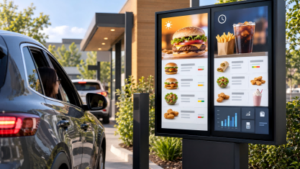
Drive-thru environments show why operational data can matter even more. During peak periods, a restaurant may want to emphasize popular combinations, products that are quick to prepare, or offers that are easy to understand at a glance. The objective is not simply to make the menu more visually active, but to help customers make decisions faster while protecting kitchen and lane throughput. In quieter periods, the same screen can give more space to limited-time offers, add-ons, or new products where customers have more time to consider them.
How Do Rule-Based Automation and AI-Driven Menu Optimization Differ?
Not every data-driven digital menu board uses AI. In many restaurant environments, practical automation starts with simple schedules or predefined business rules rather than predictive systems.
| Automation Type | How It Works | Typical Example | Best Use |
|---|---|---|---|
| Scheduled Automation | Changes content according to a preset time or schedule. It does not necessarily require live operational data. | Breakfast menu automatically switches to lunch at 10:30 AM. | Dayparting, scheduled promotions, seasonal campaigns |
| Rule-Based Automation | Responds when a defined data condition is met. The data acts as the trigger, while a predefined business rule determines the menu change. | Inventory reaches zero → hide the item; temperature exceeds a threshold → increase cold beverage visibility. | Inventory updates, weather-based promotions, availability management |
| AI-Driven Optimization | Analyzes larger data sets such as historical sales, demand patterns, customer behavior, and external conditions to predict which content may perform better. | The system predicts which products or promotions should receive more visibility during a specific period. | Advanced menu optimization, demand prediction, personalized merchandising |
For many restaurants, rule-based automation provides most of the practical value. Reliable POS or inventory integration and clearly defined business rules can automate important menu decisions without requiring a complex AI system. AI becomes more relevant when the restaurant has enough historical and operational data to support predictive optimization.
When Is a Data-Driven Menu Board Worth the Extra Integration?
A more advanced data-driven setup is most valuable when menu decisions change frequently. Restaurants with multiple locations, several dayparts, fluctuating inventory, frequent promotions, drive-thru operations, or a large number of SKUs have more opportunities to benefit from automated menu decisions. Existing digital POS and inventory systems can also make integration easier because the underlying operational data is already available.
A smaller restaurant with one location, a limited menu, stable pricing, and few availability changes may not need the same level of integration. Basic cloud-based content management and scheduled menu switching may already solve most of its operational needs. Adding live APIs and multiple data feeds simply because the technology is available can increase complexity without creating a measurable improvement.
The better starting point is therefore not “How much data can we connect?” but “Which menu decision currently requires too much manual work or causes a measurable business problem?” A restaurant should add live integrations when they solve issues such as inaccurate availability, inconsistent pricing, slow menu updates, poor promotion timing, or inefficient multi-location management.
What Hardware and Software Does a Data-Driven Menu Board Need?
The display is only one component of a data-driven menu system. Restaurants typically need a commercial display, a media player or integrated system-on-chip, a CMS, the required POS or data integrations, and a reliable network connection. The CMS manages layouts, schedules, business rules, and remote publishing, while the player or integrated computing system renders the content locally on the screen.
Hardware selection still matters because restaurant environments vary considerably. A wall-mounted display behind an indoor counter has different brightness and environmental requirements from an outdoor drive-thru menu board. Restaurants comparing digital menu board manufacturers should therefore look beyond screen size and consider factors such as indoor and outdoor configurations, commercial operating requirements, and customization options. Operating hours, viewing distance, ambient light, temperature, ventilation, and installation location all affect the appropriate display configuration. In outdoor applications, readability and thermal stability can be just as important as CMS functionality.
A reliable data-driven system is therefore not purely a software project. Commercial display reliability, media playback, local storage, connectivity, and the integration layer all affect whether menu updates reach customers consistently. A sophisticated POS integration provides little value if the screen or playback system cannot operate reliably during restaurant hours.
What Happens If the Internet or Data Feed Goes Down?
A properly designed menu system should not turn into a blank screen simply because a live connection is temporarily unavailable. Media players or integrated signage systems can store approved menu content locally so that the last valid menu, a scheduled menu, or predefined fallback content continues to display during an interruption.
What stops updating depends on the failed connection. A locally stored breakfast-to-lunch schedule may continue normally, while live inventory status or remote pricing changes may pause until connectivity returns. Once the system reconnects, it can synchronize newer content and operational data according to the capabilities of the CMS and integration.
This is why fallback behavior should be defined during system planning rather than after an outage occurs. A reliable data-driven menu board should keep valid menu content visible even when real-time data is temporarily unavailable.
How Should Restaurants Measure Whether Data-Driven Menus Are Working?
Automation should ultimately improve a measurable part of the restaurant operation. Before changing menu logic, operators can establish a baseline using metrics such as item sales, average order value, add-on attachment rate, order time, inventory waste, or promotion performance. The metric should correspond directly to the business objective behind the menu change.
Testing is more useful when variables are controlled. If a restaurant changes product placement, price, images, promotional messaging, and menu layout at the same time, it becomes difficult to determine which change influenced the result. A cleaner approach is to change one important variable, measure its performance against the baseline, and retain or revise the rule based on the outcome.
This creates a continuous optimization cycle:
Data → Decision → Menu Change → Customer Response → Measurement → Optimization
In that sense, a data-driven menu board becomes more than a way to automate updates. It becomes a measurable merchandising channel that can be improved using actual operating results rather than assumptions.
Best Practices for a Reliable Data-Driven Menu Strategy
The strongest implementations begin with a business problem rather than a technology feature. A restaurant may want to reduce sold-out orders, shorten drive-thru decision time, improve add-on sales, manage multiple locations more consistently, or reduce manual menu updates. Once the objective is clear, it becomes easier to identify which data and automation rules are actually necessary.
Rules should also remain understandable and measurable. “Optimize the menu intelligently” is difficult to evaluate, while “remove unavailable products when inventory reaches zero” or “show the lunch menu after 10:30 AM” creates a clear operational outcome. Restaurants should avoid connecting data that does not lead to a meaningful menu decision.
Content should not change so frequently that customers lose familiarity with the menu. Automation should improve relevance without making the experience unpredictable. Stable menu structure, controlled changes, clear fallback behavior, and regular performance reviews usually create more value than excessive real-time variation.
Foire aux questions
A data-driven digital menu board uses information such as POS sales, inventory, time, weather, or location to change menu content according to predefined rules.
No. POS data is useful for sales, pricing, and availability, but menus can also use schedules, weather, location, or other data sources.
No. Many systems use schedules and predefined rules. AI adds predictive optimization based on larger data sets.
Yes, if the system supports local caching or fallback content. Live data updates may pause until connectivity returns.
No. Single restaurants can benefit, although the value usually increases with frequent menu changes, multiple dayparts, changing inventory, or multiple locations.