
Digital displays come in several forms, but the five main modern display technologies are LCD, direct-view LED, OLED, e-paper, and MicroLED. They differ in how they produce images, which affects brightness, contrast, power consumption, viewing distance, screen size, and cost.
The term “digital display” can also describe product formats such as digital signage, interactive displays, kiosks, video walls, and digital billboards. This guide separates these two classification methods, compares the main technologies, and explains how to choose the right display based on environment, content, viewing distance, interaction, and operating requirements.
What Are the 5 Main Types of Digital Displays?
The five main modern types of digital displays are LCD, direct-view LED, OLED, e-paper, and MicroLED. Each produces or controls light differently, which affects brightness, contrast, power consumption, scalability, cost, and where the screen performs best.
For most current commercial display projects, LCD and direct-view LED are the two technologies buyers are most likely to encounter. OLED is more common where premium image quality and thin design matter, while e-paper is particularly useful for static information that changes infrequently. MicroLED combines several performance advantages of self-emitting technologies but remains more relevant to premium and emerging applications.
- LCD Displays – Use liquid crystals to control light from a backlight. They are widely used because of their mature supply chain, high resolution, standardized sizes, and relatively predictable cost.
- Direct-View LED Displays – Use LEDs themselves as visible pixels. Their modular structure allows very large display surfaces and high brightness, making them common in LED walls and outdoor advertising.
- OLED Displays – Use self-emitting organic pixels. They offer excellent black levels, contrast, wide viewing angles, and thin form factors.
- E-Paper Displays – Use reflective display technology and require very little power when content remains unchanged. They work especially well for shelf labels, room signs, and timetables.
- MicroLED Displays – Use microscopic inorganic LEDs as self-emitting pixels. They combine strong brightness and contrast with long-life potential but remain a higher-cost option.
| Type d'affichage | How It Works | Main Strength | Typical Applications |
|---|---|---|---|
| LCD | Liquid crystals control light from a backlight | Cost, resolution, mature supply chain | Digital signage, kiosks, interactive displays |
| Direct-view LED | LEDs themselves form the visible pixels | Brightness and scalability | LED walls, large venues, billboards |
| OLED | Individual organic pixels emit their own light | Contrast and thin design | Premium indoor displays |
| E-paper | Reflective display retains an image with very little power | Low power and sunlight readability | Shelf labels, door signs, timetables |
| MicroLED | Microscopic inorganic LEDs form self-emitting pixels | Brightness, contrast, durability potential | Premium and emerging displays |
Older technologies such as CRT and plasma are still part of the broader history of electronic displays, but they are no longer central to most new commercial display projects. For a modern buyer, understanding these five technologies is usually more useful than building a long list of legacy display systems.
How Are Display Technologies Different from Display Formats?
A display technology describes how the screen creates an image. LCD, OLED, direct-view LED, and e-paper belong to this level. A display format, by contrast, describes how that technology is turned into a usable product, such as digital signage, an interactive display, a video wall, or a self-service kiosk.
This distinction matters because terms from different levels are often mixed together. An interactive display is not an alternative to LCD in the same way that OLED is. Many interactive displays actually use LCD panels. Likewise, a single display technology can be used across several different product formats and applications.
| Display Technology | Common Product Formats | Typical Applications |
|---|---|---|
| LCD | Interactive display, digital signage, LCD video wall | Classrooms, meeting rooms, retail, control rooms |
| Direct-view LED | LED wall, digital billboard | Shopping malls, event venues, outdoor advertising |
| E-paper | E-paper signage, electronic label | Room signs, timetables, shelf labels |
A third level is the application itself. Retail, education, restaurants, transportation, meeting rooms, and outdoor advertising are not display technologies either; they are environments where different display formats can be deployed. Separating technology, format, and application prevents many of the comparison errors that occur when searching for different types of digital displays.
How Do LCD, Direct-View LED, OLED, E-Paper and MicroLED Differ?
These technologies differ mainly in how they generate or control light. That difference affects practical factors such as brightness, viewing angle, contrast, achievable screen size, energy use, image retention risk, and cost. For commercial projects, the important question is not which technology looks best on a specification sheet, but which one fits the installation conditions and content requirements.
LCD Displays
LCD remains one of the most widely used display technologies because it combines mature manufacturing, high resolution, standardized screen sizes, and relatively predictable cost. An LCD panel does not produce light by itself. Liquid crystals control how much light from the backlight passes through each pixel, allowing the screen to create images.
This makes LCD suitable for a wide range of commercial products, including wall-mounted digital signage, interactive displays, digital kiosks, menu boards, and video walls. Full HD and 4K resolutions are widely available, and commercial LCD products can be designed for landscape or portrait installation, touch interaction, higher brightness, and extended daily operation.
TN, IPS, and VA are all types of LCD panel technology, not separate alternatives to LCD. TN panels are known for lower cost and fast response but have more limited viewing angles. IPS panels provide wider viewing angles and more consistent color, making them useful in public-facing and interactive screens. VA panels typically offer stronger contrast and deeper blacks than TN, although their response characteristics can differ from IPS.
Direct-View LED Displays
Direct-view LED works differently from LCD. In a true direct-view LED display, the LEDs themselves form the visible image rather than acting only as a backlight behind an LCD panel. Thousands or millions of LEDs are arranged into modules that can be combined into a much larger display surface.
This modular structure is one of direct-view LED’s biggest advantages. Instead of being limited to standard panel dimensions, an LED wall can scale across large indoor spaces, building façades, public venues, and outdoor advertising installations. It can also achieve very high brightness, making it well suited to environments where the display must remain visible under strong ambient light.
The phrase LED display can therefore be confusing. In consumer electronics, an “LED TV” usually means an LCD panel using LED backlighting. In commercial display projects, “LED display” often refers to direct-view LED, where the LEDs themselves create the visible pixels. Buyers comparing LCD and LED should confirm which meaning is being used before comparing specifications or pricing.
The remaining technologies tend to serve more specialized roles in today’s commercial display market.
OLED Displays use self-emitting organic pixels, so they do not require a separate backlight. This enables very deep blacks, excellent contrast, wide viewing angles, and thin screen designs. OLED can be attractive for premium indoor installations where image quality and industrial design matter, although higher cost and static-image retention or burn-in considerations can make it less suitable for some long-duration signage applications.
E-Paper Displays use reflected ambient light rather than continuously producing their own illumination. They consume very little power, particularly when the content remains unchanged, and remain easy to read in strong daylight. That makes them useful for electronic shelf labels, door signs, schedules, and other information displays where static or slowly changing content matters more than video playback.
MicroLED Displays also use self-emitting pixels, but with microscopic inorganic LEDs. The technology can combine high brightness, strong contrast, and long-life potential, making it attractive for premium next-generation displays. For most commercial buyers today, however, MicroLED is better viewed as a high-end or emerging option rather than the default choice for standard signage projects.
| Facteur | LCD | Direct-View LED | OLED | E-Paper | MicroLED |
|---|---|---|---|---|---|
| How It Produces an Image | Liquid crystals control light from a backlight | LEDs themselves form the visible pixels | Organic pixels emit their own light | Reflects ambient light and retains static images with very little power | Microscopic inorganic LEDs emit their own light |
| Main Strength | Mature technology, high resolution, standardized sizes | High brightness, modularity, large-scale deployment | Excellent contrast, wide viewing angles, thin design | Very low power consumption and strong daylight readability | High brightness, strong contrast, and long-life potential |
| Typical Display Scale | Standard commercial panel sizes | Highly scalable modular installations | Mainly standard or premium indoor screen formats | Small to medium information displays | Premium and emerging installations |
| Best Fit | Digital signage, kiosks, interactive displays, video walls | LED walls, large venues, façades, outdoor advertising | Premium indoor and design-focused displays | Shelf labels, room signs, schedules, static information | High-end next-generation display projects |
| Static Content | Well suited | Well suited | Requires attention to image retention or burn-in | Excellent | Well suited |
| Outdoor Suitability | Possible with suitable brightness and enclosure design | Strong, especially for large outdoor installations | Generally limited | Useful for specific static outdoor information applications | Emerging |
| Main Limitation | Limited by fixed panel dimensions | Pixel pitch affects close-view image quality; higher project cost | Higher cost and burn-in considerations | Not suitable for video or frequently changing rich media | Very high cost and limited mainstream adoption |
| Cost Positioning | Low to medium | Medium to high | Élevé | Application-dependent | Very high |
No single technology is universally best. LCD is strong for standardized, high-resolution commercial screens, while direct-view LED becomes more attractive as display scale, brightness requirements, and viewing distance increase. OLED, e-paper, and MicroLED are more specialized choices where image quality, low power consumption, form factor, or premium performance takes priority.
Commercial Digital Display Formats
Display technologies become much easier to understand when viewed through the products people actually install. Digital signage displays are used to present advertising, promotional content, public information, internal communication, and branded media. Depending on the environment, they may be wall-mounted, floor-standing, window-facing, or integrated into a custom enclosure.
Interactive displays add touch input to the screen, allowing users to write, navigate content, collaborate, browse products, or control applications directly. They are commonly used in classrooms, meeting rooms, training environments, and collaborative workspaces. Touch functionality is an added interaction layer rather than a separate display technology.
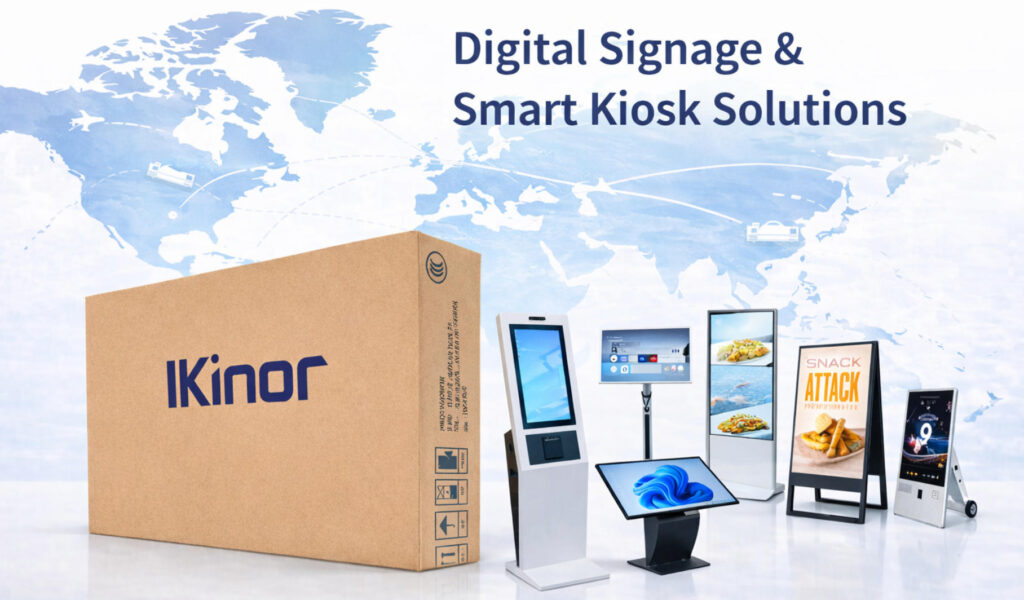
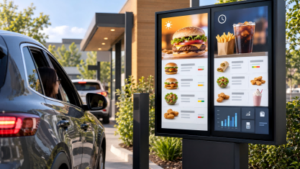
A self-service kiosk combines a display with an enclosure and may also include scanners, printers, payment terminals, cameras, card readers, or other peripherals. Kiosks are widely used for ordering, check-in, payment, ticketing, wayfinding, and product discovery. Panneaux d'affichage numériques serve a more focused role in restaurants and quick-service environments, where prices, product images, promotions, and menu content need to be updated frequently.
Video walls and outdoor displays solve larger visual communication problems. A video wall may consist of multiple narrow-bezel LCD panels or a modular LED surface, while outdoor digital displays and billboards must account for high ambient light, weather exposure, temperature changes, viewing distance, and maintenance access. Portable digital signage is another useful format when screens need to move between entrances, exhibitions, promotional areas, or temporary campaigns.
LCD vs. Direct-View LED: Which Is Better for Commercial Displays?
LCD and direct-view LED are two of the most important technologies in commercial displays, but they solve different problems. LCD is usually stronger when users need a standardized screen size, close viewing, detailed text, and fixed Full HD or 4K resolution. It is therefore common in retail signage, menu boards, interactive displays, kiosks, meeting rooms, and many indoor advertising applications.
Direct-view LED becomes more attractive as the required image gets larger, the viewing distance increases, or the installation needs very high brightness. Because LED modules can be assembled into large surfaces, they work well for atriums, shopping centers, event venues, public spaces, façades, and digital billboards where a conventional single LCD panel would be too small.
| Facteur | LCD | Direct-View LED |
|---|---|---|
| Screen Format | Standard panel sizes | Modular and scalable |
| Best Viewing Distance | Short to medium | Medium to long |
| Luminosité | Medium to high | High to very high |
| Résolution | Fixed, commonly Full HD or 4K | Determined largely by pixel pitch |
| Very Large Displays | Limited | Excellent |
| Visible Seams | None on single panel; bezels on LCD video walls | Near-seamless modular surface |
| Installation | Relatively straightforward | More project-dependent |
| Entry Cost | Generally lower | Generally higher |
| Maintenance | Panel-level replacement | Module-level service possible |
The key difference is therefore not simply that one technology has “better” image quality. A 55-inch indoor information screen viewed from two meters away has completely different requirements from a ten-meter-wide advertising wall viewed from across a public space. In the first case, LCD may provide better value and sharper close-range content; in the second, direct-view LED may offer the scale, brightness, and serviceability the project requires.
The next step is to turn these technology differences into an actual selection process. Environment, viewing distance, brightness, content type, touch requirements, operating hours, installation method, and maintenance all influence which digital display is the right fit.
How Do You Choose the Right Digital Display?
Choosing the right digital display starts with the installation environment rather than the screen specification. A display used in a meeting room faces very different conditions from one installed in a shop window or outdoor public space. Ambient light, temperature, weather exposure, viewing distance, operating hours, and user interaction should therefore be defined before comparing individual products.
For commercial projects, the most expensive or highest-specification display is not automatically the best choice. A better approach is to identify the operating conditions first, then determine which display technology and product format can meet those requirements without unnecessary cost or complexity.
Start with the Viewing Environment
Indoor displays usually operate under controlled lighting, so extreme brightness is rarely necessary. Window-facing screens need substantially more brightness because they must compete with daylight and reflections, while outdoor displays also need protection against temperature changes, moisture, dust, and direct sunlight.
Brightness is commonly measured in nits, but higher brightness should not be treated as an automatic sign of better quality. Excessive brightness can increase power consumption, heat generation, and operating cost. The correct level depends on where the display is installed and how much ambient light reaches the screen.
Viewing distance is equally important. A close-range kiosk or interactive display needs sharp text and high pixel density, while a large LED installation viewed from farther away can use a wider pixel pitch without reducing the perceived image quality. For this reason, LCD projects usually focus on screen size and resolution, while direct-view LED projects must consider pixel pitch and minimum viewing distance together.
Match the Display to Viewing and Operating Requirements
The content itself should influence the choice. Detailed text, menus, dashboards, and interactive interfaces generally benefit from high-resolution LCD screens. Large-format advertising viewed from a distance may favor direct-view LED, while static information such as room signs or shelf labels can make e-paper a more efficient solution. If users need to navigate, write, order, or search directly on the screen, touch capability becomes another important requirement.
Operating schedules also matter. A screen that runs a few hours each day is subjected to different thermal and component stresses than a display intended for 16/7 or 24/7 commercial operation. For long-duration use, buyers should check the rated operating schedule, thermal design, brightness stability, component quality, and maintenance requirements rather than assuming that any TV or monitor can perform the same role.
Installation and maintenance should be considered before the project is finalized. Wall-mounted LCD signage may be relatively straightforward to replace, while a large LED wall may require front- or rear-service access and module-level maintenance. Floor-standing displays and kiosks also need appropriate enclosure design, cable routing, ventilation, and access to internal components.
For projects that require different screen sizes, brightness levels, mounting methods, operating systems, or OEM configurations, Ikinor provides configurable commercial display solutions for distributors, integrators, and project buyers. The useful question is not simply “Which screen is best?” but “Which configuration best matches the way this screen will actually be used?”
What Display Works Best for Different Applications?
Once the environment and operating requirements are clear, the number of realistic display choices usually becomes much smaller. The table below gives practical directions rather than absolute rules; final specifications still depend on viewing conditions, content, installation constraints, and budget.
| Candidature | Recommended Display Direction | Main Reason |
|---|---|---|
| Retail store | Commercial LCD or LED | Promotions and strong visual impact |
| Shop window | High-brightness LCD or LED | Competes with daylight and reflections |
| Classroom | Interactive flat panel | Writing, teaching, and collaboration |
| Meeting room | Interactive display | Presentation and team collaboration |
| Restaurant | Digital menu board | Frequent menu and promotional updates |
| Wayfinding | Touchscreen kiosk | Self-service navigation and information |
| Control room | LCD video wall or LED wall | Large shared information surface |
| Outdoor advertising | Direct-view LED or outdoor LCD | Brightness and environmental durability |
| Shelf labels and room signs | E-paper | Low-power static information |
A retail project, for example, may use standard commercial LCD screens for close-range product promotions but switch to high-brightness signage near a storefront window. Large atriums or public spaces may favor LED because viewing distances are longer and display dimensions are less constrained by standard panel sizes.
Restaurant and wayfinding projects create different priorities. Restaurant digital menu boards need readable text, reliable long-duration operation, and efficient content updates, while a wayfinding kiosk adds touch interaction and often needs a durable enclosure for continuous public use. Defining the application first is therefore one of the fastest ways to avoid over- or under-specifying the display.
Common Display Selection Mistakes
One common mistake is choosing primarily by screen size. A 65-inch screen in a meeting room, shop window, and public information area may require completely different brightness, operating schedules, mounting methods, and interaction features. Size is only one variable in a complete display specification.
Another frequent error is confusing LED-backlit LCD with direct-view LED. The names sound similar, but their construction, scalability, installation, resolution logic, and cost structure are very different. Buyers should also avoid using consumer televisions for demanding commercial installations without checking portrait support, operating-hour ratings, thermal design, remote management, and other commercial requirements.
Ambient light and viewing distance are equally easy to underestimate. A screen that looks bright indoors can become difficult to read behind glass in daylight, while an LED wall with an unsuitable pixel pitch can appear visibly coarse when viewers stand too close. Understanding different digital signage applications before selecting hardware helps prevent these mismatches.
Finally, avoid buying specifications simply because the numbers are higher. More brightness, higher resolution, or a more expensive technology only adds value when the project can actually benefit from it. The best commercial display specification is the one that meets the viewing and operational requirements with enough performance margin for reliable use.
Emerging Digital Display Technologies
MicroLED, transparent displays, flexible OLED, and other emerging designs are expanding what digital displays can look like and where they can be installed. Transparent screens can integrate visual content into shop windows and exhibition environments, while flexible technologies allow curved or unconventional screen shapes that are difficult to achieve with standard rigid panels.
At the same time, improvements in power management, automatic brightness adjustment, thermal control, and display efficiency may be more important to many commercial projects than dramatic changes in panel technology. Emerging technologies are worth watching, but they should be evaluated according to the same practical criteria as established displays: application, environment, reliability, serviceability, and total project cost.
Foire aux questions
The main modern display technologies are LCD, direct-view LED, OLED, e-paper, and MicroLED. LCD and direct-view LED are especially common in commercial display projects.
No. An LED-backlit LCD uses LEDs as its backlight, while a direct-view LED display uses LEDs themselves as the visible pixels.
Not always. OLED offers excellent contrast and thin designs, while LCD is generally more cost-effective and widely available for commercial signage and interactive displays.
Direct-view LED is common for large outdoor installations. High-brightness outdoor LCD can be a better option for smaller screens that require high pixel density.
Digital signage primarily presents information or advertising. An interactive display adds touch input so users can write, navigate, browse, or control content.
Choose a commercial-grade display specifically rated for continuous operation. Thermal design, brightness stability, components, and maintenance are as important as the underlying display technology.