Grocery stores operate in an environment where information changes constantly. Weekly promotions rotate, deli menus shift during the day, fresh products need timely markdowns, and customers expect prices and product information to stay accurate. Printed signs can handle some of these tasks, but frequent updates become harder to manage as stores add more departments, campaigns, and locations.
Digital signage in grocery stores can make those updates faster and more consistent, but not every area needs the same type of screen. An entrance promotion display, a deli menu board, an electronic shelf label, and an interactive kiosk solve different problems. This guide explains where digital signage provides the most value, which display types fit different store areas, how to choose suitable hardware, and how to plan a practical system without overcomplicating the rollout.
What Is Digital Signage in a Grocery Store?
Grocery store digital signage is a network of electronic displays used to present promotions, pricing, menus, product information, directions, and other store content that can be updated digitally. Instead of printing and replacing every message manually, authorized staff can manage content through a content management system or another connected store platform.
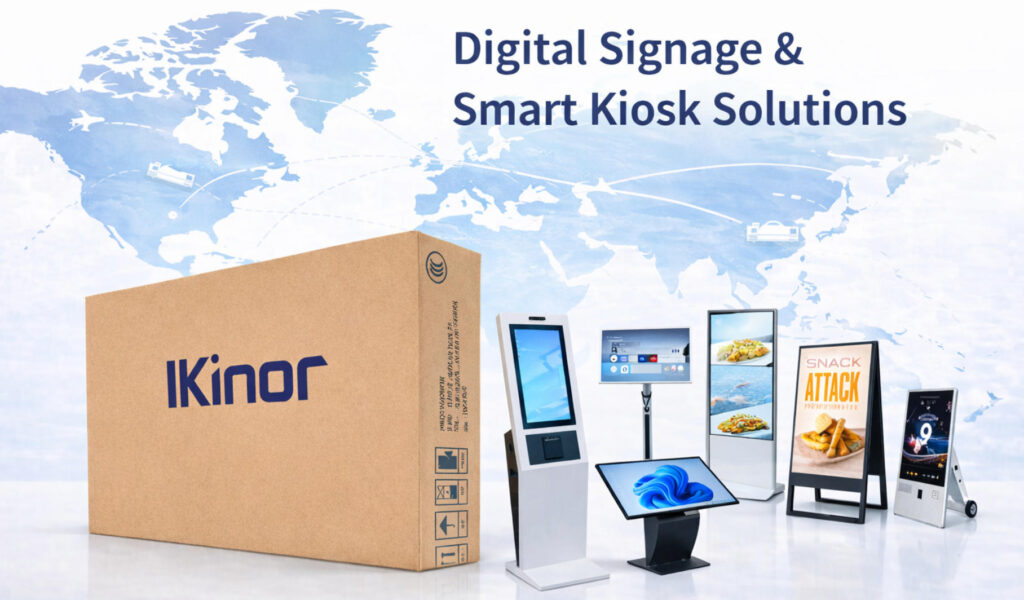
The term covers several technologies rather than one single product. Large commercial displays are commonly used for promotions and advertising, digital menu boards serve deli or prepared-food counters, interactive kiosks can support product lookup and wayfinding, and electronic shelf labels, or ESLs, focus mainly on shelf-level prices and product information.
These technologies belong to the same broader digital retail environment, but they are not interchangeable. A grocery store that only needs weekly promotional content requires a much simpler setup than a supermarket that wants automated shelf pricing, interactive navigation, or centrally managed content across dozens of locations.
Why Do Grocery Stores Use Digital Signage?
The strongest reason to install digital signage is not that screens look more modern than printed signs. The real value appears when a store has an operational or communication problem that digital displays can solve more efficiently. Promotions may change faster than employees can replace posters, fresh products may require fast markdown messaging, and multiple stores may need the same campaign to appear at the same time.
Digital displays can reduce some of that friction by allowing content to be updated centrally and scheduled by time, store, department, or campaign. They can also make important promotions more visible at key buying points, help customers navigate larger stores, and keep menus or product messages more consistent throughout the day.
| Grocery Store Problem | Digital Signage Response | Practical Value |
|---|---|---|
| Promotions change frequently | Remote content updates | Faster campaign changes |
| Staff repeatedly replace printed signs | Centralized digital content | Less repetitive manual work |
| Fresh products need quick promotion | Time-sensitive offers | Faster response to inventory needs |
| Customers struggle to find products | Wayfinding displays | Easier store navigation |
| Deli menus change during the day | Panneaux d'affichage numériques | More accurate menu information |
| Multiple stores run the same campaign | Centralized screen management | More consistent communication |
The business result still depends on how the system is used. Placement, content quality, viewing conditions, update frequency, store layout, and the products being promoted all influence performance. Digital signage is therefore better understood as an operational and communication tool than as an automatic guarantee of higher sales.
Which Digital Signage Solution Fits Each Grocery Store Area?
A grocery store should not use the same display everywhere. Different areas have different viewing distances, customer behavior, dwell times, lighting conditions, and communication goals. A storefront screen may need to attract attention from several meters away, while a checkout screen often has only a few seconds to deliver a simple message.
Thinking about signage according to the shopper journey makes planning easier. Entry and shopping zones are mainly about attracting attention and supporting purchase decisions, while food-service, checkout, and customer-service areas are more focused on menus, short-form offers, product lookup, and navigation.
Customer Entry and Shopping Areas
Storefront and entrance displays are usually used for weekly promotions, seasonal campaigns, loyalty messages, and major store announcements. Window-facing screens must compete with stronger ambient light, so their visibility requirements can be very different from screens installed deeper inside the store. Inside the entrance, large wall-mounted or floor-standing digital signage can communicate store-wide campaigns without requiring customers to stop and interact.
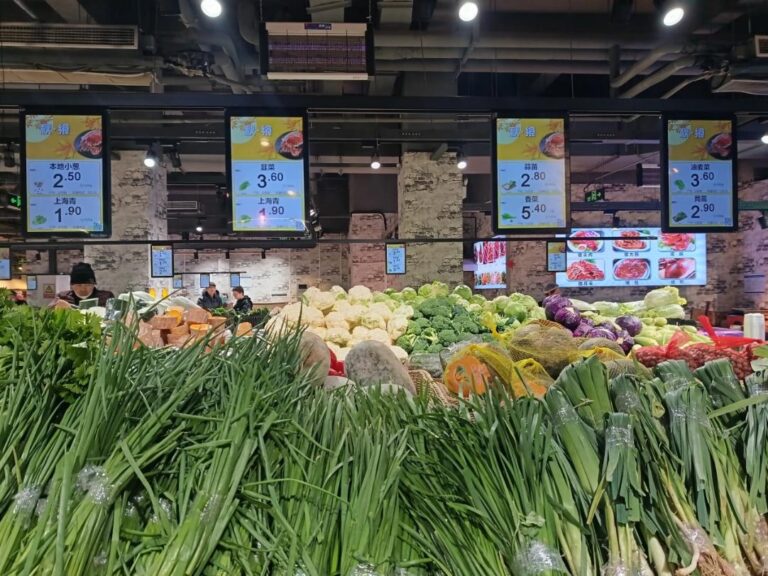
Produce departments, grocery aisles, and endcaps serve a different purpose because customers are already evaluating products. Content in these areas can be more closely related to nearby merchandise, such as seasonal produce, short-term discounts, private-label products, or complementary items. The goal is not to add as many screens as possible, but to place relevant information near the point where purchase decisions are made.
Physical conditions also matter. Displays installed close to bakery, fresh-food, or food-preparation zones may be exposed to more dust, grease, moisture, or frequent cleaning than displays in standard dry retail areas. These conditions should be considered when choosing the enclosure, ventilation, mounting method, and maintenance routine.
Service, Food and Checkout Areas
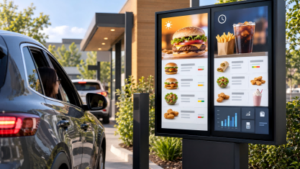
Deli, bakery, café, and prepared-food counters are natural locations for digital menu boards because pricing, availability, and daily specials may change during operating hours. In these areas, readability is usually more important than visual complexity. Customers need to understand the menu quickly, so clear text, logical grouping, and sufficient contrast are more useful than excessive animation.
Checkout areas have shorter attention windows. Screens can display loyalty reminders, limited offers, or upcoming promotions while customers wait, but messages should remain simple enough to understand within seconds. Customer-service zones have a different purpose again: larger supermarkets may use an interactive information kiosk or digital wayfinding display to help shoppers locate departments, products, or services.
| Store Area | Main Goal | Suitable Display Type | Key Requirement |
|---|---|---|---|
| Storefront | Attract foot traffic | High-brightness display | Visibility in strong ambient light |
| Entrance | Promote store-wide campaigns | Large commercial display | Distance de visionnage |
| Produce | Promote daily or seasonal offers | Commercial signage display | Easy content updates |
| Aisle / Endcap | Influence product decisions | Wall-mounted or portrait display | Viewing angle and placement |
| Deli / Bakery | Show menus and pricing | Digital menu board | Readability |
| Shelf | Update prices and product data | ESL / shelf display | Data integration |
| Checkout | Promote add-on offers | Compact POS display | Short, simple content |
| Customer Service | Product lookup and navigation | Interactive kiosk | Touch and software support |
How to Choose Grocery Store Digital Signage Hardware
Once a store has identified where each screen will be used, hardware selection becomes more straightforward. The key is to match the display to its environment and operating requirements rather than simply choosing the largest or highest-specification model available. A storefront display, an aisle-end promotion screen, and a touchscreen kiosk can all belong in the same store while requiring very different hardware.
The most useful selection criteria are viewing distance, ambient light, installation method, expected operating hours, screen orientation, environmental exposure, and whether customers need to interact with the display. These practical conditions should come before secondary features.
Display Environment and Physical Selection
Screen size should reflect both the available space and the distance from which customers normally view the content. Larger displays make sense at entrances or open promotional areas, while smaller screens can work better in narrow aisles or close-viewing locations. Common commercial sizes such as 32, 43, or 55 inches can cover many grocery applications, but they should be treated as examples rather than universal standards.
Brightness also needs to be selected according to the installation environment. Standard indoor displays may be sufficient in normal supermarket lighting, while storefront or window-facing displays often require higher brightness to remain readable against daylight. A single brightness specification should not be applied to every grocery location because lighting conditions can vary significantly even within the same store.
Orientation and mounting method should follow the content and the available space. Landscape displays suit many menu and campaign layouts, while portrait screens can work well on aisle ends or in poster-style promotional areas. Wall-mounted digital signage saves floor space, whereas floor-standing units are useful where flexible positioning and stronger visual presence are more important.
Operating and System Requirements
Commercial operating conditions matter when screens run for long hours every day. Consumer televisions may work in limited-duty applications, but commercial displays are generally better suited to longer operating schedules, portrait installation, remote device management, and managed multi-screen environments. Stores should compare actual daily operating hours and maintenance expectations instead of assuming that either consumer or commercial hardware is always the correct choice.
Touch capability should also be tied to a clear use case. Promotional displays, menu boards, and most checkout screens do not need touch. Product lookup, self-service, and wayfinding are stronger reasons to use interactive hardware. Adding touch where customers have no reason to interact increases complexity without necessarily increasing value.
The choice between a built-in operating system and an external media player should follow similar logic. Compatibility with the CMS, device-management requirements, existing IT infrastructure, and the number of screens matter more than whether a system runs Android, Windows, or another platform. For stores near bakery or fresh-food environments, enclosure design, ventilation, dust exposure, and cleaning practices should also be considered as part of long-term hardware reliability.
How Does a Grocery Digital Signage System Work?
A typical grocery digital signage system connects content management with the displays installed around the store. The basic flow can be understood as content or store data → CMS → network → media player or built-in operating system → display. Staff create or schedule content in the CMS, and the system sends that content to selected screens through the store network.
In a small independent grocery store, the setup may involve only a few screens playing scheduled promotions or menu content. A larger supermarket or grocery chain can group screens by department, store, region, or campaign. Central teams may control store-wide messages while local staff are given permission to update department-specific content.
More advanced systems can also connect to pricing databases, inventory platforms, POS systems, or loyalty programs. These integrations are useful when prices, availability, or promotions change frequently, but they are not necessary for every project. A store that only needs weekly promotional screens can operate with a much simpler system than one using automated pricing, interactive product search, and multi-location content control.
Network reliability is easy to overlook because a screen can remain powered on even when content synchronization has failed. Weak Wi-Fi coverage or unstable connections may leave a display showing an outdated promotion while appearing technically operational. For this reason, network coverage, fallback connectivity, and content synchronization should be checked as part of system planning rather than after the installation is complete.
How Should a Grocery Store Plan a Digital Signage Rollout?
A practical rollout should begin with the business problem, not with the screen. Before selecting equipment, the retailer should define what needs to improve: promotion speed, menu accuracy, product visibility, navigation, pricing communication, or multi-store consistency. A store that mainly wants to update weekly promotions needs a much simpler setup than a supermarket planning interactive wayfinding, automated pricing, or centrally managed content across many locations.
The next step is to select a small number of high-impact locations. Entrances, deli counters, checkout zones, and major promotional areas are often useful places to start because their purpose is clear and the results are easier to observe. A pilot also helps expose practical issues before a larger rollout, including glare, readability, network coverage, mounting restrictions, cable routing, and who is responsible for keeping content current.
Before installation, stores should verify power access, network availability, wall or floor mounting conditions, and actual viewing angles at each planned location. Cable routing should also be considered early rather than treated as a cosmetic detail after installation. Poorly planned power or network cables can interfere with shelving, cleaning, or customer traffic and can create avoidable maintenance problems.
Once the pilot is running, the store can refine its content workflow, check whether screens remain synchronized, and decide whether the original business goal is being met. A sensible sequence is: define the goal, choose high-impact locations, match hardware to each location, confirm infrastructure, test the setup, and expand only when the first stage performs reliably.
How Should Deployment Differ by Store Size?
Digital signage requirements change as store size and organizational complexity increase. An independent grocery store may only need a few screens for promotions or menu updates, while a large supermarket can justify different display types across departments. Multi-location chains add another layer because content consistency, remote device management, standardization, and local permissions become more important.
The right approach is therefore not to build the same system for every retailer. Smaller stores usually benefit from simplicity and a limited number of clearly useful screens, while larger stores can add more specialized signage when each additional display solves a defined communication or operational problem.
| Grocery Store Type | Priorité principale | Practical Deployment Approach |
|---|---|---|
| Independent grocery store | Promotions and menus | Start with a few high-impact screens |
| Medium supermarket | Department communication | Use zone-based signage |
| Large supermarket | Promotions, menus, and navigation | Combine multiple signage types |
| Multi-location grocery chain | Consistency and control | Standardize hardware and centralize management |
For chains, standardization can also reduce maintenance complexity. Using a consistent set of display sizes, operating platforms, and mounting methods across locations makes replacement, training, and content deployment easier. Local variation can still be supported where store layouts, regional campaigns, or department requirements differ.
How Much Does Grocery Store Digital Signage Cost?
There is no single useful price for grocery store digital signage because project cost depends heavily on scope. A small installation with several indoor promotion screens has a very different cost structure from a chain-wide deployment that includes high-brightness storefront displays, interactive kiosks, electronic shelf labels, custom mounting, and integrations with store systems.
Most costs fall into three groups: hardware, deployment, and ongoing operation. Hardware includes displays, media players where required, mounts, kiosks, and related equipment. Deployment may include electrical work, network setup, configuration, mounting, and installation labor. Ongoing costs can include CMS subscriptions, device management, maintenance, connectivity, and content production.
Several factors can increase cost quickly, including larger screen sizes, higher brightness, touch capability, outdoor or harsh-environment protection, custom enclosures, complex software integrations, and multi-store scale. These variables matter more than a generic “price per screen,” because two displays of the same size can have very different operating requirements.
For budgeting, the more useful question is not simply “How much does a screen cost?” but “What does it cost to solve this specific business problem?” That approach helps the retailer compare the investment with the operational or commercial value expected from the project.
How to Measure Whether Grocery Digital Signage Is Working
Digital signage should be measured against the reason it was installed. If the goal was to improve promotions, retailers can compare sales or response for promoted products before and during a campaign. If the goal was to reduce repetitive work, the better metric may be how much staff time is spent printing, replacing, and checking signs.
Different applications require different KPIs. A wayfinding system should not be judged by the same measure as a checkout promotion screen. Likewise, a multi-store network may create value by reducing launch time and content errors even when direct sales attribution is difficult.
| Business Goal | Useful KPI |
|---|---|
| Improve promotions | Promoted-product sales or campaign response |
| Reduce manual work | Time spent replacing or updating signs |
| Improve price accuracy | Number of pricing or content errors |
| Improve navigation | Customer assistance requests |
| Improve system reliability | Screen uptime and failed content updates |
| Improve multi-store execution | Time required to launch campaigns across locations |
Where possible, retailers should establish a baseline before the rollout. Measuring the same indicator after installation makes it easier to determine whether the signage is solving the original problem or simply adding another technology layer to the store.
Common Grocery Store Digital Signage Mistakes
One of the most common mistakes is choosing hardware before defining what the screen is supposed to achieve. A high-specification display does not improve the project if it is installed in the wrong location or used for content shoppers rarely notice. Poor placement can be equally damaging when glare, shelving, viewing distance, or customer traffic patterns reduce visibility.
Another frequent issue is showing too much information. Grocery shoppers are often moving, so promotional and checkout messages need to be understood quickly. Small text, long paragraphs, excessive animation, and cluttered layouts can reduce the value of an otherwise well-positioned screen.
Stores can also create unnecessary complexity by using the same content strategy everywhere. An entrance display, a deli menu board, and a checkout screen serve different purposes and should not simply repeat the same campaign. The same principle applies to touch: interactive hardware is useful for product lookup or navigation, but it adds little value to a screen designed only to show promotions.
Infrastructure mistakes are another practical risk. Weak Wi-Fi coverage can leave a screen displaying an outdated promotion even though the display itself is still powered on. Poor cable routing can complicate cleaning, interfere with shelving, or create an untidy installation. These issues are easier to prevent during planning than to correct after a full rollout.
Is Digital Signage Worth It for Grocery Stores?
Digital signage is more likely to provide clear value when a grocery store changes promotions frequently, operates departments with changing menus, manages fresh or short-life inventory, needs better navigation, or coordinates campaigns across multiple locations. In these situations, faster content updates and better placement of information can solve practical problems that printed signs handle less efficiently.
That does not mean every store needs a large digital signage network. A very small grocery store with limited promotions and infrequent content changes may gain more from one or two carefully placed displays than from a store-wide deployment. Retailers should also consider whether they have the staff, content process, network infrastructure, and maintenance capacity required to keep the system useful after installation.
For retailers moving from evaluation to implementation, Ikinor can support retail digital signage projects with configurable display formats for different store areas and installation requirements. Regardless of supplier, the most practical approach remains the same: start with a clear business goal, deploy screens where they can create measurable value, and expand only when the initial setup proves useful.
Foire aux questions
Grocery store digital signage uses electronic displays to show promotions, pricing, menus, product information, and navigation content that can be updated digitally.
Common locations include storefronts, entrances, deli counters, aisle endcaps, checkout areas, and customer-service zones. Placement should match the communication goal and viewing conditions.
Not exactly. ESLs mainly manage shelf-level pricing and product information, while digital signage usually supports larger promotional, menu, navigation, and communication displays.
Cost depends on screen quantity and type, brightness, mounting, software, installation, integrations, and ongoing management requirements.
Yes. Compatible platforms can use pricing, inventory, or POS data to automate selected content updates, although integration requirements vary by system.