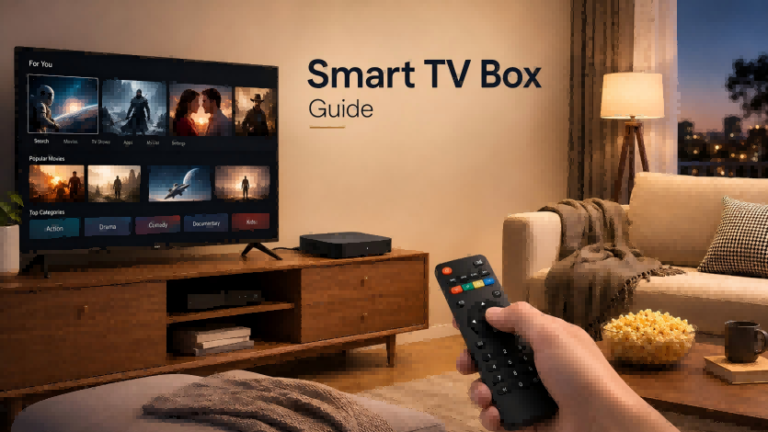
A smart TV box is an external device that connects to a television through HDMI and adds smart functions such as streaming apps, internet access, voice control, and media playback. It is commonly used to upgrade older TVs without replacing the entire display.
However, choosing the right smart TV box is not only about buying the device with the highest specifications. Factors such as processor performance, RAM, storage, operating system, certification, connectivity, and actual usage scenarios all affect the user experience.
This guide explains what a smart TV box does, which configurations really matter, typical price ranges, and how to choose the right model based on different needs.
What Is a Smart TV Box and How Does It Work?
A smart TV box is a compact external media device designed to add smart features to a television. Unlike a smart TV, which has built-in hardware and an operating system, a smart TV box works as an additional computing device connected to an existing TV through an HDMI port.
The basic setup is simple: the TV works as the display, while the smart TV box provides the operating system, applications, internet connection, and processing power.
TV → HDMI connection → Smart TV Box → Internet connection
After installation, users can access streaming platforms, online videos, music services, web-based content, and other smart applications. Depending on the operating system and certification level, some devices may also support features such as voice assistants, screen casting, gaming applications, and local media playback.
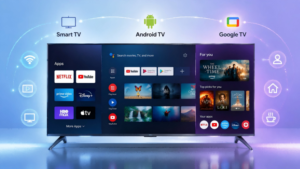
Most smart TV boxes run on platforms such as Android TV, Google TV, Fire OS, or other smart operating systems. Understanding the differences between smart TV platforms is also important when choosing a smart TV box. Learn more about Smart TV, Android TV, and Google TV differences. The operating system determines the available applications, interface experience, update support, and compatibility with streaming services.
For users with older televisions that still have a good display panel but lack modern smart functions, a smart TV box can provide an affordable way to add connected features without purchasing a completely new TV.
Why Do People Use a Smart TV Box?
The main reason people choose a smart TV box is to improve an existing television experience without replacing the entire device. Many TVs have excellent display quality but become outdated because their built-in operating systems are slow, unsupported, or missing newer applications.
A smart TV box can extend the useful life of an existing TV by adding modern streaming capabilities. For example, an older television can gain access to platforms such as video streaming services, online content libraries, and smart home features through an external device.
Another important advantage is flexibility. Built-in TV operating systems are usually tied to the television manufacturer, which means users may have limited upgrade options. A smart TV box can often be replaced or upgraded separately, allowing users to improve performance without changing the entire display.
Cost is also an important factor. For users who already own a working TV, purchasing a smart TV box is usually much less expensive than buying a new smart television. This makes it a practical solution for bedrooms, secondary TVs, rental properties, offices, and other environments where replacing the entire display is unnecessary.
However, not every user needs a smart TV box. Modern smart TVs with fast processors, reliable software support, and complete app ecosystems may already provide a similar experience. The decision depends on whether the user needs additional flexibility, better performance, or a lower-cost upgrade option.
Smart TV Box Configuration Guide: What Specifications Really Matter?
When comparing smart TV boxes, many buyers focus on numbers such as RAM, storage, or processor models. However, hardware specifications should always be evaluated based on actual usage requirements.
A higher specification does not automatically guarantee a better experience. Software optimization, operating system support, certification, and long-term updates can be equally important.
Processor: How Much Performance Do You Really Need?
The processor is one of the most important components in a smart TV box because it controls system responsiveness, application loading speed, video decoding ability, and overall performance.
For basic streaming, users usually do not need the most powerful chipset available. A well-optimized processor with stable software support can provide a smoother experience than a higher-performance chip with poor firmware optimization.
Users who mainly watch streaming content should focus on reliable playback performance and compatibility with required applications. However, those who plan to use a smart TV box for gaming, multitasking, or high-resolution local media playback may benefit from more powerful processors.
The right processor depends on how the device will be used rather than simply choosing the highest benchmark score.
RAM: How Much Memory Is Enough for a Smart TV Box?
RAM affects how smoothly a smart TV box can run multiple applications and handle background processes. Insufficient memory may result in slower app switching, delayed responses, or system lag.
For most streaming users, 2GB of RAM is generally enough for daily entertainment. Users who frequently switch between applications or use more demanding applications may prefer 4GB or more.
| Usage Scenario | Recommended RAM |
|---|---|
| Basic streaming and online video | 2GB |
| Daily multitasking and multiple apps | 2GB-4GB |
| Gaming and demanding applications | 4GB+ |
More RAM can improve multitasking performance, but it should be considered together with processor capability and software optimization. A device with excessive memory but weak software support may not provide a better user experience.
Storage: Choosing Between 8GB, 16GB, and 32GB
Storage capacity determines how many applications, cached files, and local media files a smart TV box can store.
Entry-level models often use 8GB storage, which can be enough for users who mainly stream online content. However, storage can become limited when installing many applications or storing offline media.
For most users, 16GB provides a more comfortable balance between cost and usability. Users who install many apps, store local video files, or use advanced applications may prefer 32GB or more.
Storage should be selected according to usage habits rather than simply choosing the largest available capacity.
Android System, Certification, and Software Support
Operating system quality is often overlooked when comparing smart TV boxes. Two devices may have similar hardware specifications but provide very different user experiences because of software support and certification.
Certified platforms usually offer better application compatibility, security updates, and access to popular streaming services. Important factors include Google certification, digital rights management (DRM) support, and regular software updates.
This is also why some low-cost Android TV boxes advertise high RAM and storage numbers but still provide inconsistent performance. Hardware specifications alone do not determine the overall user experience.
For buyers, a reliable operating system and long-term software support are often more valuable than simply choosing the highest hardware specifications.
Smart TV Box Price Guide: How Much Should You Spend?
Price is an important factor when choosing a smart TV box, but the most expensive model is not always the best choice. The right budget depends on how the device will be used, the required performance level, software support, and long-term reliability.
Based on 2026 Amazon US marketplace pricing data, smart TV boxes generally fall into three main price ranges. Prices may vary depending on promotions, sellers, and product availability.
| Catégorie | Fourchette de prix habituelle | Suitable For |
|---|---|---|
| Entry-level | $25-$50 | Basic streaming, older TVs, and simple entertainment needs |
| Mid-range | $50-$120 | Most users who need reliable 4K streaming and better software support |
| Premium | $120-$250+ | Gaming, advanced home theater, and demanding applications |
Entry-level smart TV boxes usually focus on basic streaming functions. Products in this range are suitable for users who mainly watch online videos and need a simple upgrade for an existing TV. These devices typically provide enough performance for everyday entertainment but may have limitations in storage capacity, processing power, or advanced features.
The mid-range segment represents the most common choice for many users. Devices in this category usually provide a better balance between performance, price, and software experience. Features such as 4K support, improved connectivity, voice control, and better application compatibility are more common in this price range.
Premium smart TV boxes are designed for users with specific requirements, such as gaming, high-quality home theater setups, or advanced media playback. The higher price is usually related to stronger hardware, better connectivity options, premium software features, and longer-term support.
Examples of representative products in the US market include Amazon Fire TV devices, Google TV Streamer, Xiaomi TV Box products, and NVIDIA Shield TV. These products represent different price levels and smart TV ecosystems, but they are used here only as market references rather than direct product recommendations.
For most users, the $50-$120 price range provides the best balance between cost, performance, and usability. Instead of choosing a device based only on the lowest price or highest specifications, buyers should consider whether the product matches their actual usage requirements.
Smart TV Box vs Smart TV: Which One Fits Your Needs?
A smart TV box and a smart TV both provide access to online content and smart features, but they solve different problems. Choosing between them depends mainly on whether the user wants to upgrade an existing television or purchase a complete all-in-one solution.
A smart TV includes the display panel, operating system, and smart hardware in one device. This makes it convenient for users who are purchasing a new television and want a complete entertainment system without additional accessories.
A smart TV box, on the other hand, separates the smart computing system from the display. This allows users to upgrade their existing TV without replacing the entire screen.
| Smart TV | Smart TV Box | |
|---|---|---|
| Hardware | Built-in display and smart system | External smart device |
| Upgrade method | Replace the entire TV | Replace only the box |
| Cost | Usually higher | Usually lower |
| Flexibility | Limited by TV system | Easier to upgrade |
| Installation | All-in-one setup | Requires HDMI connection |
A smart TV box is often a better choice when the existing TV still provides good picture quality but needs improved applications, faster performance, or better connectivity. It is also useful for secondary TVs, rental properties, offices, and flexible entertainment spaces.
For users who need more than a traditional TV upgrade, such as flexible placement, mobility, or an all-in-one smart display solution, a mobile smart TV can be a better alternative. Explore our mobile smart TV Manufacturer solutions for portable smart display applications.
A smart TV may be a better choice for users who are already planning to replace their television and prefer a complete solution with fewer external devices. The right choice depends on whether the priority is upgrading an existing display or purchasing a new integrated system.
How to Choose the Right Smart TV Box?
Choosing the right smart TV box starts with understanding how the device will actually be used. Instead of focusing only on technical specifications, buyers should match the device configuration with their main application scenario.
For users who mainly watch streaming services, a certified platform with stable software support is often more important than having the highest hardware specifications. A device with reliable 4K support, sufficient RAM, and good Wi-Fi performance can provide a smooth daily entertainment experience.
For users who need higher performance for gaming, multitasking, or advanced applications, processor capability, RAM capacity, and storage space become more important. These users should consider higher-performance hardware to ensure smoother operation under heavier workloads.
For home theater users, display and audio compatibility should be carefully considered. Features such as 4K resolution, HDR support, audio format compatibility, and stable network performance can have a significant impact on the viewing experience.
For commercial environments such as offices, education spaces, hospitality, and retail applications, the requirements may go beyond a typical consumer TV box. Businesses often need solutions with reliable operation, customized software, long-term support, and flexible installation options.
Smart TV Box OEM/ODM Considerations for Brands and Distributors
For brands, retailers, and distributors, selecting a smart TV box supplier involves more than choosing existing consumer products. Customization capability, software flexibility, and manufacturing experience can directly affect product differentiation and market competitiveness.
OEM and ODM buyers usually consider factors such as hardware configuration, operating system customization, firmware development, private label options, packaging design, and certification requirements.
A reliable manufacturing partner can help brands develop smart display products that match specific market requirements, including different performance levels, application scenarios, and regional needs.
For companies looking beyond standard TV box products and exploring integrated smart display solutions, working with a manufacturer that understands display hardware, Android systems, and customization requirements can provide additional advantages.
Foire aux questions
A smart TV box adds smart functions, streaming apps, and internet connectivity to a TV through an HDMI connection.
Most smart TV boxes work with TVs that have a compatible HDMI input.
For basic streaming, 2GB RAM is usually enough. More demanding applications may benefit from 4GB or more.
A smart TV box is better for upgrading an existing TV, while a smart TV provides an integrated all-in-one solution.
For most users, $50-$120 provides a good balance between performance, features, and long-term usability.