
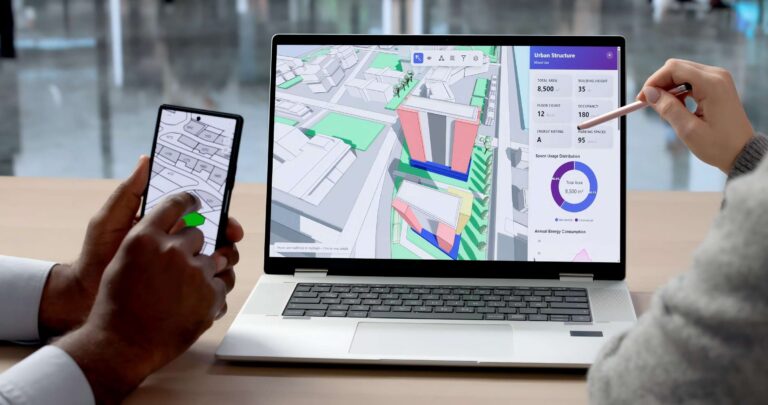
Self-service kiosk connectivity is not just about choosing a network type—it involves a much broader set of considerations. In real-world deployments, factors such as stability, bandwidth, latency, security, and scalability all play a critical role in determining how well a kiosk performs. A poorly configured connection can lead to failed transactions, slow response times, and inconsistent data, directly impacting both customer experience and business operations. As highlighted in the discussion on connectivity importance , modern kiosks rely heavily on stable and continuous network access to function effectively. This article will guide you through the key aspects of kiosk connectivity, helping you understand how to build a reliable, scalable, and future-ready system for your business.
Why Connectivity Is Critical for Modern Kiosk Systems
In today’s fast-paced environments, a kiosk is no longer just a standalone machine—it is a network-dependent service terminal. Whether in retail, restaurants, hospitals, or transportation hubs, connectivity directly determines how well the system performs in real-world scenarios.
Stable connectivity impacts three critical areas. First, payment reliability—a weak or unstable connection can cause transaction failures, leading to lost sales and frustrated customers. Second, real-time data synchronization—pricing, inventory, or queue information must stay updated across systems. Third, user experience—slow or delayed responses can quickly reduce customer trust and engagement.
A quick-service restaurant chain in the U.S. deployed self-order kiosks but relied heavily on unstable Wi-Fi. During peak lunch hours, network congestion caused delays and payment timeouts. Customers experienced frozen screens and failed transactions, forcing staff to intervene manually. As a result, order efficiency dropped, queues became longer, and the intended automation benefits were lost. After upgrading to a more stable network setup with backup connectivity, the issue was significantly reduced.
Without reliable connectivity, kiosks may face:
- Failed transactions
- System lag or crashes
- Data inconsistencies or loss
At the same time, industry trends are shifting toward cloud-connected ecosystems, where kiosks rely on cloud platforms for content updates, device monitoring, and data analytics.
Connectivity is not optional—it is the foundation of any modern kiosk system. To ensure reliable kiosk performance, businesses must understand the key network requirements behind stable connectivity.
Network Requirements for Kiosks: Speed, Stability, and Security
Once you understand the importance of connectivity, the next step is knowing what a reliable kiosk network actually requires. Choosing the right setup is not just about getting online—it’s about ensuring consistent performance under real-world conditions.
First, stability is the top priority. A kiosk must stay connected at all times, especially during payment processing or peak usage hours. Even short disconnections can lead to failed transactions, interrupted workflows, and poor user experiences. For most businesses, a “sometimes working” network is simply not acceptable.
Second, bandwidth plays a key role. Kiosks that display high-resolution images, videos, or dynamic content (such as digital signage) require more data capacity. In addition, when multiple kiosks operate simultaneously in the same location, the network must handle increased traffic without slowing down.
Third, low latency is essential for responsiveness. Users expect instant feedback when interacting with a touchscreen. High latency can cause delays, making the system feel slow or unreliable, which directly impacts customer satisfaction.
Equally important is security. In healthcare kiosks, telehealth kiosks, payment terminals, and other public-facing systems, devices often handle sensitive data, including payment information, patient details, identity records, or personal information. A secure network should include measures such as VPNs, firewalls, access control, and data encryption, especially in industries like healthcare, finance, and government. In healthcare environments, this becomes especially important for telehealth kiosks, where real-time video consultations, diagnostic data upload, electronic prescriptions, and cloud-based medical records all depend on stable, low-latency, and secure connectivity.
Finally, choosing the correct network connection configuration is also crucial. Different connection types (Ethernet, Wi-Fi, and cellular networks) will be explained in the next section.
Types of Kiosk Network Connections (Ethernet, Wi-Fi, Cellular)
After understanding the key network requirements, the next step is choosing the right connection type for your kiosk deployment. Each option has its own strengths, depending on your environment and usage needs.
Wired Ethernet is widely considered the most reliable solution. It offers high stability, strong security, and low latency, making it ideal for scenarios where consistent performance is critical—such as shopping malls, hospitals, and fixed indoor installations. If your kiosk handles payments or high traffic, Ethernet is often the first choice.
Wi-Fi provides greater flexibility and easier deployment. It eliminates the need for physical cabling, which is useful in locations where wiring is difficult or costly. However, Wi-Fi can be affected by signal interference, congestion, or weak coverage, especially in crowded environments. This makes it more suitable for moderate-use scenarios rather than mission-critical systems.
Cellular connections (4G/5G) are designed for outdoor or remote deployments. They do not rely on local infrastructure, making them perfect for street kiosks, temporary setups, or locations without wired internet access. The main drawback is ongoing data costs, which can increase with heavy usage.
In practice, many businesses adopt a hybrid network strategy. For example, using Ethernet as the primary connection and cellular as a backup ensures continuous operation even if one network fails. This approach significantly improves reliability and reduces downtime.
Quick Comparison of Ethernet, Wi-Fi, and Cellular
| Connection Type | Stability | Cost | Flexibility |
|---|---|---|---|
| Ethernet | High | Low | Low |
| Wi-Fi | Medium | Low | High |
| Cellular | Medium | High | Very High |
Cloud Integration and Remote Management Capabilities
After establishing a stable network connection, the next step is leveraging that connectivity to unlock centralized control and smarter operations. This is where cloud integration and remote management come into play. In simple terms, cloud connectivity connects your kiosk to a central “brain”—a cloud server combined with a CMS (Content Management System)—that controls content, devices, and data from one place.
A helpful way to understand this is to think of the cloud as a remote control center. Instead of managing each kiosk individually on-site, you can operate all devices across different locations from a single dashboard. Whether you have 10 kiosks or 1,000, the system works in a unified and efficient way.
The core functions of cloud-connected kiosks include:
- Remote content management: Instantly update advertisements, menus, or information across all kiosks
- Device monitoring: Check real-time status, detect offline devices, and receive fault alerts
- OTA (over-the-air) updates: Upgrade software or fix issues without visiting the site
Beyond control, the cloud also enables powerful data capabilities. Businesses can analyze user behavior, identify peak usage times, and optimize content or UI design. At the same time, centralized management makes it easy to maintain consistency across multiple stores or regions.
From a business perspective, the benefits are clear. Cloud integration helps reduce maintenance costs, since fewer on-site visits are needed. It also improves operational efficiency, allowing faster updates and troubleshooting. Most importantly, it supports scalable growth, making it possible to expand your kiosk network without increasing complexity.
Connectivity Planning in Kiosk Deployment
While reliable networks and cloud systems provide the foundation for modern kiosks, their real effectiveness depends on how well everything is planned before deployment. In many cases, connectivity issues are not caused by technology itself, but by poor planning in the early stage.
The first thing to consider is the deployment environment. Indoor locations such as malls or hospitals usually have more stable infrastructure, while outdoor environments may face weather exposure and limited network access. At the same time, foot traffic and the number of kiosks will directly affect network load. A busy location with multiple devices requires much stronger network capacity than a single kiosk setup.
Network architecture design should focus on ensuring reliability where it matters most. Instead of treating all kiosks the same, businesses should prioritize critical devices—such as payment or service kiosks—with the most stable and robust connectivity setup, while allowing more flexibility for non-critical displays.
To further strengthen reliability, it is essential to incorporate network redundancy into the system design. Relying on a single connection creates a single point of failure. A more resilient approach is to implement both a primary network and a backup connection, ensuring that kiosks remain operational even if one network experiences disruption.
Bandwidth planning is equally important. Businesses should estimate network capacity based on the number of devices and how frequently they are used. Peak hours must be taken into account to avoid slow performance or system delays.
In short, connectivity planning is about making the right decisions early. A well-planned network not only improves stability but also reduces long-term maintenance costs and prevents up to 80% of common issues. For businesses moving from network planning to full project execution, this kiosk deployment guide explains how to plan installation, prepare power and network infrastructure, manage maintenance, improve security, and scale kiosks across multiple locations.
Best Practices for Reliable and Scalable Kiosk Connectivity
As your kiosk network grows over time, maintaining stable performance becomes less about initial setup and more about ongoing optimization and management. Even a well-planned system needs continuous improvement to support expansion and avoid unexpected issues.
One of the most important practices is standardizing your network architecture. By keeping configurations consistent across all locations, businesses can easily replicate successful setups, reduce errors, and simplify maintenance. This is especially valuable when managing multiple stores or scaling rapidly.
Using professional-grade equipment is another key factor. Industrial routers and commercial networking devices are designed for long operating hours and demanding environments. Compared to consumer-grade equipment, they offer better stability, stronger security, and lower failure rates.
Equally important is continuous monitoring and optimization. Instead of waiting for problems to occur, businesses should actively track network performance, including latency, connection drops, and device status. This proactive approach allows issues to be identified and resolved before they impact users.
Integration with existing IT systems also plays a crucial role. Seamless connectivity between kiosks and POS, ERP, or cloud platforms ensures real-time data flow, improving operational efficiency and decision-making.
Finally, scalability should always be considered during operation. A well-managed network should allow businesses to add more kiosks without redesigning the entire system. This reduces future costs and supports long-term growth.
In summary, while planning builds the foundation, ongoing management ensures long-term reliability and scalability. A strong operational strategy keeps your kiosk network stable, efficient, and ready to grow with your business.
Common Connectivity Issues and How to Avoid Them
Even with proper planning and setup, kiosk networks can still face real-world connectivity issues during daily operation. Understanding these common problems—and how to prevent them—can significantly improve system reliability and reduce downtime.
One of the most frequent issues is weak or unstable Wi-Fi signals, especially in crowded environments like malls or airports. Signal interference, physical obstacles, or long distances from routers can all affect performance. Another common problem is firewall restrictions, which may block communication between kiosks and cloud servers if not properly configured.
Network misconfiguration is also a major cause of failures. Incorrect IP settings, DNS issues, or incomplete setup can prevent kiosks from connecting to backend systems. In addition, network outages—whether caused by service providers or internal infrastructure—can interrupt operations entirely if there is no backup solution in place.
To avoid these problems, businesses should invest in commercial-grade networking equipment, which offers better stability and performance. It’s also important to optimize device placement, ensuring kiosks are within strong signal coverage. Proper pre-configuration of network settings can prevent many setup errors, while implementing a backup network ensures continuous operation even during outages.
In short, most connectivity issues are preventable. With the right preparation and monitoring, businesses can maintain a stable and reliable kiosk network.
Choosing the Right Kiosk Connectivity Solution for Your Business
After understanding connectivity requirements, network types, and long-term management, the final step is choosing a solution that fits your specific business needs. There is no one-size-fits-all approach—what works for a retail store may not suit a hospital or an outdoor deployment.
Start by evaluating your application scenario. Retail and restaurant kiosks often require fast, stable connections for payments and high user interaction. Healthcare environments demand higher levels of security and data protection, while outdoor kiosks must handle more complex network conditions and environmental challenges. Workplace and HR service scenarios also have specific connectivity needs: an employee self-service kiosk may need to connect with HRIS, payroll, attendance, ERP, or workforce management systems so employees can securely access schedules, payslips, leave requests, and company notices.
Next, consider your deployment scale. A single kiosk setup is relatively simple, but managing dozens or hundreds of devices across multiple locations requires a more robust and centralized connectivity strategy. Scalability should be built in from the beginning.
You should also define your functional requirements. Features such as payment processing, cloud-based CMS, and data analytics all place different demands on your network. At the same time, balance your budget with long-term ROI—a cheaper setup may lead to higher maintenance costs later.
Most importantly, remember that a successful kiosk system depends on integration. Hardware, software, and network infrastructure must work seamlessly together. Choosing components separately without considering compatibility often leads to performance issues.
This is where working with an experienced manufacturer makes a difference. Ikinor provides network-ready kiosk solutions designed for real-world deployment. We support cloud integration, offer flexible OEM/ODM customization, and help businesses scale from single units to large deployments with confidence.
By choosing the right partner and solution, you can ensure your kiosk system is not only functional, but also reliable, scalable, and future-ready.
FAQs
Kiosk connectivity is the way a kiosk connects to the internet, backend systems, and management platforms so it can deliver content, process transactions, and receive updates.
Kiosks commonly use wired Ethernet, Wi-Fi, or cellular connections. Wired connections are usually the most stable, while Wi-Fi and cellular offer more deployment flexibility.
Cloud connectivity lets businesses manage kiosks remotely, push software updates, monitor device health, and keep content current across multiple locations.
Yes, some kiosks can continue working offline for basic tasks, but features like remote monitoring, cloud updates, and live content delivery usually need network access.
Remote kiosk management is the ability to configure, monitor, troubleshoot, and update kiosks from one central platform without visiting each device in person.
Common issues include weak Wi-Fi, firewall restrictions, misconfigured network settings, and outages that interrupt cloud communication or remote management.
The phrasing above reflects current kiosk-management guidance that emphasizes centralized control, cloud-based monitoring, and the need for reliable network access for updates and troubleshooting.




