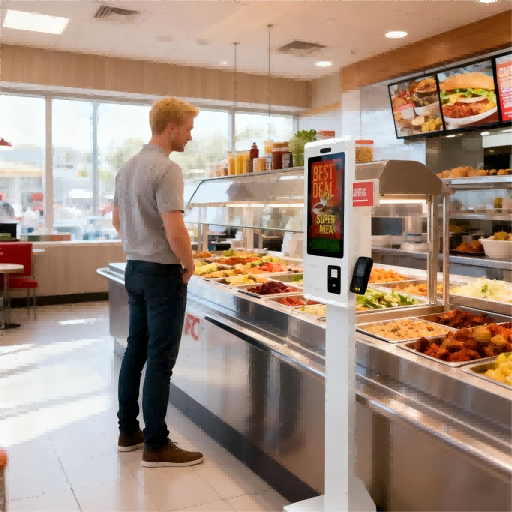
Purchasing a digital menu board is not simply about buying a few screens. It is about choosing a complete display solution that fits your restaurant environment, content management method, installation conditions, and long-term operation needs. A small café may only need one digital menu display with simple menu updates, while a fast-food chain may require multiple commercial screens, centralized CMS control, scheduled promotions, and consistent branding across locations. That is why choosing the right digital menu board manufacturer matters. Buyers need to understand the difference between hardware suppliers, software providers, solution companies, and system integrators. This guide introduces the top digital menu board manufacturers and explains how to compare them from a practical restaurant procurement perspective.

What Is a Digital Menu Board Manufacturer?
A digital menu board manufacturer is a company that provides the hardware, software, or complete display solution used to show restaurant menus on digital screens. In a restaurant, café, food court, or quick-service chain, a digital menu display can show menu items, prices, combo meals, promotions, food videos, QR codes, and scheduled content for different times of the day.
However, the word “manufacturer” can be confusing in this industry. Not every digital menu board provider is an actual display factory. Some companies manufacture commercial screens. Some provide digital menu board software or CMS platforms. Others sell media players, installation services, or complete restaurant digital signage solutions. For buyers, this distinction is important because different provider types solve different problems.
| Provider Type | What They Usually Provide | Suitable Buyer Scenario |
|---|---|---|
| Hardware Manufacturer | Commercial display screens, built-in systems, mounting options, OEM/ODM customization | A restaurant chain or distributor needs stable display hardware for multiple stores |
| Software / CMS Provider | Digital menu board software, templates, scheduling, remote content updates | A café chain already has screens but needs easier menu management |
| Solution Provider | Hardware, software, media players, setup guidance, and project support | A food court or franchise project needs a complete restaurant menu display system |
| System Integrator | Installation, wiring, local deployment, and connection with other systems | A mall, hotel, or large restaurant project needs on-site setup and coordination |
A digital menu board manufacturer is not always the same as a general digital signage company. Digital signage can be used in many places, such as retail stores, hotels, schools, hospitals, and transportation hubs. A digital restaurant menu board is more focused on food service needs, such as clear pricing, food images, daypart menus, promotional combos, and fast content updates.
Before contacting a supplier, buyers should confirm what they really need. For example, a small café may only need simple digital menu board software to update drink prices. A franchise rollout may need commercial-grade displays, consistent hardware configuration, installation support, and remote content control across many branches. By understanding the supplier type first, buyers can avoid comparing different companies as if they offer the same service.
How Does a Digital Menu Board System Work?
A digital menu board system works by combining display hardware, content management software, network connection, and scheduled content delivery. For restaurant buyers, this means a digital menu board is not just a screen mounted behind the counter. It is a complete restaurant menu display system that allows menus, prices, images, videos, promotions, and QR codes to be created, updated, scheduled, and shown on one or multiple screens.
The basic workflow is simple. First, menu content is created or uploaded into a CMS, also known as digital menu board software. This content may include product names, prices, food photos, combo meals, limited-time offers, or brand videos. Then, the content is arranged into screen layouts and scheduled by time, location, or restaurant branch. After that, the system sends the content to each screen through a media player, built-in Android system, or other connected device. Finally, the digital restaurant menu board displays the right content at the right time.
For example, a restaurant can show a breakfast menu in the morning, switch to lunch combos at noon, and promote desserts or dinner specials in the evening. If the restaurant has several branches, the head office can update all menu screens remotely instead of asking each store to change printed boards manually.
| System Component | Function | Buyer Check |
|---|---|---|
| Commercial Display Screen | Shows menus, prices, images, videos, and promotions | Check screen size, brightness, resolution, and installation method |
| Media Player or Built-in System | Plays and sends content to the screen | Confirm whether the system is external or built into the display |
| CMS Software | Manages menu layouts, content updates, and scheduling | Check if it is easy to use and supports remote updates |
| Network Connection | Helps send content from the CMS to screens | Confirm whether the system needs WiFi, LAN, or offline playback |
| Content Scheduling | Displays different menus at different times | Check support for breakfast, lunch, dinner, and promotional schedules |
| Optional POS Integration | Syncs pricing, item availability, or order-related data | Confirm compatibility with the restaurant’s POS system |
Some digital menu display systems can also support QR codes, animated promotions, order status screens, and POS integration. However, not every project needs all these functions. A small café may only need simple remote menu updates, while a multi-location fast-food chain may need centralized control, daypart scheduling, and consistent content across many stores.
For beginner buyers, the key point is this: a digital menu board system should be evaluated as a full display solution, not only as a screen purchase. The hardware decides display quality, while the software and network setup decide how easily the restaurant can manage daily menu changes.
Top 10 Digital Menu Board Manufacturers And Their Solutions
The following list is based on publicly available online information and is presented for buyer reference, not as an official ranking.
1. The Howard Company
| Category | Information |
|---|---|
| Company Name | The Howard Company |
| Company History & Biography | Founded in 1950. A U.S.-based branding signage and menu board specialist focused on foodservice, QSR, drive-thru, retail merchandising, and menu board rollout projects. Public information describes the business as a branding signage manufacturer headquartered in Brookfield, Wisconsin. |
| Product Range | Digital indoor menu boards, drive-thru digital menu boards, static menu boards, illuminated and non-illuminated menu boards, drive-thru displays, order confirmation screens, POP/merchandising displays, branding signage, content management and installation support. |
| Location | Brookfield, Wisconsin, United States. |
| Contact | https://www.howardcompany.com |
2. Daktronics
| Category | Information |
|---|---|
| Company Name | Daktronics |
| Company History & Biography | Founded in 1968 by South Dakota State University engineering professors Aelred Kurtenbach and Duane Sander. A global manufacturer of LED video displays, scoreboards, message displays, digital billboards, audio systems, and control solutions. |
| Product Range | Digital menu boards, LCD menu boards, LED displays for restaurants and QSRs, large-format LED video displays, scoreboards, digital billboards, message centers, sound systems, and control systems. |
| Location | Brookings, South Dakota, United States. |
| Contact | https://www.daktronics.com |
3. Reddie Group
| Category | Information |
|---|---|
| Company Name | Reddie Technology Group / Reddie Group |
| Company History & Biography | Established in 2011, formerly Studio HMG Advertising. An OEM and supplier of indoor and outdoor LCD/LED digital signage displays, with both touch and non-touch options. Also develops cloud-based software for signage and ordering technology. |
| Product Range | Indoor digital signage displays, outdoor digital signage displays, LCD displays, LED displays, touch displays, non-touch displays, indoor menu boards, drive-thru signage, Reddie Portal CMS, and Jumbilin cloud-based software for digital signage and ordering integration. |
| Location | New York, United States. |
| Contact | https://reddiegroup.com |
4. Armagard
| Category | Information |
|---|---|
| Company Name | Armagard |
| Company History & Biography | International enclosure and digital signage protection specialist with more than 30 years of experience. Focus on protective enclosures for digital signage screens, IT hardware, industrial computers, printers, and harsh-environment display applications. |
| Product Range | Drive-thru digital signage systems, outdoor digital signage enclosures, high-bright screens, media players, LCD enclosures, waterproof enclosures, industrial PC enclosures, printer enclosures, touchscreen enclosures, gas pump digital signage, and indoor advertising displays. |
| Location | United Kingdom-based company; operates internationally, with products used across many countries. |
| Contact | https://www.armagard.com |
5. EvergreenHQ
| Category | Information |
|---|---|
| Company Name | EvergreenHQ |
| Company History & Biography | Digital menu management platform for restaurants, bars, breweries, and local businesses. Formerly connected with TapHunter branding; public profile information describes Evergreen, formerly TapHunter for Business, as active since 2012 in management and marketing software for bars, restaurants, and local businesses. |
| Product Range | Digital menu board software, beverage menu management, tap list management, cocktail menus, bottle lists, QR menus, TV menu syncing, website menu widgets, print menu outputs, social menu updates, inventory-related menu tools, and integration support. |
| Location | United States. |
| Contact | https://www.evergreenhq.com |
6. Nento
| Category | Information |
|---|---|
| Company Name | Nento |
| Company History & Biography | Digital signage and digital menu board solution provider focused on affordable, accessible signage software for businesses. Positioning centers on cloud-based digital signage, restaurant menu boards, and easy content management for single or multi-location operations. |
| Product Range | Digital menu boards, restaurant digital menu board platform, digital signage software, CMS Studio, signage widgets, scheduling tools, dashboard/reporting, Android/Chrome OS/Windows media player support, interactive kiosk content, and templates. |
| Location | United States; public social profile lists Henderson, Nevada. |
| Contact | https://nento.com |
7. STRATACACHE
| Category | Information |
|---|---|
| Company Name | STRATACACHE |
| Company History & Biography | Retail technology and intelligent digital signage company providing digital merchandising, mobile enablement, rich media, and customer engagement solutions. Led by founder and CEO Chris Riegel, with global operations and a strong QSR digital menu board footprint. |
| Product Range | Smart digital menu boards, QSR digital signage, drive-thru and counter digital signage, sensor systems, AI-powered personalization, kiosks, mobile engagement, digital shelf edge, interactive retail technology, managed services, and large-scale enterprise signage networks. |
| Location | Corporate headquarters: STRATACACHE Tower, 40 N Main St, Dayton, Ohio, United States. |
| Contact | https://stratacache.com |
8. Mvix Digital Signage
| Category | Information |
|---|---|
| Company Name | Mvix Digital Signage |
| Company History & Biography | Founded in 2005. A digital signage specialist providing turnkey digital signage solutions that include hardware, software, content, and implementation services. Public company profiles and Mvix materials describe more than 15,000 customers using the platform. |
| Product Range | Digital menu boards, Mvix CMS, digital signage players, commercial-grade displays, templates, content design, installation services, POS-connected menu update features, video displays, and enterprise signage solutions for restaurants, campuses, offices, healthcare, and retail. |
| Location | Sterling, Virginia, United States. |
| Contact | https://www.mvix.com |
9. SmarterSign
| Category | Information |
|---|---|
| Company Name | SmarterSign |
| Company History & Biography | Founded in 2006. Digital signage and digital menu board software provider focused on restaurants, foodservice management companies, hospitality, retail, corporate communications, and multi-location operators. |
| Product Range | Digital menu board software, restaurant digital menu boards, enterprise menu board management, real-time content updates, cloud-based signage platform, scheduling, multi-location content control, first-line support, and digital signage services. |
| Location | United States. |
| Contact | https://smartersign.com |
10. Spectrio
| Category | Information |
|---|---|
| Company Name | Spectrio |
| Company History & Biography | Started in 1986 as Conquest Communications. Now operates as a customer engagement and digital signage solutions provider covering audio, video, digital signage, interactive experiences, and menu board applications. |
| Product Range | Digital signage systems, digital menu boards, menu board app/software, media players, content management portal, digital signage content creation, wayfinding and interactive displays, overhead music and messaging, on-hold marketing, waiting room TV, and customer engagement solutions. |
| Location | Headquarters: 7624 Bald Cypress Place, Tampa, Florida, United States. |
| Contact | https://www.spectrio.com |
What Should Buyers Compare Before Choosing a Digital Menu Board Supplier?
After reviewing different digital menu board suppliers, buyers should not make a decision based only on brand name or screen price. A restaurant digital menu board is used every day in a commercial environment, so the real value depends on display quality, software usability, installation support, content control, and long-term service. A low-cost screen may look attractive at first, but if it is difficult to update, too dim for the restaurant environment, or not suitable for multi-location management, it can create extra work later.
For overseas buyers, the first question is not always “Which supplier is the cheapest?” A better question is: “Which supplier can match my restaurant operation, content update needs, and deployment scale?”
| Comparison Item | Why It Matters | What Buyers Should Check |
|---|---|---|
| Hardware Quality | The screen may run for long hours every day | Check commercial-grade display quality, heat control, panel durability, and operating stability |
| Screen Brightness | Menu content must remain clear under indoor lighting or near windows | Confirm brightness level, anti-glare options, and viewing angle |
| Screen Size Options | Different restaurant layouts need different display sizes | Check whether the supplier offers suitable sizes for counters, walls, drive-thru lanes, or food courts |
| Resolution and Visual Quality | Food images, prices, and promotions need to look sharp | Confirm resolution, color performance, and whether videos display smoothly |
| CMS Usability | Staff need to update menus without complex technical skills | Ask whether the CMS supports drag-and-drop editing, templates, and remote updates |
| Content Scheduling | Restaurants often show different menus at different times | Check support for breakfast, lunch, dinner, happy hour, and seasonal promotions |
| POS Integration | Some restaurants need automatic price or item availability updates | Confirm whether POS integration is available and whether extra development is required |
| Installation Support | Poor installation affects safety, appearance, and maintenance | Check mounting options, cable layout support, and installation guidance |
| After-Sales Service | Problems may affect daily restaurant operations | Confirm warranty terms, technical support channels, spare parts, and response process |
| Customization Ability | Chains and brand owners may need private label or special design | Check logo, system UI, packaging, screen configuration, and mounting customization |
| Regional Support | South America, the Middle East, and Southeast Asia may have different power, climate, and service needs | Confirm export experience, voltage support, language options, and local partner availability |
| Export Experience | Overseas orders require documentation and stable delivery coordination | Ask about shipping support, product documentation, packaging, and compliance requirements |
Different buyer types should focus on different priorities. A single café may care most about simple CMS operation, affordable hardware, and easy installation. A multi-branch QSR chain may need centralized content management, POS compatibility, and consistent screen performance across many stores. A food court may require multiple screens with synchronized layouts, while a hotel buffet may care more about premium visual quality and elegant screen design. For a franchise chain, supplier stability, customization, and repeat-order consistency can be more important than the lowest initial price.
Buyers should also decide whether their project is software-led or hardware-led. If the restaurant already has suitable commercial screens, the main priority may be digital menu board software and CMS management. If the project starts from zero, hardware quality, operating system, mounting method, CMS compatibility, and installation planning should be considered together.
Before placing an order, overseas buyers should confirm several basic details: screen size, brightness, installation environment, operating system, CMS requirements, content update method, POS integration needs, warranty terms, packaging, and export support. These details help prevent misunderstandings between the buyer and the digital menu display supplier.
If your project requires customized display hardware, confirm screen size, operating system, mounting method, and CMS compatibility before requesting a quote.
Common Mistakes When Buying Digital Menu Displays
Buying a digital menu display may look simple at first: choose a screen, upload a menu, and install it in the restaurant. In real projects, however, many problems come from poor planning before purchase. A screen that looks fine in a showroom may not perform well in a busy restaurant, food court, or drive-thru environment. To avoid extra maintenance costs and difficult daily operation, buyers should pay attention to the following mistakes.
- Using consumer TVs in commercial environments
A regular TV may work for simple indoor display needs, but it is not always suitable for long operating hours, high-traffic restaurants, or professional restaurant menu display system projects. Consumer TVs may have limited brightness, weaker heat management, and fewer commercial control options. A better approach is to confirm whether the screen is designed for commercial use and whether it can support the required daily running time.
- Ignoring screen brightness and viewing conditions
Some buyers only compare screen size and price, but brightness is just as important. If the digital menu display is installed near windows, under strong lighting, or in a semi-outdoor area, low brightness can make prices and food images hard to read. Buyers should check the installation environment first and choose brightness, viewing angle, and anti-glare options accordingly.
- Choosing software without checking hardware compatibility
Digital menu board software must work smoothly with the selected display, media player, or built-in operating system. If the CMS does not match the hardware, the restaurant may face playback errors, slow updates, or limited content control. Before ordering, buyers should confirm operating system compatibility, supported file formats, remote update functions, and whether the supplier can provide technical guidance.
- Not planning content templates in advance
A digital menu board is only effective when the content layout is clear. Some restaurants buy screens first but later discover that their menu text is too small, food photos are inconsistent, or promotions look crowded. Buyers should prepare sample menu layouts before installation and check whether the system supports templates for breakfast, lunch, dinner, seasonal offers, and different store locations.
- Overlooking mounting, wiring, and installation details
Installation planning affects both safety and appearance. Wall-mounted screens, ceiling-mounted displays, counter screens, and drive-thru displays all require different mounting methods. If buyers ignore cable routing, power access, ventilation, or maintenance space, the final setup may look messy or become difficult to repair. A better approach is to confirm installation drawings, mounting accessories, and site conditions before shipment.
- Ignoring after-sales support and warranty terms
A digital menu board supplier should not only provide hardware or software, but also clear support when problems happen. Buyers should ask about warranty coverage, spare parts, technical support channels, and response process. This is especially important for overseas buyers, because maintenance may involve time zones, shipping, or local service partners.
- Buying only based on the lowest price
A low initial price may become expensive if the screen quality is unstable, the CMS is hard to use, or the supplier cannot support future expansion. For a single café, simple functions may be enough. For a franchise chain or multi-branch restaurant, reliability, remote management, customization, and repeat-order consistency are often more important.
Before bulk purchase, request technical confirmation and a sample test when possible. This helps buyers check display quality, CMS operation, mounting method, and content playback before committing to a larger digital menu display project.
How to Choose the Right Digital Menu Board Manufacturer: A Step-by-Step Buying Process
Choosing the right digital menu board manufacturer is not only about finding a supplier with attractive screens. For overseas buyers, the better approach is to treat the purchase as a small project: define the requirements, confirm technical details, test the solution, and then move toward bulk ordering. This process helps reduce misunderstandings and makes communication with suppliers much more efficient.
| Step | What to Do | Why It Matters |
|---|---|---|
| 1. Define your project scope | Confirm the restaurant type, number of screens, installation locations, and whether the project is for one store or multiple branches. | A single café, hotel buffet, food court, and franchise chain may need very different digital menu display setups. |
| 2. Prepare your basic screen requirements | List the required screen size, installation method, viewing distance, brightness needs, and indoor or semi-outdoor environment. | Clear hardware requirements help the supplier recommend a suitable commercial display instead of a generic screen. |
| 3. Separate hardware needs from software needs | Decide whether you only need display hardware, digital menu board software, or a complete hardware + CMS solution. | Some suppliers focus on software, while others provide OEM digital signage display hardware or complete project support. |
| 4. Confirm the operating system and content update method | Ask whether the screen uses Android, Windows, an external media player, or another system. Also confirm whether content can be updated by USB, LAN, WiFi, or cloud CMS. | This affects daily operation. A restaurant that changes menus often may need remote updates, while a small shop may accept simpler content management. |
| 5. Prepare sample content before asking for a quote | Send sample menu images, price lists, logo files, brand colors, video needs, QR code requirements, or layout references. | Suppliers can give more accurate advice when they understand what will actually appear on the screen. |
| 6. Ask the right supplier questions | Ask about screen configuration, CMS compatibility, mounting accessories, packaging, warranty, export documents, and technical support. | Good questions help buyers compare suppliers based on project fit, not only quotation price. |
| 7. Request technical materials or a demo | Ask for product specifications, screen photos, interface screenshots, CMS demo videos, installation drawings, or sample layout previews when available. | These materials help buyers check whether the supplier’s solution matches the expected use scenario before ordering. |
| 8. Test a sample before bulk purchase | If the order is for a chain, distributor, or project rollout, test a sample unit or demo setup first. | Sample testing helps confirm display clarity, content playback, system operation, mounting method, and packaging quality. |
| 9. Confirm delivery and after-sales details | Before placing the final order, confirm packaging, shipping method, warranty terms, spare parts, support process, and communication channels. | Overseas projects may involve longer delivery routes and different service conditions, so these details should be clear before shipment. |
| 10. Choose the supplier that fits your project stage | Select the supplier based on your actual needs: simple screen purchase, software-led menu management, OEM/ODM hardware customization, or full restaurant signage deployment. | The “right” manufacturer is not always the biggest one. It is the one that matches your project size, budget, technical needs, and long-term plan. |
For buyers in South America, the Middle East, and Southeast Asia, it is especially useful to confirm regional details early. These may include voltage requirements, language settings, packaging strength, shipping documents, installation environment, and whether the supplier has experience supporting overseas projects. In hot or high-traffic restaurant environments, buyers should also discuss screen operation stability and installation conditions before confirming the final configuration.
A practical buying process can also make supplier communication faster. Instead of asking only “How much is a digital menu board?”, buyers can send a clearer inquiry, such as: “We need four 43-inch wall-mounted digital restaurant menu boards for an indoor QSR project, with remote content updates, logo customization, and export packaging.” This type of request helps the digital menu display supplier understand the project and respond with more relevant options.
For buyers who need customized commercial display hardware for restaurant or QSR projects, Ikinor can support project discussions around screen size, system configuration, branding, and deployment requirements.
FAQs
A digital menu board manufacturer is a company that provides display hardware, software, or complete digital menu display solutions for restaurants and food service businesses. Some suppliers focus on commercial display screens, while others provide CMS software, media players, or full restaurant signage systems. Buyers should confirm whether the supplier is a hardware manufacturer, software provider, or solution integrator.
Some digital menu board systems can connect with POS systems, but this depends on the software, hardware, and integration requirements. POS integration may help update prices, item availability, or order-related information. Before purchase, buyers should confirm whether the supplier supports POS integration and whether custom development or third-party software is required.
Yes, many digital menu boards can be customized based on project needs. Common customization options may include screen size, operating system, mounting method, logo display, startup screen, UI layout, packaging, and content templates. For OEM or branded projects, buyers should discuss customization details with the digital menu board supplier before quotation.
Before bulk purchase, check screen quality, brightness, CMS compatibility, operating system, content playback, mounting method, packaging, warranty, and after-sales support. If possible, request a sample or demo setup first. This helps buyers confirm whether the digital menu display meets the expected restaurant environment, branding needs, and daily operation requirements.
Compare suppliers based on project fit, not only price. Important factors include hardware quality, software usability, content scheduling, POS compatibility, customization ability, export support, warranty, and technical service. A small café may need a simple setup, while a franchise chain may require centralized CMS control, consistent hardware configuration, and long-term supplier support.




