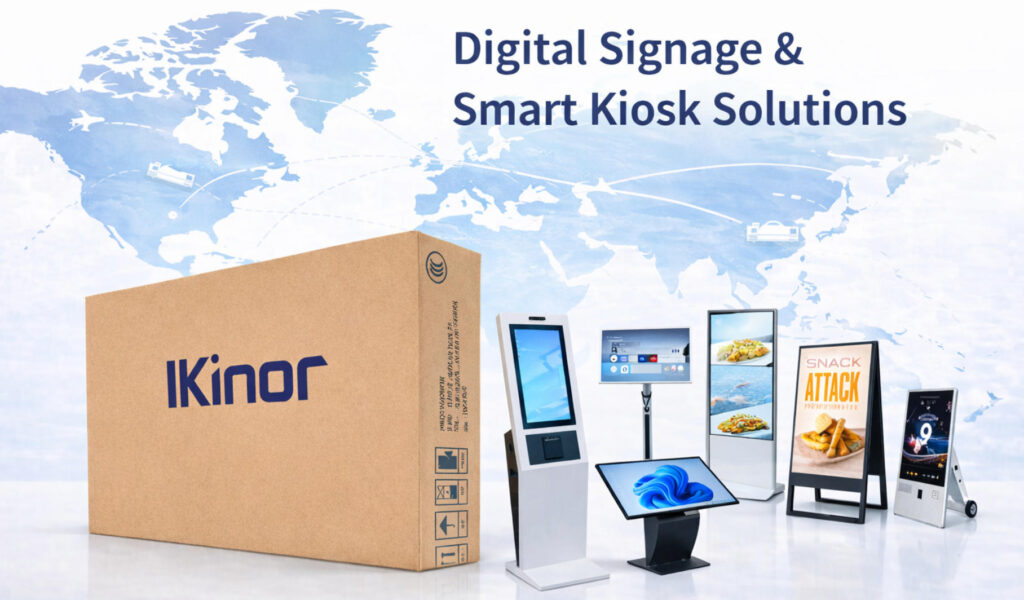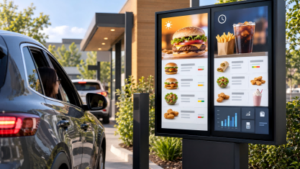
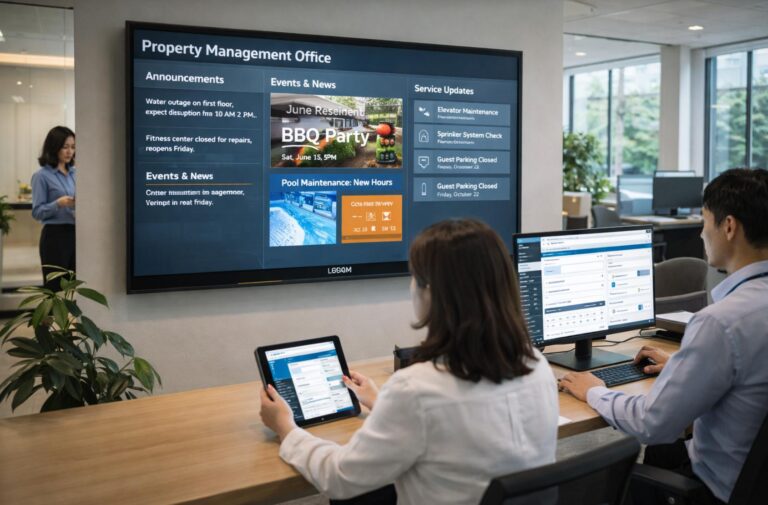
Property management is under growing pressure to do more with fewer resources. As buildings become larger and more complex, traditional front desks, static signage, and manual communication methods are no longer enough to meet tenant and visitor expectations. Property Management Interactive Displays provide a smarter way to centralize information, guide visitors, and streamline daily operations through a single digital interface. From lobby directories and wayfinding to service announcements and emergency notices, these displays reduce repetitive inquiries while improving user experience. For asset owners and property managers, the key question is no longer whether interactive displays look modern, but whether they can deliver real efficiency gains, cost control, and long-term operational value.
What Is a Property Management Interactive Display?
A Property Management Interactive Display is an interactive digital screen designed to improve communication, navigation, and information access within residential, commercial, and mixed-use properties. Unlike traditional static signs, these displays allow visitors, tenants, and property staff to interact with digital content through touchscreens, making it easier to access directories, building information, announcements, and service guidance.
In most property environments, interactive displays are used in the form of lobby directory kiosks, digital wayfinding screens, tenant communication displays, and visitor information systems. They combine commercial-grade displays, touchscreen technology, content management software, and optional system integrations to create a more efficient information hub for modern buildings.
The main difference between a Property Management Interactive Display and standard digital signage is user interaction. While digital signage mainly delivers scheduled content, interactive displays allow users to actively search information, explore maps, locate tenants, and access property services based on their specific needs.
What Business Problems Can a Property Management Interactive Display Solve?
A Property Management Interactive Display becomes a strategic investment when it clearly solves persistent operational challenges that affect staff workload, communication flow, and service quality. For property teams evaluating whether the system is “truly necessary,” there are four key areas where interactive signage provides measurable improvements.
One common pain point is high front desk inquiry pressure. Reception staff often spend significant time answering repetitive questions about directions, amenities, and building procedures. Interactive displays offer self‑service access to this information, reducing interruptions and freeing staff to focus on higher‑value tasks.
Another issue is outdated or delayed information updates. Static signs and printed notices require manual replacement and often contain obsolete content. Interactive systems enable property teams to push announcements, service changes, and event information in real time, ensuring residents and visitors always view current content.
Visitor experience and brand perception are also enhanced with digital displays. Modern, visually engaging screens create a professional first impression and reinforce a property’s identity, contributing to higher tenant satisfaction and retention.
A real U.S. example is Habitat America, a Maryland‑based property management firm that implemented a digital signage network powered by Mvix across 15 apartment locations in the Baltimore–Washington metro area. After deployment, Habitat America reported a significant reduction in printing costs and manual communication efforts, while property staff experienced a notable decrease in resident communication workload as screens replaced flyers and manual door‑to‑door notices. Residents responded positively to the digital updates, and management observed higher engagement with announcements and event listings compared to previous methods.
Finally, interactive displays contribute to operational efficiency and labor cost control by automating routine information delivery and wayfinding tasks. For properties with frequent visitor traffic and complex information needs, these outcomes make a compelling case for deployment.

Which Property Types Benefit Most From Interactive Displays?
Interactive displays deliver the most value in property types where information complexity, visitor flow, and service needs exceed what static signage can handle. Commercial office buildings benefit significantly from interactive lobby directories and digital wayfinding that help tenants, clients, and delivery personnel quickly locate offices, meeting rooms, parking areas, and amenities without burdening front desk staff. A real example is St. John Properties’ deployment of digital lobby directories in their multi‑tenant buildings, which integrates real‑time building information to streamline navigation and improve guest experience.
Large residential communities and high‑end housing also see clear advantages. In multifamily environments with many buildings and services, interactive displays in lobbies and amenity areas can broadcast community news, service updates, event schedules, and visitor directions, reducing routine inquiries and elevating resident satisfaction. For example, Captivate’s digital signage network in U.S. Class A residential and commercial properties delivers tailored messages and real‑time updates that improve resident engagement and communication.
Mixed‑use developments, malls, and business parks are ideal settings for interactive systems because they combine retail, leisure, and office traffic with complex layouts. In the U.S., the American Dream Mall in New Jersey installed more than 76 interactive digital signage solutions—including touch‑enabled wayfinding kiosks—to assist visitors with navigation across its nearly 3 million square feet of retail and entertainment space. Another example is the Miami Design District’s deployment of dual‑sided interactive kiosks that provide 3D wayfinding, event highlights, and local information to pedestrians throughout the district.
By comparison, small properties with low daily visitor volumes—such as boutique residential buildings or low‑traffic offices—may not justify the upfront investment in interactive displays unless specific branding or premium guest service goals exist. Simpler digital signage or mobile information solutions often meet basic informational needs at a lower cost, making them a more practical choice in such contexts.
What Are the Common Applications of Interactive Displays in Property Management?
Property Management Interactive Displays can support different operational needs depending on the property type, layout, and visitor flow. The most common applications include lobby directories, interactive wayfinding, tenant communication, and visitor management.
Lobby directory displays help visitors quickly locate companies, offices, apartments, or facilities inside a building. They are especially useful for commercial buildings and multi-tenant properties where manual assistance at reception can create unnecessary workload.
Interactive wayfinding kiosks provide digital maps, floor guidance, and location information for large properties such as office complexes, residential communities, shopping centers, and mixed-use developments. These systems improve navigation efficiency while creating a more convenient visitor experience.
Tenant communication displays allow property teams to publish announcements, maintenance updates, event information, and emergency notices in real time. Compared with printed notices, digital communication reduces update time and helps ensure information remains accurate.
Visitor management displays can also be integrated with property access systems to support guest registration, building instructions, and self-service guidance. For properties with high visitor traffic, these functions can improve security while reducing pressure on front desk staff.
What Hardware Specifications Should Buyers Focus On First?
When considering a Property Management Interactive Display, hardware specifications are the first decision point that determines whether the system will meet operational needs and deliver a positive return on investment. Since these displays are often installed in public areas such as building lobbies and reception zones, buyers should prioritize durability, user experience, and long-term operational stability. Buyers should also keep in mind that interactive kiosks play a central role in property management systems, and the choice of custom smart kiosk manufacturers can significantly impact the overall quality and reliability of the display.
Screen size and installation location are critical: larger screens improve readability and engagement in busy lobbies or atriums, while smaller screens may be suitable for corridors or secondary areas. Proper placement ensures visibility, accessibility, and compliance with building codes, ensuring the kiosk serves its purpose in a dynamic environment.
Touch interface and user interaction should match the intended use. Capacitive touchscreens offer smooth, responsive interactions ideal for multi‑touch applications, especially in high-traffic areas where visitors may frequently engage with the kiosk. On the other hand, resistive touch may be suitable for simple selections in lower-traffic areas. The choice affects user experience and adoption, particularly for visitors unfamiliar with interactive kiosks.
Durability and operational stability are essential in high-traffic environments. Hardware should be resistant to scratches, tampering, and frequent use. When selecting a custom smart kiosk manufacturer, it’s important to ensure that the components are built to withstand continuous use. Commercial-grade components, reinforced housings, and anti-glare surfaces help extend the service life and reduce maintenance needs.
Finally, buyers must confirm whether the system supports 7×24-hour continuous operation. Property displays often run all day to serve residents, tenants, and visitors; hardware designed for continuous operation avoids overheating, screen burn-in, and unexpected downtime. Power management, cooling, and industrial-grade components are key considerations when selecting a custom smart kiosk to ensure long-lasting performance.
Focusing on these specifications first ensures that the interactive display will provide consistent performance, user satisfaction, and long-term value, while avoiding costly replacements or operational disruptions.

How Should Software Functions Be Selected for Property Management Use?
Selecting software functions for a Property Management Interactive Display requires balancing practical utility with cost-effectiveness. The key question is whether the features are sufficient to meet operational needs without creating unnecessary complexity or expense. Information publishing and updating is a core function; the system should allow property teams to post announcements, service alerts, and event notices in real time, ensuring all tenants and visitors receive accurate and timely information.
Visitor navigation is another essential feature. Interactive maps, building directories, and wayfinding tools guide guests efficiently through complex layouts, reducing front desk inquiries and improving user experience. The software should support intuitive touch or gesture interactions so that even first-time visitors can navigate easily. For buildings where tenant names, room numbers, floor maps, and visitor directions change frequently, the same property management interactive display can be configured as a building directory kiosk, combining directory search, floor guidance, remote CMS updates, and lobby-based visitor information in one system.
Service guidance and notices help residents and tenants quickly access key resources, such as maintenance requests, parking instructions, or community rules. Customizable templates and automated scheduling for recurring announcements enhance operational efficiency.
Enfin, backend management and permission control are critical for security and operational reliability. Property teams need the ability to manage content, assign user roles, and track system usage without overcomplicating workflows. Cloud-based or locally hosted management platforms with role-based access ensure that updates are controlled, consistent, and auditable.
Focusing on these core software functions ensures that the interactive display is practical, user-friendly, and cost-efficient. Avoiding redundant or overly complex features reduces training requirements, maintenance burden, and unnecessary expenditure while providing a system that genuinely supports property operations.
How Much Does a Property Management Interactive Display Cost in Total?
The total cost of a Property Management Interactive Display depends on multiple factors, making it essential for property managers to evaluate budget and potential return on investment (ROI) before deployment. Coûts matériels are a primary component, including the display panels, touch interfaces, enclosures, and supporting electronics. Commercial-grade screens with high durability and 7×24-hour operational capability generally command higher upfront costs but reduce long-term maintenance and replacement expenses.
Software licensing and customization can add significantly to the investment. Standard content management systems may be sufficient for simple information posting, but larger or multi-property deployments often require tailored features such as multi-language support, integration with existing property management systems, or advanced analytics. Custom development and recurring subscription fees should be factored into the budget.
Installation and maintenance are additional considerations. Professional installation ensures secure mounting, compliance with building codes, and optimal placement for visibility and accessibility. Ongoing maintenance, including hardware servicing, software updates, and content management, contributes to operating costs over the system’s lifecycle.
Understanding the payback period is critical. Interactive displays can reduce front desk inquiries, improve visitor and tenant satisfaction, and enhance operational efficiency, which translates into measurable savings in labor and operational costs over time. On average, well-planned deployments achieve ROI within 2–4 years, depending on property size, traffic, and the range of software features.
After evaluating hardware, software, installation, and maintenance requirements, buyers should also consider supplier capabilities, customization options, and technical support to ensure the system can meet long-term property management needs.
How to Choose a Property Management Interactive Display Supplier?
Choosing the right supplier is an important step because Property Management Interactive Displays are long-term operational equipment rather than simple display devices. Buyers should evaluate not only the screen hardware but also customization capability, software compatibility, and ongoing support.
A reliable supplier should provide commercial-grade hardware suitable for continuous operation, including durable touchscreens, stable internal components, and protective designs for high-traffic environments. For properties with specific installation requirements, customization options such as kiosk dimensions, mounting solutions, enclosure design, and branding elements may also be important.
Software integration capability is another key consideration. Interactive displays should work smoothly with existing property management systems, visitor management platforms, building directories, and content management systems. Suppliers with OEM/ODM experience and technical support capabilities can help ensure smoother deployment and long-term maintenance.
For large-scale property projects, buyers should also consider supplier experience with similar applications, production capacity, and after-sales support. These factors can reduce deployment risks and improve the overall lifecycle value of the interactive display system.
How Should Interactive Displays Be Installed and Integrated Into Daily Operations?
Successfully deploying a Property Management Interactive Display depends not only on selecting the right hardware and software but also on careful installation and seamless integration into daily operations. Choosing the right installation location is critical. Displays should be positioned in high-traffic, easily visible areas such as building lobbies, amenity centers, or reception zones, while avoiding obstructed or hard-to-reach spots. Proper placement ensures maximum user engagement and accessibility for all visitors.
Integration with existing systems is another key consideration. Interactive displays should connect with property management software, visitor registration systems, event calendars, and facility management platforms to provide a consistent, real-time information experience. API-based or cloud-enabled integration allows automated updates and reduces manual work for property staff.
Staff training is essential to ensure smooth daily operations. Operators should understand how to update content, manage access permissions, troubleshoot basic issues, and monitor system performance. Well-trained personnel reduce downtime and improve user satisfaction, while also enabling rapid response to operational needs.
Ongoing content maintenance is equally important. Displays must be regularly updated with accurate announcements, events, directions, and emergency information. Establishing a clear content schedule and assignment of responsibilities ensures that displays remain current, relevant, and valuable for tenants, visitors, and staff.
When these steps are properly planned and executed, interactive displays integrate smoothly into the property’s daily operations, enhancing efficiency, improving tenant and visitor experience, and ensuring long-term operational success.