Retail self-service kiosks have become an essential part of modern retail competition—especially for large stores and chain supermarkets. As customer expectations shift toward speed, convenience, and digital experiences, more retailers are turning to smart kiosk solutions to improve efficiency and boost sales.
In this article, we’ll walk you through everything you need to know about retail kiosk software—from what it is and how it works, to the key role of CMS in managing content at scale. You’ll also learn about the must-have features that directly impact conversion rates, how integration with POS and ERP systems enables true omnichannel retail, and why scalability is critical for long-term growth.
Finally, we’ll show you how to choose the right kiosk solution for your business, balancing functionality, cost, and future expansion. Whether you’re planning your first deployment or optimizing an existing system, this guide will help you make smarter, more strategic decisions.
What Is Kiosk Retail Software and How It Powers Modern Stores
Kiosk retail software is a purpose-built system designed for retail environments, combining front-end user interaction (touchscreen interface, product browsing, self-checkout) with back-end management (inventory sync, order processing, analytics). Unlike traditional POS systems that rely heavily on staff operation, kiosk software enables customers to independently browse, customize, and complete purchases—creating a faster and more flexible shopping experience.
It is also an important part of overall kiosk cost, as software complexity and customization can directly influence the total investment.
The key difference from manual service or standard POS lies in automation and scalability. While POS systems primarily handle transactions, kiosk retail software integrates multiple functions into one platform, including product discovery, upselling prompts, loyalty program integration, and even real-time promotions. This reduces staff workload while improving consistency and accuracy in service delivery.
In modern retail digitization, kiosk software plays several critical roles. First, it enables self-service, reducing queues and improving customer satisfaction. Second, it acts as a dynamic marketing tool, displaying personalized offers, cross-selling suggestions, and brand content. Third, it provides valuable data collection, tracking user behavior, preferences, and purchase patterns to support smarter business decisions.
More retailers are adopting kiosk solutions because they directly impact efficiency and conversion rates. By shortening wait times and offering guided purchasing journeys, kiosks can increase average order value and reduce abandoned transactions.
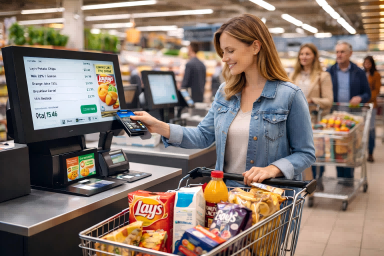
For example, brands like Walmart use self-checkout kiosks to streamline high-traffic stores, while McDonald’s has widely deployed ordering kiosks that boost upselling through visual menus. Similarly, Best Buy integrates interactive kiosks for product lookup and in-store navigation, enhancing both convenience and engagement.
In practice, especially in retail touchscreen kiosk OEM/ODM projects, manufacturers often go beyond hardware and provide customized software development tailored to specific retail scenarios. This may include UI/UX design aligned with brand identity, workflow optimization for different store formats (e.g., supermarkets vs. quick-service restaurants), and integration with existing POS, ERP, or CRM systems. Such end-to-end customization ensures that both hardware and software work seamlessly together, delivering a more efficient, scalable, and brand-consistent retail solution.
Overall, kiosk retail software is not just a tool—it’s a core driver of smarter, more efficient, and data-driven retail operations.
The Role of CMS in Retail Kiosk Systems
Building on the concept of kiosk retail software, a CMS (Content Management System) is what makes these systems truly powerful and easy to manage at scale. While kiosk software handles user interaction and transactions, the CMS acts as the control center behind the scenes, allowing retailers to manage what customers actually see on the screen.
In simple terms, a CMS lets you control content across all your kiosks in one place. Instead of updating each machine manually, retailers can push promotions, pricing updates, and advertising content to multiple stores at once. This is especially useful for chain businesses that need to maintain consistent branding while still allowing for location-based adjustments.
Another major benefit is remote, real-time updates. For example, if a product is running low in stock, the CMS can instantly remove or replace it with another promotion. Similarly, time-sensitive campaigns—like lunch deals or holiday discounts—can be scheduled and automatically activated without staff involvement.
CMS also supports multi-screen coordination, connecting kiosks with digital signage across the store. This means a promotion displayed on a large screen can guide customers to interact with a nearby kiosk, creating a seamless and engaging shopping journey.
Most importantly, a CMS enables data-driven optimization. By tracking customer behavior—such as what products are viewed, skipped, or purchased—retailers can adjust content to better match customer preferences and increase conversions.
In short, the CMS turns kiosk systems from simple self-service tools into smart, centralized, and highly adaptable retail platforms that improve both operational efficiency and customer experience.
Must-Have Features for Retail Kiosk Software
Following the role of CMS and centralized management, the next step is understanding what features truly make a retail kiosk effective in driving sales—not just displaying information. In retail scenarios, functionality directly impacts user experience, efficiency, and ultimately conversion rates.
First, product browsing and fast search are essential. Retail environments often involve hundreds or thousands of SKUs, so customers must be able to quickly find what they want through intuitive categories, filters, or keyword search. A slow or confusing interface will immediately lead to drop-offs.
Second, self-ordering and payment integration is a core function. Modern kiosks should support multiple payment methods, including NFC (tap-to-pay), QR codes, and traditional POS systems. The smoother the checkout process, the higher the likelihood of completed transactions.
Another critical feature is upsell and cross-sell recommendations. Instead of relying on staff, kiosk software can automatically suggest add-ons, bundles, or upgrades based on user behavior. This not only improves the shopping experience but also significantly increases average order value.
In addition, integrating a membership system and digital coupons helps retailers build long-term customer relationships. Customers can log in, access personalized discounts, and accumulate loyalty points—all directly through the kiosk.
Finally, real-time inventory and pricing synchronization with backend systems like POS or ERP ensures accuracy. Customers won’t encounter out-of-stock items or incorrect pricing, which helps build trust and reduces friction.
In short, these features transform kiosks from simple interfaces into powerful sales tools—guiding users, optimizing decisions, and maximizing revenue at every step of the customer journey.
Integration and Scalability: Connecting Kiosk Software with Retail Systems
After understanding the key features of retail kiosk software, the next critical factor is how well it integrates with existing retail systems and scales as your business grows. Even the most advanced kiosk will have limited value if it operates in isolation. True efficiency comes from seamless connectivity.
At the core, kiosk software should integrate with POS, ERP, and e-commerce platforms, forming a unified omnichannel system. This means product data, pricing, orders, and customer information are synchronized across all channels. For example, when a customer places an order through a kiosk, it should instantly reflect in the POS system and update inventory in the ERP—ensuring consistency across the business.
This integration also enables online-to-offline experiences, such as click & collect. Customers can browse and order online, then pick up in-store using a kiosk, or place an order at a kiosk and choose home delivery. This flexibility not only improves convenience but also increases conversion opportunities by bridging digital and physical retail.
Scalability is equally important, especially for growing brands or multi-location retailers. A well-designed system allows for centralized management across multiple stores, making it easy to deploy updates, monitor performance, and expand operations without rebuilding infrastructure from scratch.
Another key aspect is API openness and third-party compatibility. Open APIs allow kiosks to connect with payment gateways, CRM systems, marketing tools, and even emerging technologies, ensuring your system can evolve with changing business needs.
Ultimately, strong integration and scalability determine the long-term ROI of your kiosk investment—turning it from a standalone device into a fully connected, future-proof retail solution.
How to Choose the Right Kiosk Software for Retail
After exploring features, CMS capabilities, and system integration, the final step is choosing a kiosk software solution that truly fits your retail business. The goal is not to pick the most complex system—but the one that delivers practical value, scalability, and long-term reliability.
First, make sure the software supports a powerful CMS with remote management. As discussed earlier, centralized control is essential for managing promotions, pricing, and content across multiple locations. Without this, operations quickly become inefficient as your business grows.
Second, check hardware compatibility. A good solution should work seamlessly with different devices, including touchscreen kiosks, digital signage displays, and even future hardware upgrades. This flexibility ensures your investment remains useful as technology evolves.
Equally important is the UI/UX design, especially in high-traffic retail environments. The interface should be simple, intuitive, and fast to navigate, allowing customers to complete actions with minimal learning. A complicated interface can reduce engagement and directly impact sales.
When evaluating options, balance cost vs functionality. Avoid overpaying for features you don’t need, but also don’t sacrifice essential capabilities like payment integration or inventory sync. The right solution should align with your current needs while allowing room for growth.
Finally, consider whether the provider supports customization (OEM/ODM) and long-term technical support. Retail businesses often require tailored solutions that match their branding, workflow, and regional requirements.
This is where working with an experienced partner like Ikinor can make a difference. Ikinor not only provides hardware but also helps match the right software, customize solutions, and support large-scale deployments—ensuring your kiosk system delivers real business results.
FAQs
Kiosk retail software is a digital platform that powers self-service kiosks in stores, allowing customers to browse, order, and pay for products independently. It helps streamline operations, reduce wait times, and enhance the overall shopping experience.
It improves efficiency by automating sales processes and reduces staffing needs. It also boosts customer engagement through interactive interfaces, personalized recommendations, and integrated loyalty programs.
Look for features such as intuitive touch interfaces, secure payment integration, inventory synchronization, data analytics, cloud connectivity, and compatibility with existing POS systems.
Yes. Most modern kiosk solutions allow customization for branding, product displays, language preferences, and layout options—making them suitable for diverse retail formats like fashion, food, electronics, and convenience stores.
Absolutely. Top-tier kiosk software supports omnichannel retailing by syncing with e-commerce platforms, mobile apps, and digital wallets, ensuring a unified shopping experience across all touchpoints.